For a general-purpose server without special software or support constraints, start with Debian Stable or Ubuntu Server LTS and choose the one your team can maintain. If a required application, hosting panel, CPU architecture, or support policy dictates the distribution, that decides it. Confirm the exact supported release and test it before production.
Which Linux distribution should you choose for a server?
A conventional VPS or website needs a supported server release, usable packages, and an upgrade path you can manage. Choose a distribution by the software, support window, and administration model your actual workload needs, then open its dedicated setup guide.
A commercial application may require a certified OS. A hosting panel can support one release and exclude another. Even the right distribution family can still be the wrong choice when the application needs packages the supported release can't provide.
Check software and hosting-panel compatibility first
A vendor supports only the combinations it has approved: an application version on an OS release, and a CPU architecture where it applies. A commercial application that certifies RHEL can have a different support policy for Rocky Linux or AlmaLinux.
The cPanel AlmaLinux requirements list AlmaLinux 10 with cPanel & WHM version 132 or later. The Ubuntu requirements list Ubuntu 24.04 LTS. cPanel's Rocky Linux requirements state that Rocky Linux support has been removed, including for existing installations.
Plesk's support matrix looks different. Its Obsidian system requirements include Debian 13, with stated limitations, and Ubuntu 26.04. Plesk supports Ubuntu 26.04 beginning with Obsidian 18.0.81.
On Ubuntu 26.04 with that Obsidian release, PHP 7.4 and older handlers are not shipped and MySQL 5.7 is unsupported.
cPanel tells you to disable SELinux on AlmaLinux and keep it disabled while cPanel runs. On Ubuntu, cPanel lets AppArmor stay enabled and tells you not to install SELinux. Plesk tells you to disable AppArmor before installation on Debian. These steps change your security setup, so follow the vendor's instructions exactly.
A July 2026 r/Hosting commenter put it this way: “The choice of distro should depend less on preference and more on compatibility, I think.”
Rocky Linux 10 documents x86-64-v3 as its x86 baseline, which excludes some older processors. AlmaLinux 10 also documents an x86_64_v2 option. cPanel excludes ARM systems, even where the Linux distribution offers an ARM build.
Use the vendor matrix to list the acceptable OS releases and architectures. A supported release can still lack the PHP, database, or other runtime version your application needs, so check that too. On a configured test system, apt-cache policy package-name (Debian/Ubuntu) or dnf info package-name (RHEL family) shows the package versions in the local repository metadata.
What changes between the Debian and Enterprise Linux families

Existing automation, troubleshooting guides, and staff experience assume one family or the other.
| Family or release track | Package tools |
|---|---|
| Debian Stable | .deb, APT |
| Ubuntu Server LTS | .deb, APT |
| RHEL, Rocky Linux, AlmaLinux | .rpm, DNF |
Ubuntu uses AppArmor by default. The RHEL family uses SELinux by default.
A reader on r/homelab weighing Debian 13 against Ubuntu Server 25.04 for a Proxmox VM asked: “Is there really a big difference between them?” The Ubuntu version matters. 25.04 was an interim release, while 24.04 and 26.04 are LTS releases, and their maintenance windows differ.
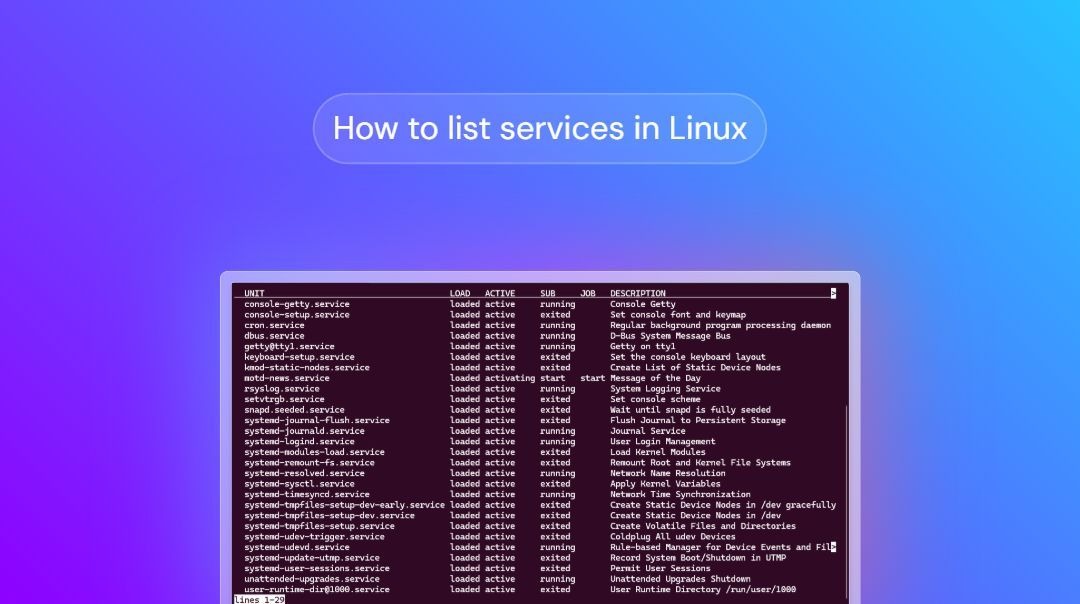
Debian splits into stable, testing, and unstable branches, each with its own release role. Ubuntu separates long-term releases from interim ones.
Check how long your exact release gets security updates
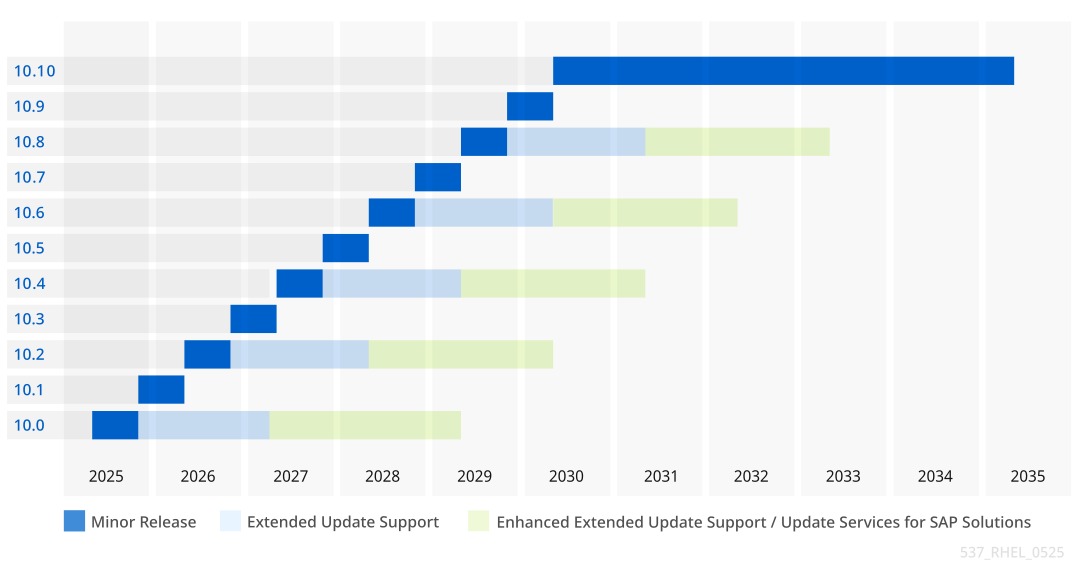
Support applies to a specific release in a specific maintenance phase. Ask when your exact OS stops receiving the security coverage you need, and check the conditions on architecture, subscriptions, minor versions, and packages.
| OS release | Support window | Scope or exception |
|---|---|---|
| Debian 13 “trixie” | Regular support to August 9, 2028, then LTS to June 30, 2030 | LTS uses narrower architecture coverage than regular support |
| Ubuntu 24.04 LTS | Five-year standard maintenance through 2029 | Expanded Ubuntu Pro coverage has separate terms |
| Ubuntu 26.04 LTS | Five-year standard maintenance through 2031 | Additional coverage is a distinct option |
| RHEL 8, 9, 10 | Ten-year major-version production lifecycle | Minor versions and AppStream components follow separate policies |
| Rocky Linux 10 | Active support to May 31, 2030. Security maintenance to May 31, 2035 | Only the latest minor release of a major version is supported |
| AlmaLinux 10 | Active support to May 31, 2030. Security maintenance to May 31, 2035 | Each minor release reaches EOL when its successor appears |
| Amazon Linux 2023 | Standard updates to June 30, 2027. Maintenance to June 30, 2029 | Core packages generally follow AL2023's lifetime, with upstream end-of-support exceptions. Supplementary packages have separate coverage |
On RHEL, the ten-year lifecycle applies to the major version. Minor releases get shorter windows: the RHEL lifecycle policy describes six months of standard coverage and two years for eligible Premium minor releases. AppStream components can follow separate schedules.
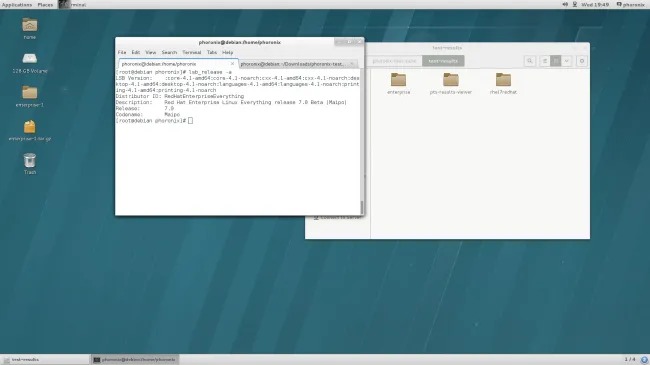
If you plan to run the server for several years, pick a release whose supported phase covers that period. Know your route to a newer minor or major version for when coverage narrows.
Choose by workload: websites, WordPress, enterprise software, and cloud
A general web server and a vendor-certified enterprise application can sit on identical hardware and still need different operating systems. Pick candidates by service, then keep only the releases that meet the software's requirements.
| Server job | Starting candidate | What can change the pick |
|---|---|---|
| General VPS, API, or website | Debian Stable or Ubuntu Server LTS | Required runtime and deployment image must be supported |
| Self-managed WordPress | Debian Stable or Ubuntu Server LTS | PHP, database, web server, or panel may narrow the choice |
| cPanel hosting | cPanel-approved AlmaLinux or Ubuntu release | Exact panel and OS versions, plus CPU eligibility |
| Certified enterprise application | Vendor-approved RHEL or other explicitly certified OS | Application certification and support contract |
| Docker host | Distribution and release supported by Docker Engine | Supported host platform and required application stack |
| AWS-hosted workload | Amazon Linux 2023 or another supported image | Application compatibility and package maintenance needs |
| Home lab with several services | Debian or Ubuntu guests | VM/container architecture is a separate decision |
A developer planning an API and static website on r/homelab wrote: “I'm planning on configuring a dedicated server to serve a API endpoint and some static HTML through NGINX/Docker.”
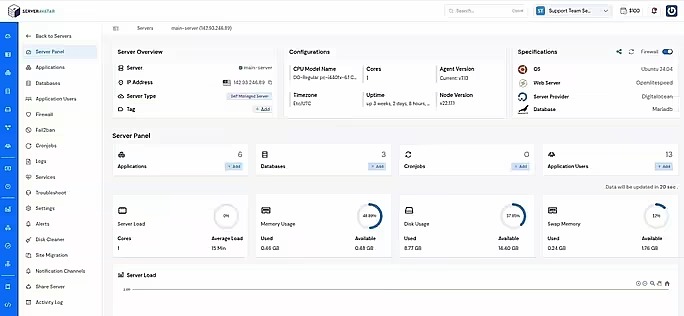
On self-managed WordPress, you maintain the OS, PHP, database, and web server. Managed WordPress hosting shifts that work to the host and can take the distro choice out of your hands.
Choose an OS your team can maintain

When two distributions both pass the requirements, your team breaks the tie. A team with Debian or Ubuntu procedures prefers APT-based systems. An RHEL-oriented team has DNF, SELinux, and upgrade practices in place already. Assign an owner for security updates, monitoring, backups, incident recovery, and major upgrades. Familiarity counts only after the release meets the application's support conditions.
Separate a server OS from containers and virtualization
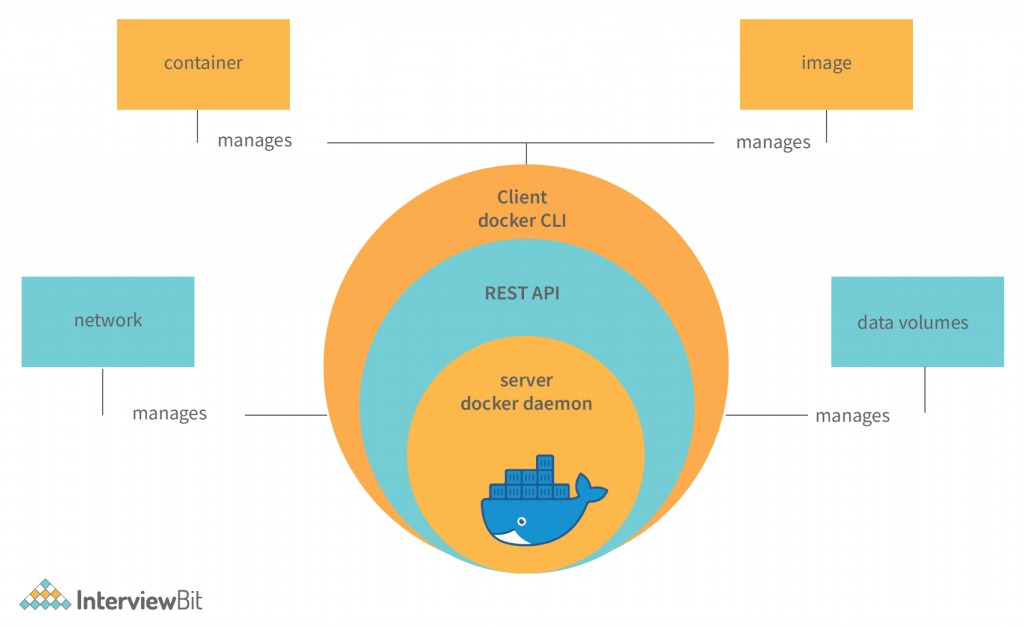
Docker containers share the host's Linux kernel and package their own application userspace. An Alpine-based image can run on a different supported host distribution.
Docker Engine publishes installation instructions for Debian, Ubuntu, Fedora, CentOS, and RHEL, with supported architectures listed for each. Some derived distributions run Docker Engine too, but without the testing and support the documented platforms get.
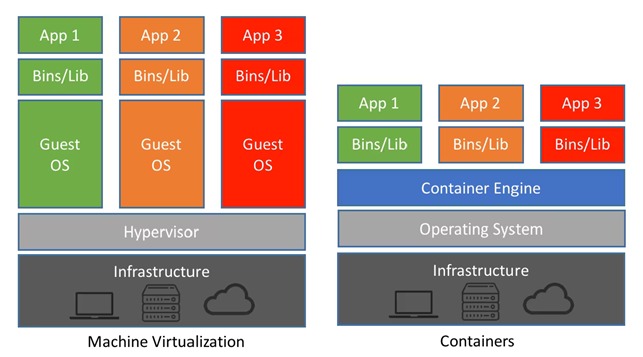
A hypervisor adds its own decision. Proxmox can host virtual machines running Debian or Ubuntu, so you choose the virtualization platform and each guest's OS separately.
A first-time home-lab owner on r/homelab explained what they wanted: “I just want something Debian based cuz I run Linux Mint on my gaming pc but I also want to experiment with other OS, and I'm familiar with the commands a lil bit.”
CentOS Stream plays a specialized role in development ahead of upcoming RHEL minor releases. Fedora Server and Alpine Linux can fit particular release-cadence or appliance needs.
Run a final compatibility and support preflight
Score your chosen distribution and release pass or fail on five conditions before building the production server:
- Workload fit: The service matches the OS's use case and deployment setup.
- Vendor support: The exact combination of application, panel, OS release, and processor appears in the published requirements.
- Support window: The release's remaining maintenance phase covers your planned deployment, or you have an acceptable upgrade path.
- Image and platform: Your VM, cloud image, or hardware supports that release and architecture.
- Operations: Someone on your team can maintain the server and recover the service after a failure.
A failed condition is a no-go, even if the distribution otherwise looks right.
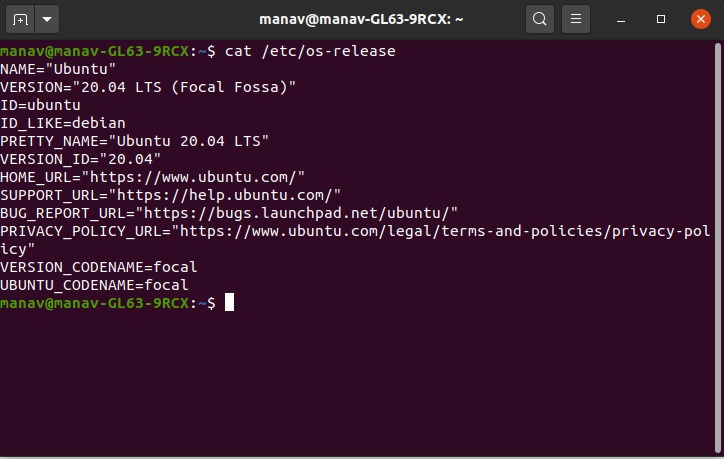
On a test VM or VPS, cat /etc/os-release shows the installed OS identity, including whether the machine runs a different release from the one you provisioned. Only the vendor's matrix tells you whether the application is supported on it.
When you replace a production system, keep a restorable backup and a recovery path. Retire the old deployment only after the new one runs the service with all its dependencies.
