Nginx with PHP-FPM and Apache with PHP-FPM both work for a PHP or WordPress server. Keep Apache if your site relies on Apache modules or .htaccess rules, otherwise pick the one you can maintain, and change a working server only for a feature you need or a problem you measured. If PHP pages fail, check the PHP-FPM connection first.
What Nginx, Apache, and PHP-FPM actually do
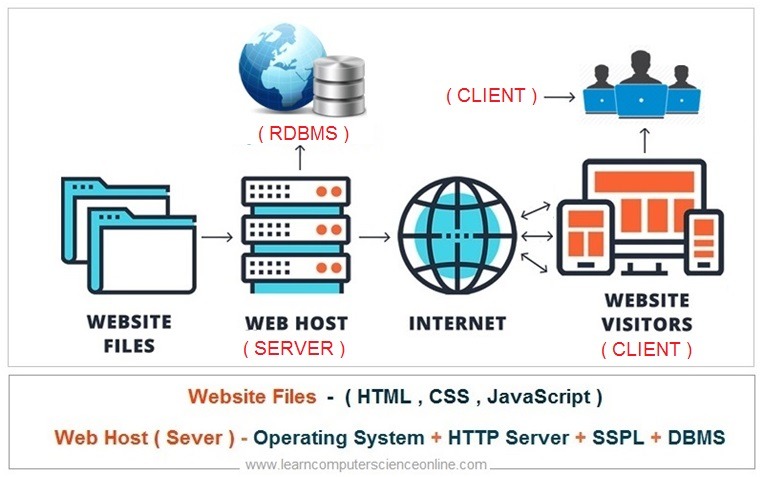
A PHP website has two jobs. One part, the web server, receives HTTP requests from browsers and decides how to handle them. The other, a PHP runtime, executes application code when a request needs it. Choose the stack architecture before copying a web-server configuration: decide where TLS terminates, which component executes PHP, and which service holds the database.
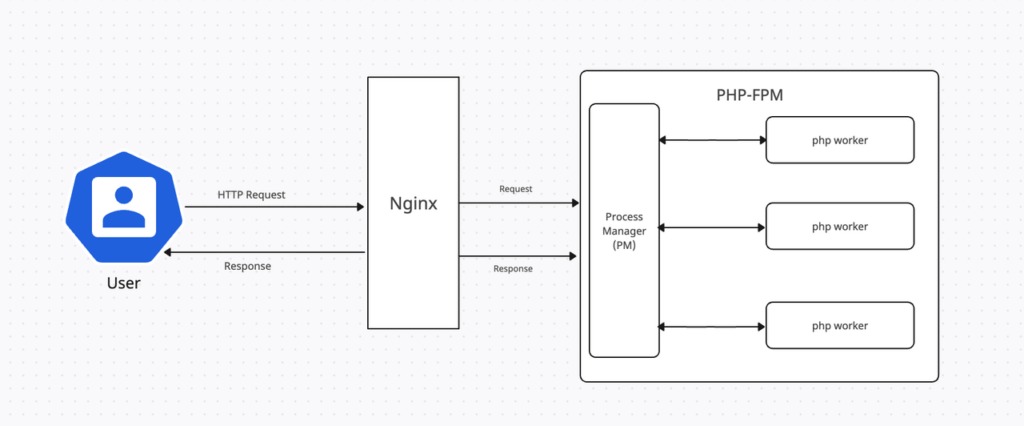
Nginx and Apache handle the HTTP side. PHP-FPM, the PHP FastCGI Process Manager, manages pools of worker processes that execute PHP code.
Take two requests to a WordPress site. A browser asks for an image, and the web server can serve it directly from disk. Then the browser requests a page that WordPress must generate. That second request needs PHP, so the web server passes it to the configured PHP backend.
Static request: Browser → Nginx or Apache → Static file response
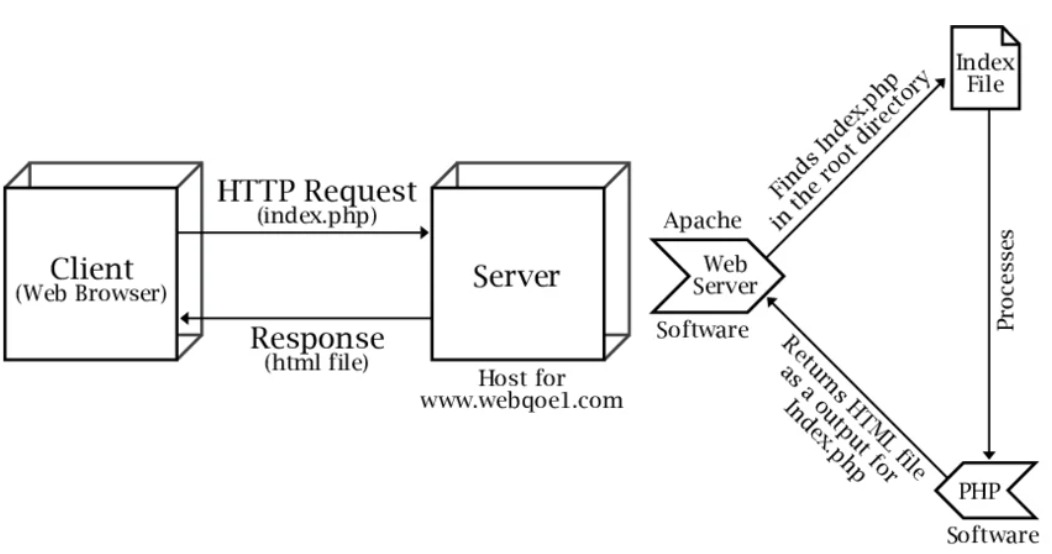
Dynamic PHP request: Browser → Nginx or Apache → FastCGI → PHP-FPM worker → PHP application → Response
The dynamic path uses FastCGI to carry request information to the PHP backend. An HTTP reverse proxy does something else: it forwards HTTP requests to another HTTP server.
Nginx uses a master and worker process architecture. It can serve static files, proxy HTTP traffic or send requests to a FastCGI backend. Apache has its own request-handling architecture. With mod_proxy and mod_proxy_fcgi, it sends PHP requests to PHP-FPM.
Apache also supports other PHP integrations, including mod_php in some installations.
Three ways to arrange a PHP web stack
A third option puts Nginx in front of Apache and keeps Apache as the HTTP backend.
| Setup | HTTP request path | PHP execution | What you configure |
|---|---|---|---|
| Nginx + PHP-FPM | Browser → Nginx | FastCGI → PHP-FPM | Nginx routing and FastCGI handoff |
| Apache + PHP-FPM | Browser → Apache | FastCGI → PHP-FPM through mod_proxy_fcgi |
Apache routing, modules and directory configuration |
| Nginx → Apache → PHP backend | Browser → Nginx → Apache | The PHP handler configured behind Apache | Two HTTP layers plus the PHP backend |
Trace the request from the public HTTP endpoint to the application to find out which setup you have. Nginx in front of Apache makes sense when you have a reason to keep Apache behind a proxy. It also gives you a second HTTP layer to troubleshoot.
A site with established Apache-specific behavior, for example, can keep its Apache backend while Nginx handles public-facing proxy duties. The backend setup decides how Apache runs PHP there, whether PHP-FPM or another supported handler.
LAMP and LEMP are familiar deployment combinations. LAMP means Linux, Apache, a database such as MySQL, and PHP. LEMP substitutes Nginx for Apache. PHP itself can run an application that has no MySQL database. The web server, PHP method and database are separate choices.
Choose the stack that fits your application and access
Start with what the application requires and how much control you have over the server.
| What to check | When it changes the choice |
|---|---|
| Apache modules or rewrite behavior | If your site depends on Apache modules or .htaccess rules, keep Apache until you have tested the Nginx equivalent. |
| Access to central server configuration | Limited administrative access makes permitted Apache directory-level overrides useful. |
| PHP-FPM integration | The server you pick needs a supported connection to the PHP runtime. |
| Maintenance ownership | Your team has to manage updates, configuration changes, logs and incident recovery. |
Apache also supports the event Multi-Processing Module, which handles parts of connection management separately from the threads that process requests.

Apache's .htaccess mechanism allows supported per-directory settings when the central server configuration permits them. Controls such as AllowOverride and AllowOverrideList decide what a directory can change. The Apache .htaccess documentation recommends central server configuration when the administrator has that access.
Check .htaccess and rewrites before switching WordPress to Nginx
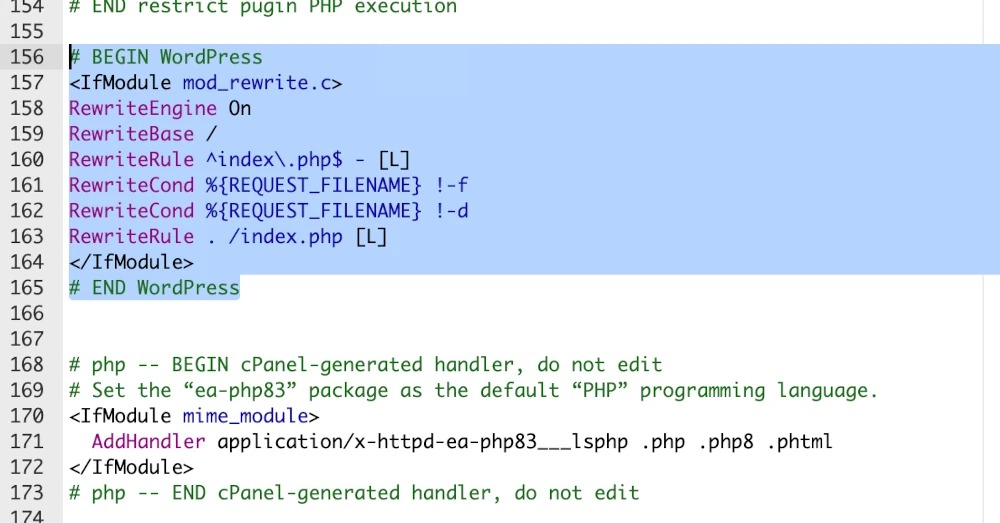
A WordPress site can depend on Apache configuration that Nginx does not interpret. Pretty permalink rules are the obvious example. Redirects and application-specific access restrictions can matter too.
Apache processes supported directives from .htaccess when its directory configuration allows them. WordPress documents this mechanism for its Apache permalink behavior.
Nginx handles rewrites and access control in server-level configuration. It does not load Apache .htaccess files, and WordPress cannot create the equivalent Nginx rules automatically. The WordPress Nginx documentation explains the distinction.
On r/Wordpress, a user with an existing WordPress installation working on Apache and PHP-FPM on AlmaLinux 9.5 asked, “Any gotchas that i should be aware off ?” The gotcha is that different web-server rules change how the application behaves.
Before replacing Apache with Nginx, list the behavior that must survive:
- Find the
.htaccessdirectives and virtual-host settings that apply. - Include WordPress, plugin, theme and site-specific redirects and access controls.
- Record the permalinks and protected paths that must keep working.
- Test the equivalent Nginx configuration in staging before production requests reach it.
Do not change a working stack for an unmeasured speed promise
The workload and configuration determine the performance effect of replacing Apache with Nginx. A static-file benchmark tells you little about a PHP-heavy WordPress site serving uncached pages.
Dynamic requests involve PHP workers, application code, database queries and caching decisions. The HTTP server is only one part of the request, so changing it can leave the bottleneck untouched. Apache with an external FPM backend is also a different workload from Apache with mod_php.
One poster on r/selfhosted runs a medium-traffic WordPress site with Apache in Docker behind Nginx Proxy Manager and asked, “Assuming everything else to be equal, will there be an improvement in performance by switching the apache into nginx and the WP to be using FPM?”
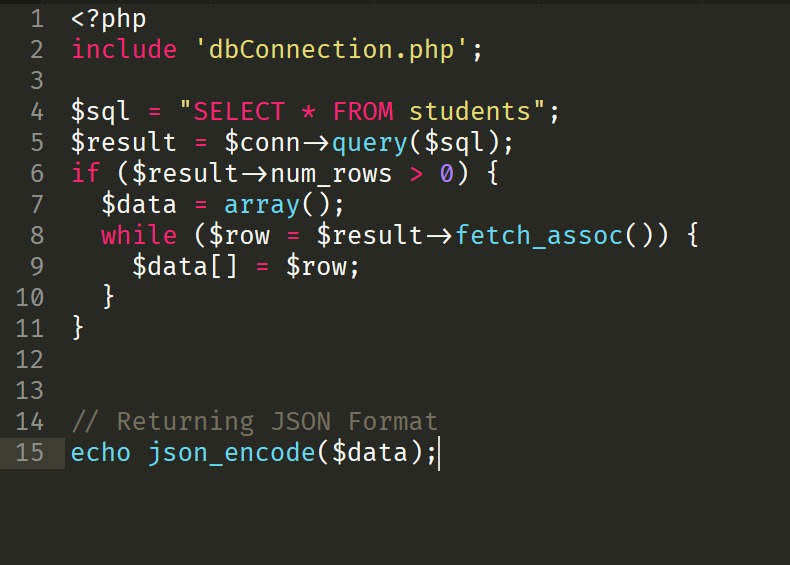
Get a comparable baseline before accepting the cost of migration:
- Response time: measure time to first byte on a few typical pages.
- Errors: record failures under normal and busy conditions.
- Resources: compare CPU and memory, including the periods when simultaneous requests cause the suspected limit.
- Cache state: keep cached and uncached requests separate.
A comparable test can justify changing the web-server configuration or replacing the server when it exposes a limitation. If the time goes to the PHP application or the database, look there instead. You rebuild the configuration, test the application and prepare a recovery path. Do it for a measured gain or a feature you need.
Make sure the web server can reach PHP-FPM
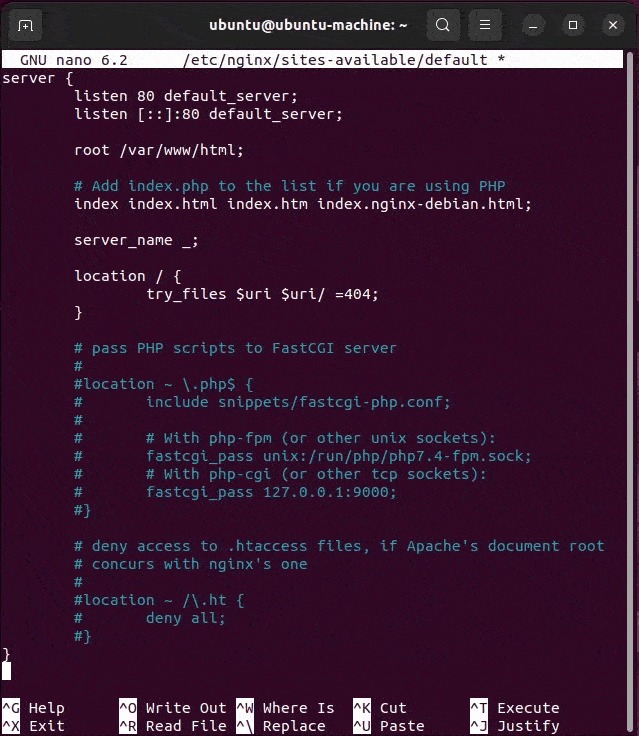
Nginx uses fastcgi_pass to select the backend. Its documentation shows fastcgi_pass localhost:9000; and fastcgi_pass unix:/tmp/fastcgi.socket; as illustrations. Neither is a promised endpoint for your server.
A PHP-FPM pool sets its listening address with listen. The value can be a TCP endpoint or a Unix socket. Apache reaches an FPM backend through mod_proxy and mod_proxy_fcgi, using its own configured backend address.
Matching transports is only half the handoff. Nginx also passes FastCGI parameters, including the PHP script identity in SCRIPT_FILENAME and query information in QUERY_STRING. The site's document root and routing configuration determine their values.
Check the integration in this order:
- Backend address: compare Nginx
fastcgi_passor Apache's FastCGI destination with the pool'slistenvalue. - PHP-FPM: confirm the service and your pool are running.
- Script mapping: inspect the FastCGI parameters Nginx sends.
- Unix socket: check owner, group, mode and any other access restrictions.
- TCP: check the listener's bind address and the client restrictions on its network path.

The PHP-FPM configuration manual documents listen.owner, listen.group, listen.mode and listen.allowed_clients. When listen.allowed_clients is unset, PHP-FPM applies no IP allow-list restriction through that setting. The bind address and other network controls still decide network reachability.
Security: Keep PHP-FPM's FastCGI listener inaccessible to untrusted networks. The PHP manual warns that exposing it can permit arbitrary code execution. Restrict a TCP listener to the hosts that need it, and put appropriate local access controls on a Unix socket.
On a single Linux host, a Unix socket is a documented option. TCP serves architectures that need it, with matching network restrictions.
Find the failing layer when a PHP site returns 500 or 502
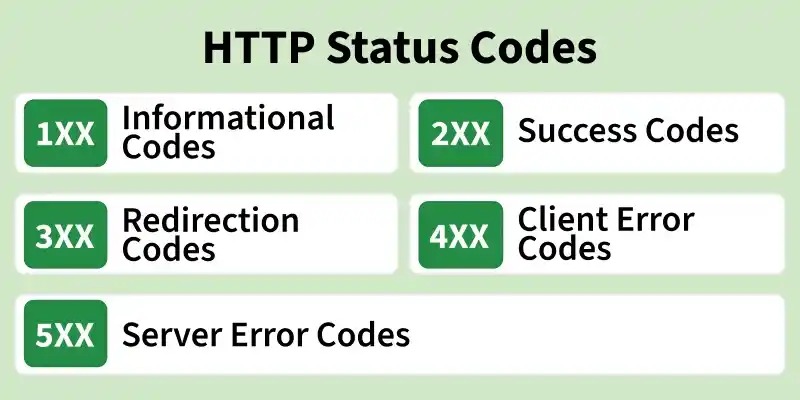
An HTTP 500 or 502 tells you a request failed, not which component failed it. HTTP 500 describes a server-side error condition. HTTP 502 means a gateway or proxy received an invalid response from an upstream server.
For a PHP application, ask how far the failing request travels. Static files, direct PHP execution and an application-generated page each exercise different parts of the stack.
A user on r/nginx described a WordPress setup on an Ubuntu Server virtual machine: “Running nginx on ubuntu server VM have tried to restart and follow different tutorial several times. I keep getting the error 500 or 502 bad gateway.” Another restart cannot distinguish a web-server issue from a PHP or application failure.
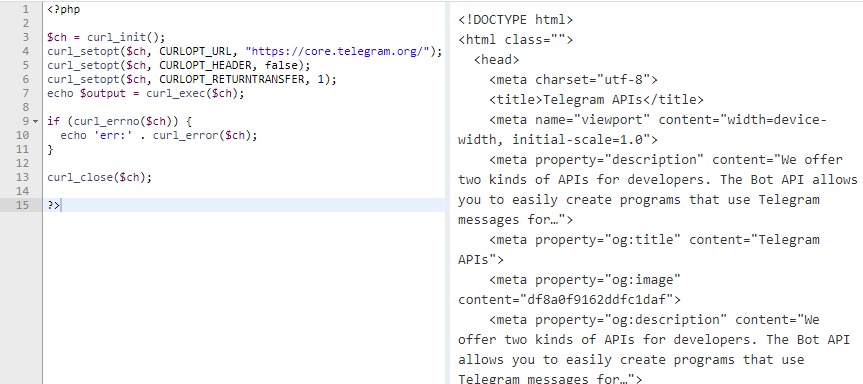
| What you observe | First check | Where to look |
|---|---|---|
| Static HTML or assets also fail | HTTP service availability, configuration and logs | Web server, network or HTTP proxy |
| Static HTML works, but a controlled PHP request fails | FastCGI routing and backend error logs | FastCGI connection or PHP execution |
| A PHP test works, but the WordPress site fails | WordPress errors, application configuration, site-specific routing and permissions | Application or site-specific configuration |
| 500/502 continues and nothing above fits | Match service and error logs to the failing request path | Still unknown. Narrow down the fault before changing anything. |
In row three, run the PHP test in the same site context. A test that passes on another virtual host says nothing about the WordPress route.
Syntax checks are a separate step. Nginx supports nginx -t, and Apache provides httpd -t. The executable name differs by operating system and service tooling. A syntax check verifies syntax only. To test execution, send a request.
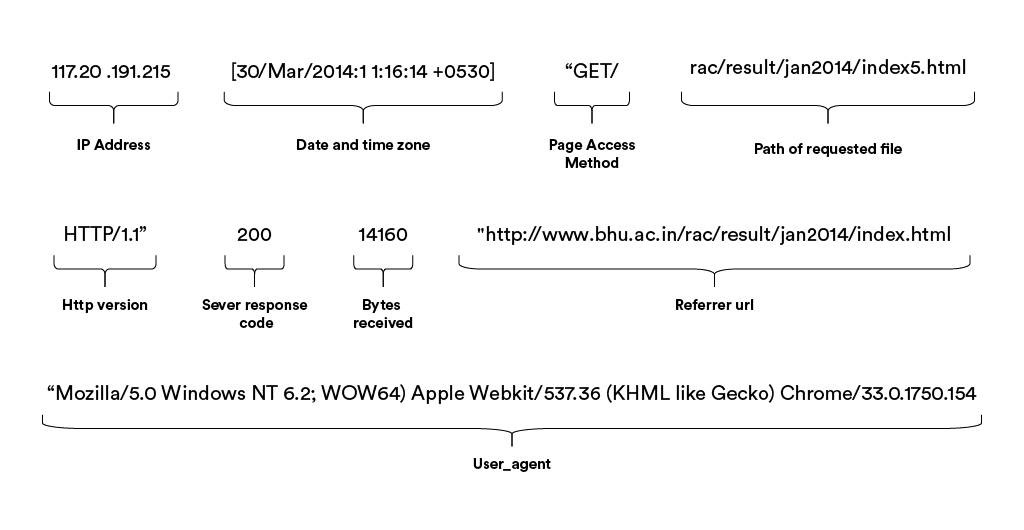
Compare the failed request with the web-server, PHP-FPM and application logs.
If you use a temporary PHP diagnostic script, restrict access to it and remove it afterward, especially if it reveals PHP configuration information.
Keep multiple WordPress sites and PHP workers organized
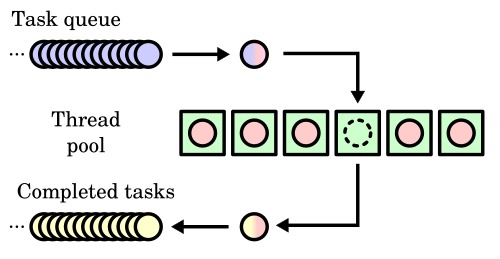
On a VPS hosting several WordPress sites, virtual hosts and PHP-FPM pools split the work:
- Each virtual host controls HTTP routing for its site.
- PHP-FPM pools manage the workers that execute PHP.
- Each pool can have its own runtime user, group and listener.
- Pools can use different process-management modes, including
static,dynamicandondemand. - Pools support operational separation but are not complete security boundaries. The PHP manual cautions that resources such as OPcache can be shared.
- Before adopting someone else's multi-site configuration, list each site's virtual host, pool identity, listener and maintenance owner.
Use the right guide for the next step
Once you know the stack or the failing layer, move to a focused guide:
- Configure Nginx with PHP-FPM: installation, routing and application execution checks are in the dedicated setup guide.
- Install or manage Apache: see the Apache administration guide. The Nginx-versus-Apache guide goes deeper on choosing a server.
- Manage the PHP runtime: the PHP version-management guide applies when your application needs a different installed runtime.
- Configure HTTPS behavior: the HTTP-to-HTTPS redirect guide covers that routing change.
- Deploy WordPress on a VPS: follow the WordPress VPS deployment guide once you have chosen the hosting setup.
- Investigate WordPress errors: pick the WordPress 500/502/503 recovery guide or the server-log guide, depending on the layer you found.
- Maintain multiple sites: the PHP-FPM pool and WordPress isolation guidance fits sites that need separate identities or operational boundaries.
Compare a specialist guide's operating-system release, PHP version and service naming with your host before following its commands.
