If Nginx and PHP-FPM run on the same Linux host, point Nginx at the pool's private Unix socket, map SCRIPT_FILENAME to the PHP file you want to run, and check that the response contains PHP-generated output. If they run in separate containers or on different hosts, use a reachable private FastCGI endpoint and confirm the script path from PHP-FPM's side. Request a nonexistent PHP file before sending real traffic to the site.
A PHP website can serve its HTML, CSS, and images perfectly while every PHP request fails.
Three things have to be true: Nginx reaches the PHP-FPM listener, PHP-FPM gets a valid script filename, and the response contains output PHP generated.
What Nginx handles and what PHP-FPM runs
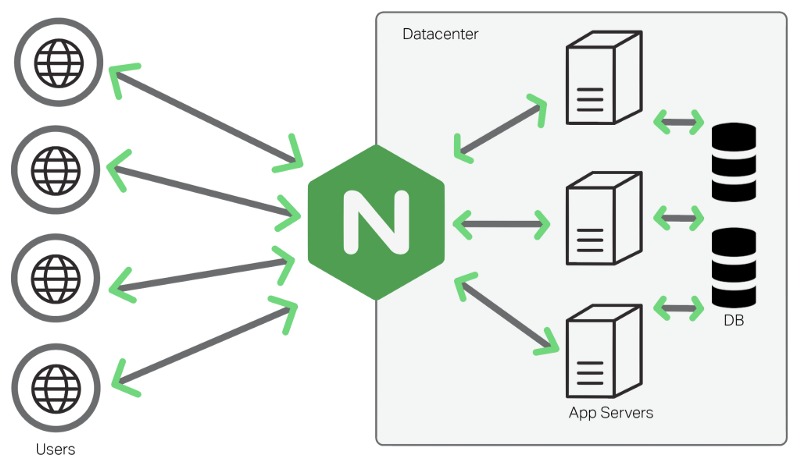
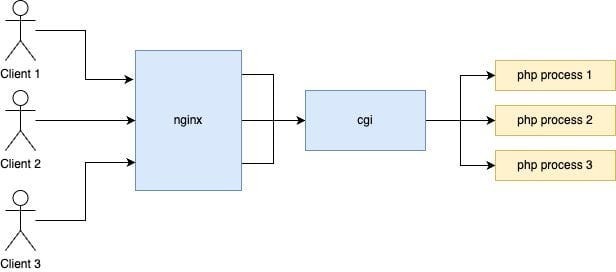
Nginx accepts HTTP connections, matches incoming requests to server and location rules, and serves static files. For requests configured to use PHP, it forwards FastCGI parameters to PHP-FPM. A PHP-FPM worker executes the named script and returns its output through Nginx.
A developer deploying a PHP website on a VPS wrote on r/PHP: “I want to deploy my PHP website on my VPS and thought it would be simpler.” PHP-FPM is the extra piece. It manages the PHP workers, while Nginx keeps handling the client-facing connection.
Browser
   |
   | HTTP request: /index.php
   v
Nginx
   |
   | FastCGI request over private socket or TCP
   v
PHP-FPM pool
   |
   | Execute the specified script
   v
PHP application
   |
   | Generated response
   v
PHP-FPM -> Nginx -> Browser
FastCGI needs a reachable listener and request parameters that name the right PHP script. A static index.html response only tests Nginx's file handling. A request for index.php tests the FastCGI path too.
The php command in your terminal runs PHP in command-line mode. Nginx contacts the configured PHP-FPM service and pool instead.
Find the PHP-FPM pool and listener your server uses
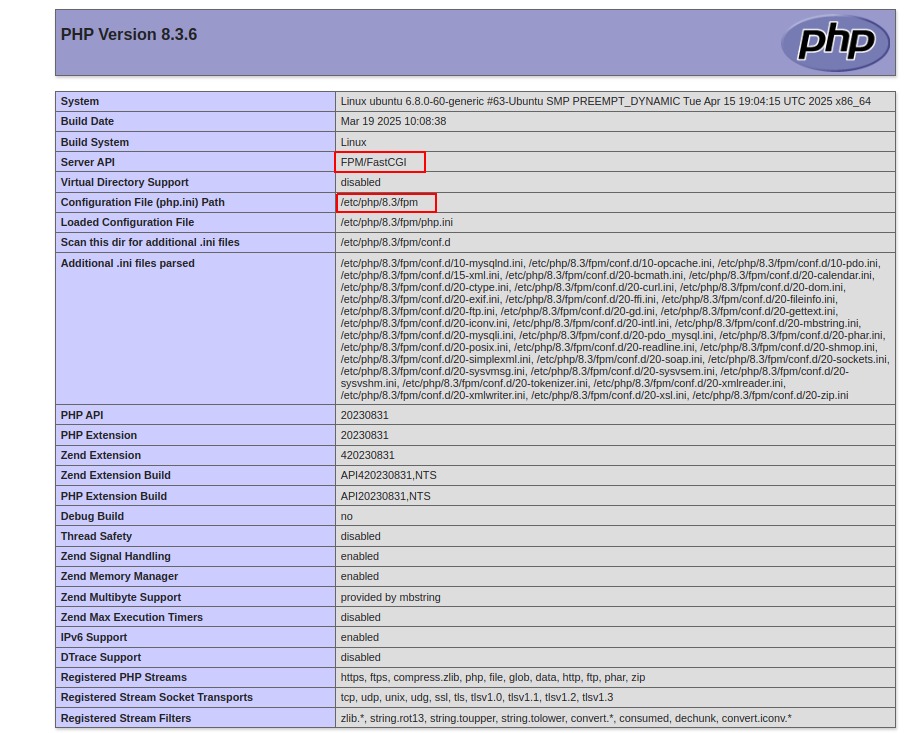
Find the running PHP-FPM service and its pool's listen setting before changing Nginx. Setup guides use example versions, pool names, and socket paths, and yours can differ.
On an Ubuntu or Debian-style server managed by systemd, list matching PHP-FPM service units:
sudo systemctl list-units --type=service --all 'php*-fpm.service'Then check which listeners are configured:
sudo grep -R -nE \
  '^[[:space:]]*listen[[:space:]]*=' \
  /etc/php/*/fpm/pool.d/
Several results point to several PHP versions or custom pools. Work out which pool serves your site.
sudo ls -l /run/php/Run that last command only if /run/php/ exists. Compare the entries with the pool's listen value and the running service. A pool can contain listen = /run/php/php8.3-fpm.sock.
Ubuntu's package registry associates the default php-fpm package in Ubuntu 24.04 LTS with PHP 8.3-FPM and the default package in Ubuntu 26.04 with PHP 8.5-FPM. Your host can run another PHP version or a custom pool, so go by what your own configuration shows.
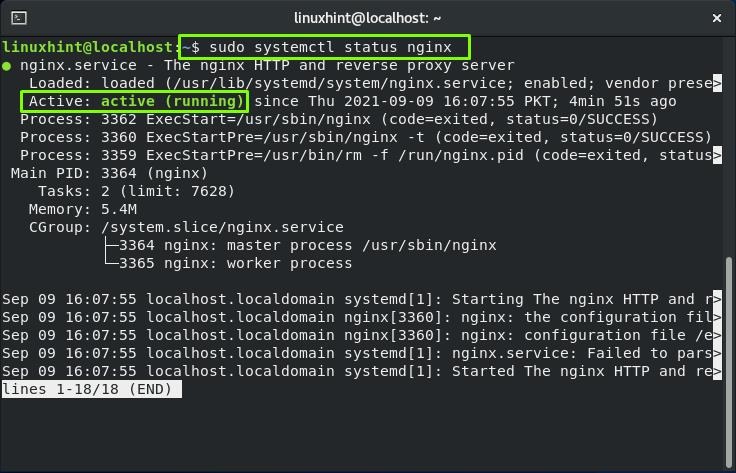
To see the configuration Nginx loads, including server blocks and included files, run:
sudo nginx -TReview that output locally, because it can contain site-specific settings. Find your hostname, root directory, PHP location, and FastCGI include.
| Setting | Record from the server |
|---|---|
| Nginx server block | The block that handles your hostname |
| Document root | The root path in effect |
| PHP-FPM service | The running service and PHP version |
| PHP-FPM pool | The pool file and its worker settings |
| Pool listener | The exact socket path or private TCP address |
| Script location | The path PHP-FPM can access |
Choose a Unix socket or a private TCP connection
A permission-controlled Unix socket fits Nginx and PHP-FPM on one Linux host, as long as both processes can access it. Separate containers or hosts can use a private TCP endpoint or a deliberately shared Unix socket.
You name the endpoint in Nginx with fastcgi_pass:
fastcgi_pass unix:/run/php/php8.3-fpm.sock;If the pool listens on TCP, the same directive takes an address and port:
fastcgi_pass 127.0.0.1:9000;| Criterion | Unix socket | Private TCP |
|---|---|---|
| Typical arrangement | Both services share a Linux host | Services use separate network environments |
| Endpoint | Filesystem socket path | IP address or private hostname and port |
| Access control | Socket permissions and applicable ACLs | Binding, permitted clients and network policy |
| Common failure | Socket missing or inaccessible | Address wrong, connection refused or network blocked |
| Suitable deployment | Shared socket namespace | Private interservice network |
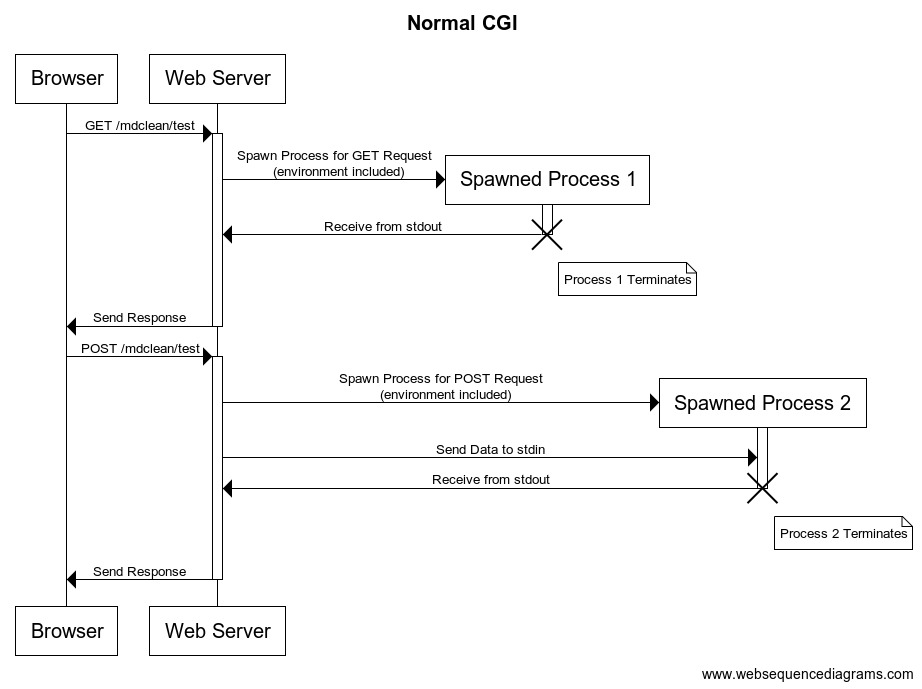
Inside an Nginx container, 127.0.0.1 is that container's own loopback interface. A separate PHP-FPM container needs its own reachable service endpoint or a shared Unix socket.
Map SCRIPT_FILENAME to the intended PHP file
Once Nginx reaches PHP-FPM, the backend must receive a SCRIPT_FILENAME that resolves to your script in PHP-FPM's filesystem.
For a basic site with this document root:
root /var/www/php-example/public;and a request for /_pg061_probe.php, the path should be:
/var/www/php-example/public/_pg061_probe.phpIn separate containers, the same application files can be mounted under different paths. The absolute filename sent through FastCGI must point to a file the PHP-FPM container can see.
With try_files $uri =404, Nginx checks for the requested file under its own root or alias, and PHP-FPM separately resolves the SCRIPT_FILENAME it receives. If the file isn't on Nginx's filesystem, the sample file-existence rule needs an alternative for your deployment.
Check the FastCGI parameters
Nginx passes request fields to the backend with fastcgi_param. A packaged include such as fastcgi.conf can already provide SCRIPT_FILENAME:
include fastcgi.conf;Check what the include actually sets, and define the filename in one place only. The Nginx FastCGI module reference documents an important inheritance rule: parent-level fastcgi_param directives are inherited only when the current level contains none.
Reject missing PHP files
A PHP location that serves physical files can check for the script before it sends the request to PHP-FPM:
try_files $uri =404;With this layout, a missing PHP file returns 404. WordPress and other front-controller applications need their own URL routing, configured separately.
A Primary script unknown message points at the filename PHP-FPM received.
Configure the Nginx PHP location
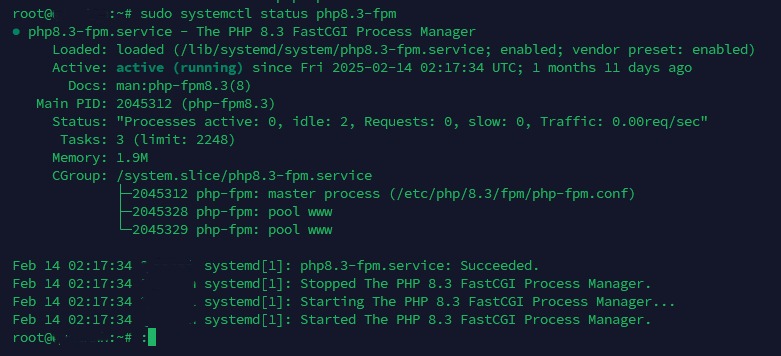
The following server block shows Ubuntu 24.04 with Nginx and PHP 8.3-FPM on the same host, serving a simple site with physical PHP files. Replace the hostname, root, listener and include values with the ones you recorded earlier.
server {
    listen 80;
    server_name php.example.test;

    root /var/www/php-example/public;
    index index.php;

    location / {
        try_files $uri $uri/ =404;
    }

    location ~ \.php$ {
        try_files $uri =404;

        include fastcgi.conf;
        fastcgi_pass unix:/run/php/php8.3-fpm.sock;
    }
}
On Ubuntu installations that use /etc/nginx/sites-available/ and /etc/nginx/sites-enabled/, save a new site configuration under sites-available and enable it with a symlink in sites-enabled. If the hostname already has an active server block, edit that block instead of adding a second one for the same hostname.
The PHP location checks that the requested file exists and forwards it through the pool's Unix socket. It assumes your installed fastcgi.conf supplies the correct FastCGI parameters, including SCRIPT_FILENAME.
With this index setting, a directory request that selects index.php triggers an internal redirect and a new location match, so the PHP handler processes that file.
Production applications can need protected-path rules and upload restrictions defined by the application. This small server block is not a complete production security policy.
Restrict PHP-FPM access and script execution
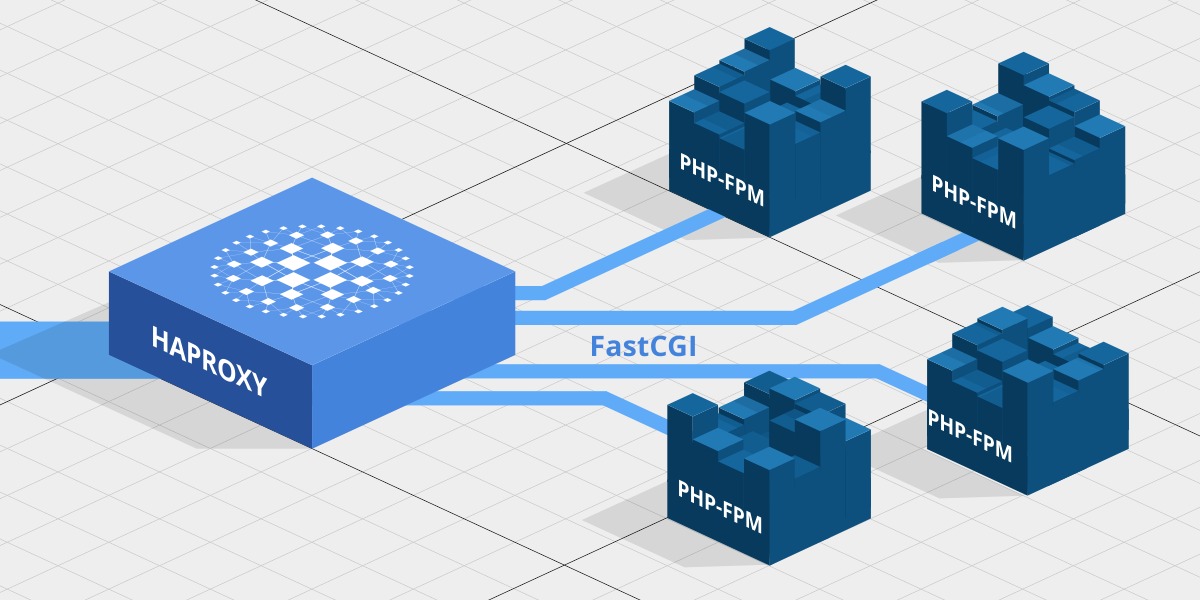
Security-critical: The PHP-FPM configuration manual warns that exposing FastCGI on a publicly reachable address can permit arbitrary code execution. Do not expose a PHP-FPM listener directly to the public Internet.
Unix socket ownership and ACLs
PHP-FPM pools provide listen.owner, listen.group and listen.mode to control Unix socket access on Linux. The Nginx worker needs access to the socket and to every parent directory on its path.
On systems with POSIX ACL support, listen.acl_users and listen.acl_groups can define socket access. When you configure them, PHP-FPM ignores listen.owner and listen.group. Check the ACLs before changing the ownership directives.
Don't use chmod 777 on the socket to fix a Permission denied error. It's unsafe.
TCP listener restrictions
For TCP, listen.allowed_clients limits which client IP addresses can connect. PHP-FPM documents the unset value as allowing any client address that can reach the listener, so private binding and network controls are essential.
Keep TCP FastCGI inside the trusted service network, behind firewall and listener restrictions. Don't publish a container's FastCGI port just to connect two internal services.
Allowed script extensions
The pool directive security.limit_extensions restricts which main-script extensions PHP-FPM will run. A pool that serves only .php main scripts can use:
security.limit_extensions = .phpThe PHP-FPM manual documents .php .phar as the default set. Use the narrower value if your application doesn't need the other extensions.
Verify PHP execution through Nginx
Run a known PHP script through your Nginx server block and read the response body. The HTTP status and Content-Type give context, but the body confirms that PHP produced the output.
First, test the Nginx syntax and the files it references:
sudo nginx -tOn the example PHP 8.3-FPM installation, you can run the matching FPM configuration test as:
sudo php-fpm8.3 -tUse a temporary PHP output marker
On a test site you control, create _pg061_probe.php under the document root you verified, with these contents:
<?php
header('Content-Type: text/plain; charset=UTF-8');
echo 'PG061_FPM_OK';
The expected response body is exactly:
PG061_FPM_OKTo request the sample HTTP virtual host on port 80 locally, use:
curl --resolve php.example.test:80:127.0.0.1 \
  http://php.example.test/_pg061_probe.php
The sample request assumes Nginx accepts HTTP on that local address and port. An HTTPS-only site needs a request that matches its own listener and hostname.
Reject a nonexistent PHP file
Ask for a script that doesn't exist, through the same virtual host:
curl -i --resolve php.example.test:80:127.0.0.1 \
  http://php.example.test/_pg061_absent.php
With the sample try_files $uri =404 rule, you should get HTTP 404.
| Check | Expected result | If it fails, check |
|---|---|---|
| Nginx configuration test | Syntax test succeeds | Directives, includes, referenced files |
| PHP-FPM service | Your pool is running. Listener available | Service and pool configuration |
| Known PHP marker | Response body equals PG061_FPM_OK | Listener, routing, script mapping |
| Nonexistent PHP script | HTTP 404 for sample rule | Location match and file-existence handling |
| PHP source exposure | No raw PHP source in response | Server and location selection |
| A real app URL | Expected application response | Application routing, once plain PHP works |
If the known marker fails, use the response and the error log to find the matching case in the next section. The 404 test only proves the sample location rejects missing files. Your application's own routes need separate checks.
Remove the probe after testing. You don't need a public phpinfo() page for this check, and one left accessible can expose server details.
Diagnose FastCGI errors by their symptoms
Start with the error logged for the failing request, then look at the PHP-FPM service or pool the log points to.
| Symptom | Where to look | First check |
|---|---|---|
| Static HTML works, PHP returns 502 | Dynamic upstream connection | FastCGI listener, FPM service and logs |
No such file or directory while connecting | Unix socket path | Configured listen and socket existence |
Connection refused | Backend acceptance | Service state and intended endpoint |
Permission denied on socket | Socket authorization | Worker identity, ACL, ownership and directory access |
Primary script unknown | Script resolution | SCRIPT_FILENAME and FPM-visible path |
| Literal PHP source in response | Request routing | Server/location match and PHP forwarding |
Missing or unreachable backend
Nginx can keep pointing at a socket name after the PHP-FPM service changes or fails. Compare the socket in your Nginx configuration with your FPM pool's listen setting before changing either service.
A TerraMaster NAS operator on r/HomeNAS wrote: “The nginx config expects PHP-FPM to be installed, but it's not.”
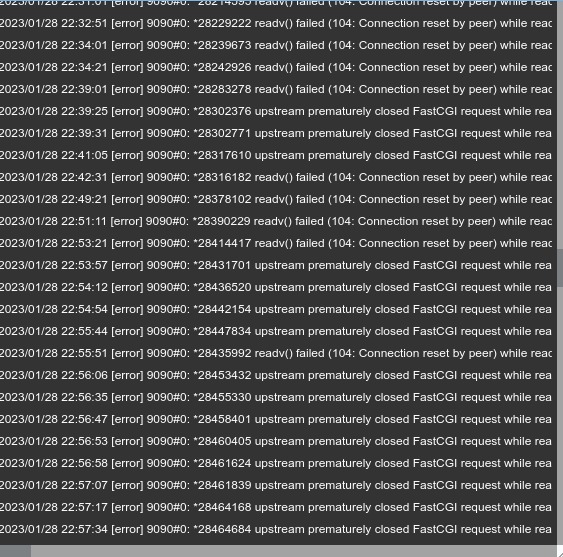
Socket access denied
A Permission denied error on the socket means the Nginx worker can't open it. Check which user the worker runs as, then the socket's permissions and ACLs.
Primary script unknown
Check that the filename PHP-FPM receives exists in its own filesystem. It fails when container mount paths differ.
Raw PHP appears in the response
PHP source in the response is unsafe. Find which Nginx server and location served the file and take that endpoint out of public service until PHP handling is fixed.
Apply changes and keep a recovery path
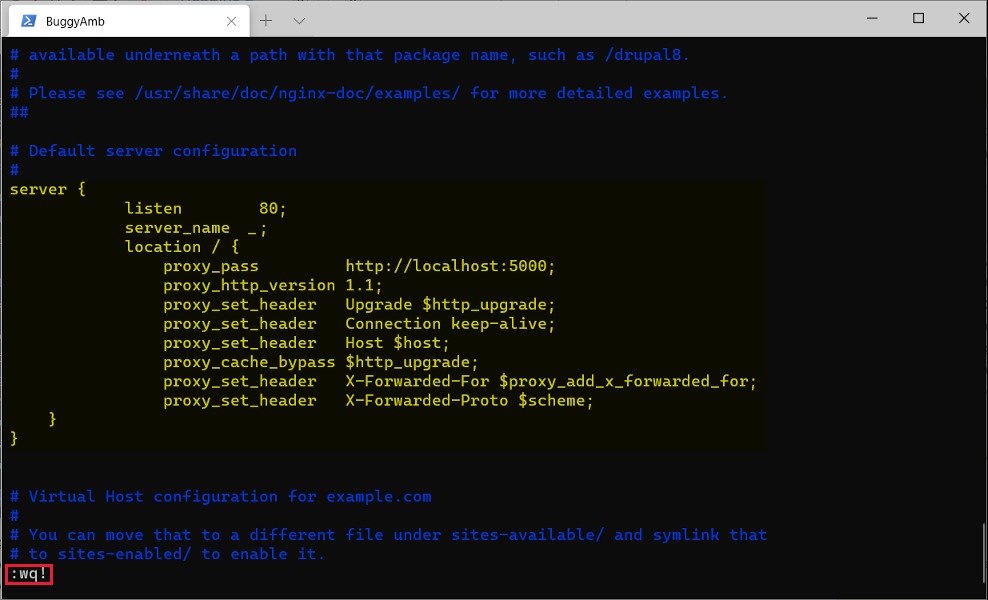
Before changing a live server block or PHP-FPM pool, save the known-good files and note which services use them. Make the smallest change that works, then run the Nginx and FPM configuration checks. On the Ubuntu systemd setup shown here, reload Nginx with sudo systemctl reload nginx and apply pool changes through the FPM service. Repeat the probe requests and one real app URL. If anything fails, restore the saved files and confirm the old routes respond.
Identify cases that need application-specific rules
The FastCGI connection proves PHP runs for the route you tested. Applications can need more:
- WordPress: Sensitive-file and upload handling need their own rules. Use the application's Nginx setup guidance for them.
- Apache migrations: Nginx doesn't read
.htaccess. Translate the rewrite rules into explicit Nginx configuration. - Multi-site hosting: Separate PHP-FPM pools give you operational separation, but a dedicated pool alone doesn't isolate tenants completely.
- Capacity tuning:
pm.max_childrenlimits concurrent PHP-FPM requests per pool. Set it from your observed memory use and workload, not from a copied worker count.
