On a directly exposed Nginx or Apache server, redirect HTTP from its port-80 virtual host once the HTTPS destination works. If Cloudflare or another reverse proxy terminates visitor TLS, configure redirect ownership and origin scheme handling for that arrangement. Follow the response chain to the final HTTPS destination before treating the change as complete.
A redirect loop starts when two components see different versions of the same request. Your browser connects over HTTPS, but a proxy forwards HTTP to the origin. The origin sees HTTP, issues another redirect to HTTPS, and receives the same request again.
Where should the HTTP-to-HTTPS redirect happen?
Put the redirect where plain HTTP first arrives. On a server facing the internet directly, that is the port-80 virtual host. With a CDN or TLS-terminating proxy in front, handle it at the edge.
A direct-origin request takes this route:
Browser -- HTTP:80 --> Nginx or Apache
Browser <-- 301 -------- Nginx or Apache

Browser -- HTTPS:443 -> Nginx or Apache
With a TLS-terminating proxy, there is another connection:
Browser -- HTTPS --> CDN or reverse proxy
                            |
                            | HTTP or HTTPS
                            v
                       Origin server
                            |
                            v
                         Application
| Deployment | Public connection reaches | Redirect handled by | Condition |
|---|---|---|---|
| Direct Nginx or Apache | Origin server | HTTP virtual host | Public HTTPS endpoint works |
| Cloudflare or another CDN | CDN edge | Edge HTTPS enforcement | Edge and origin rules agree |
| Reverse proxy in front of an app | Reverse proxy | Proxy or entry layer you control | Backend scheme and forwarded information agree |
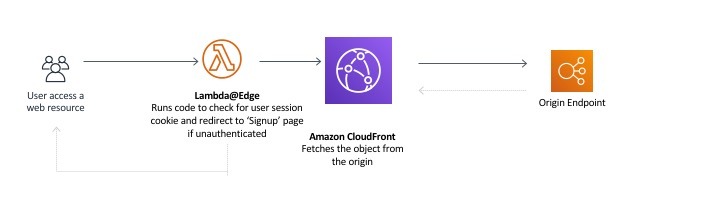
Several rules can coexist. Loops start when they contradict each other or keep reacting to a condition that never changes.
Check scope too. A hostname-specific virtual host covers only its own names. A default listener or a broad proxy-manager rule also hits other hosts on the same entry point.
Make sure the HTTPS destination works before redirecting to it
The destination needs a working HTTPS listener, the right hostname and a certificate the client accepts.
Before changing HTTP handling, request the HTTPS address directly with certificate validation on. For https://example.com/, confirm that TLS completes, the hostname matches and the application returns the expected response. An endpoint protected by authentication can legitimately return an access-control status.
Behind Cloudflare, treat the browser-to-edge TLS connection and the edge-to-origin connection separately. Full (strict) requires an acceptable origin certificate on an HTTPS origin connection. HTTPS in the visitor's browser says nothing about whether the origin meets that requirement.
A wrong default virtual host, a certificate-name mismatch, an IPv4/IPv6 routing difference or an unavailable port 443 also make redirected requests fail.
Set the HTTP redirect in Nginx or Apache
On a directly exposed origin, put the redirect in the HTTP virtual host that serves the hostname. Nginx uses return. Apache 2.4 uses Redirect from mod_alias.
An unconditional origin rule loops when a TLS-terminating proxy forwards HTTP to the origin.
Nginx
This HTTP server block takes two hostnames and sends both to example.com:
server {
    listen 80;
    server_name example.com www.example.com;

    return 301 https://example.com$request_uri;
}
$request_uri carries the requested path and query string. For example, a request for http://www.example.com/docs?lang=en receives a redirect to https://example.com/docs?lang=en.
The hostname is fixed on purpose. A redirect built from an unchecked client-supplied Host header can send visitors to the wrong destination.
This rule covers HTTP only. If visitors also reach https://www.example.com/, normalize the hostname in the HTTPS virtual host.
Apache 2.4
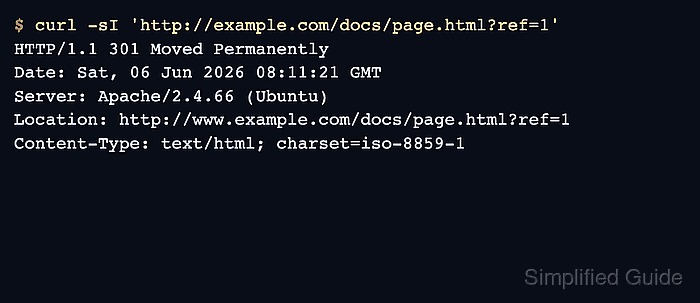
In Apache, a dedicated HTTP virtual host takes a simple redirect:
<VirtualHost *:80>
    ServerName example.com
    ServerAlias www.example.com

    Redirect permanent "/" "https://example.com/"
</VirtualHost>
Apache's Redirecting and Remapping guide documents this approach. The prefix mapping keeps the request path, and the query string carries through when the target adds none of its own.
When only .htaccess is available
On direct-origin Apache hosting with mod_rewrite enabled and overrides allowed, a root .htaccess file can hold a conditional fallback:
RewriteEngine On
RewriteCond %{HTTPS} !=on
RewriteRule ^ https://example.com%{REQUEST_URI} [R=301,L]
The condition limits the redirect to connections Apache sees as non-HTTPS. The destination names the canonical host, and REQUEST_URI keeps the path.
This fallback works only when Apache sees the public connection itself. If a proxy terminates TLS and sends HTTP to Apache, %{HTTPS} stays off for every request.
Pick the redirect status and destination deliberately

Use 301 Moved Permanently for ordinary page navigation. Use 308 Permanent Redirect when a request must keep its HTTP method and body.
Some clients turn a POST into a GET when they follow a 301. A 308 keeps the original method and body.
On Nginx 1.13.0 or later, use return 308 https://example.com$request_uri; in the server block above when the method and body must be preserved.
The destination uses https:// and the canonical hostname, such as example.com. You can normalize both in one redirect: http://www.example.com/docs goes straight to https://example.com/docs.
Opposing hostname rules create a different loop: one component sends the apex domain to www, and another sends www back to the apex domain.
Decide on 301 or 308 and the final URL for each route, API endpoints included, before rollout.
Configure HTTPS enforcement at the edge without fighting the origin
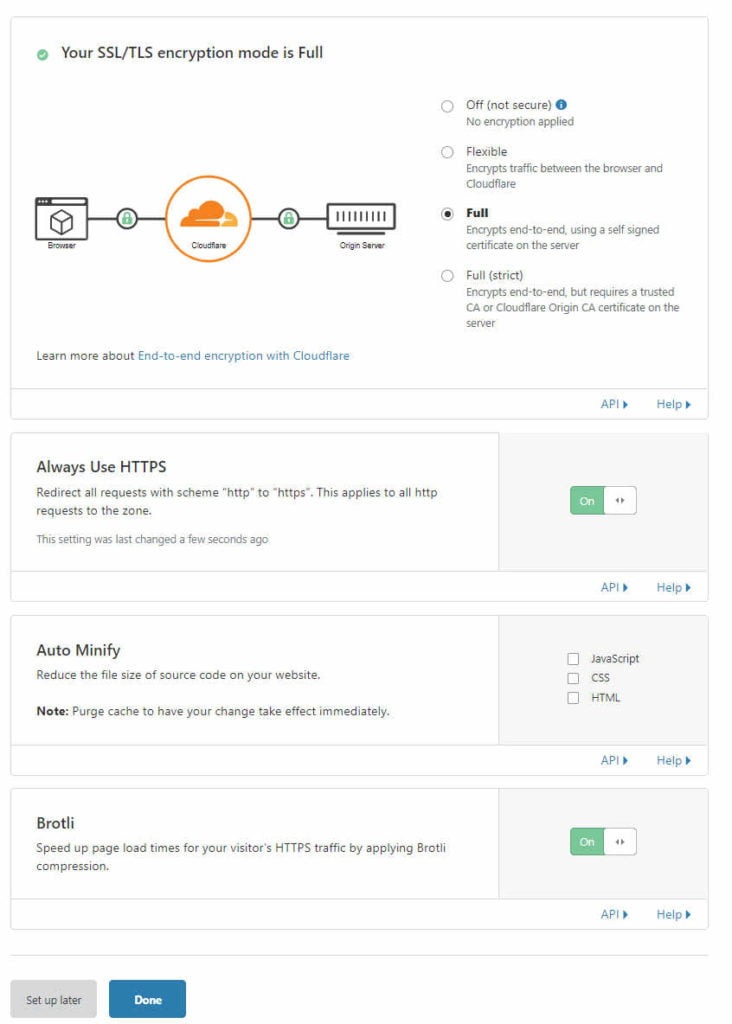
On a conventional Cloudflare-proxied origin, the SSL/TLS mode and the redirect rules must both match what the origin supports.
| Cloudflare mode | Connection to origin | Certificate requirement | Operational consequence |
|---|---|---|---|
| Flexible | HTTP | No HTTPS origin connection in this mode | An origin that forces HTTP to HTTPS causes a loop |
| Full | HTTP for HTTP visitor requests, HTTPS for HTTPS visitor requests | Origin certificate is not validated as in Full (strict) | HTTPS origin transport for HTTPS requests without strict certificate validation |
| Full (strict) | Follows the visitor request scheme as Full does | Acceptable certificate required for HTTPS origin connections | Encrypted origin connection with certificate validation for HTTPS requests |
Cloudflare's Full encryption documentation describes how Full follows the request scheme. Full (strict) adds origin certificate validation for HTTPS connections. Either mode requires an origin that serves HTTPS.
Here is the Flexible-mode loop:
Browser requests https://example.com/
             |
             v
Cloudflare receives HTTPS
             |
             | Flexible: HTTP to origin
             v
Origin responds with:
301 Location: https://example.com/
             |
             v
Browser requests https://example.com/ again
             |
             v
Cloudflare sends HTTP to origin again

The origin keeps seeing HTTP because Flexible uses HTTP for the origin request, so its redirect sends the browser back to the same public HTTPS URL.
Cloudflare also documents the opposite conflict: an origin rule that redirects HTTPS requests to HTTP conflicts with an encrypted origin connection.
An r/Wordpress poster described one resolution: “Yes using cloudflare, just changed ssl settings from flexible to full and it fixed the issue.” That fix fits a Flexible/origin-redirect conflict when the origin supports HTTPS.
Always Use HTTPS performs the visitor-facing HTTP redirect at the edge. Flexible, Full and Full (strict) are separate settings that govern how Cloudflare connects to the origin.
Check the proxy-to-backend scheme and trusted protocol headers
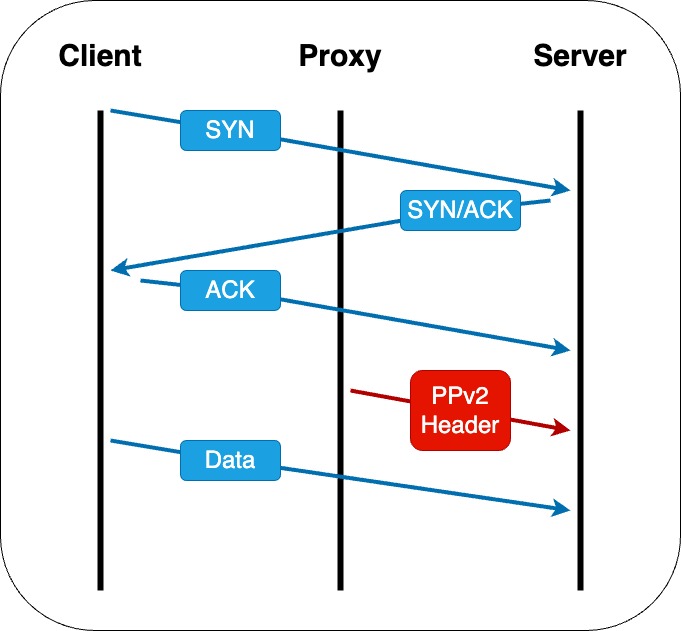
A reverse proxy opens a separate connection to its backend. The public HTTPS address does not tell you which scheme or port the backend expects, so the upstream URL must match the service that receives the request.
A private admin interface can listen for HTTPS on a nonstandard port. In an r/selfhosted discussion about Nginx Proxy Manager and Proxmox, one commenter wrote: “I had set the nginxproxymanager entry to forward to http://192.168.x.x:8006, and changing it to forward to https worked.”
Some backends do accept HTTP from a trusted proxy, so check which protocol yours actually speaks.
Cloudflare Tunnel uses its own Service URL
In Cloudflare Tunnel, the route's Service URL sets the local origin's protocol, hostname and port. A route to http://localhost:8080 reaches the local service over HTTP. An HTTPS Service URL uses HTTPS for that connection.
The zone's SSL/TLS mode does not choose the Tunnel's Service URL. If the local HTTP backend keeps redirecting the Tunnel connection to HTTPS, fix the Service URL or the backend's behavior.
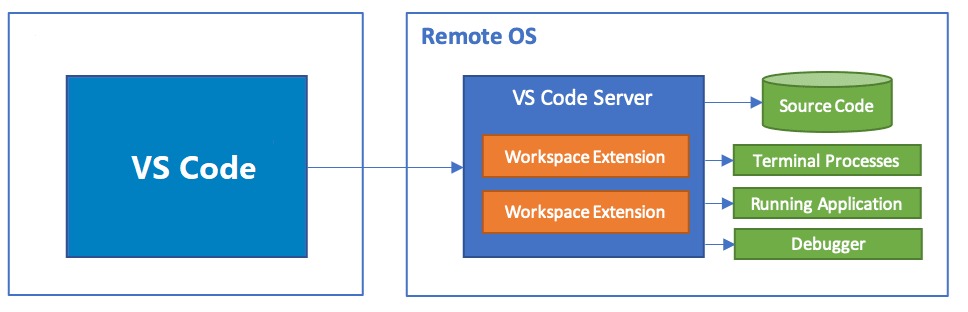
Forwarded protocol is a trust decision
The backend can also need the visitor's original scheme. Apache's %{HTTPS} and Nginx's $scheme describe the proxy-to-backend connection, so they can report HTTP while the browser's connection to the edge uses HTTPS.
A proxy you control can send X-Forwarded-Proto to tell the application the public scheme. Trust the value only when a known upstream proxy overwrites client-supplied forwarding headers, and restrict direct backend access where possible. Otherwise a client can spoof the reported scheme.
Find the loop: which layer is issuing the next redirect?
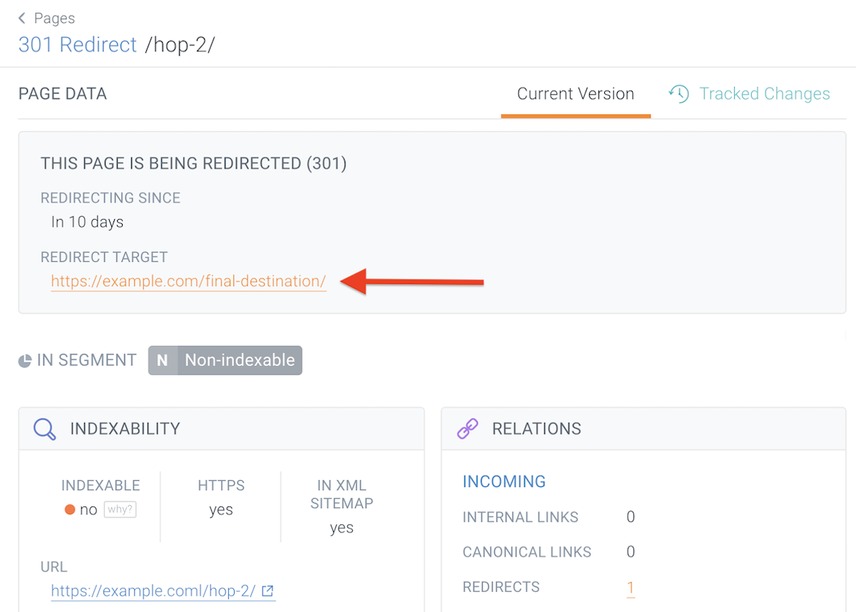
“Too many redirects” tells you little. The status codes and Location headers show which layer is looping. Look for repeated URLs and alternating schemes or hostnames.
| Observed behavior | Likely cause | Evidence to inspect |
|---|---|---|
| HTTP and HTTPS alternate | Conflicting edge/origin scheme rules | Redirect conditions and origin transport |
| HTTPS redirects to the same HTTPS URL | Application or origin misidentifies the public scheme | Forwarded protocol and application HTTPS detection |
Apex domain and www alternate | Opposing hostname policies | Successive Location hostnames |
| HTTP redirects, then HTTPS cannot connect | Broken HTTPS listener or certificate | TLS connection and the HTTPS endpoint |
| Nginx reports an internal rewrite cycle | Internal rewrite or location processing | Nginx rewrite configuration and error log |
A repeated public URL means a cycle. When a CDN, a reverse proxy and the application share one public hostname, the response alone does not always show which of them issues the redirect.
Use the observed chain to classify the failure:
- Repeated destination: Find the first URL that appears again.
- Changing part: Compare scheme, hostname, path and query across the cycle.
- Redirect source: Match the behavior to your edge, server and application rules, using access or error logs.
- Cause: Find the condition or transport mismatch that keeps producing the redirect.

Browser-visible 301 and 308 chains differ from Nginx's internal rewrite processing. A TLS handshake failure, a failed port-443 connection or a server-side 5xx response needs its own diagnosis.
Separate server redirects from application errors
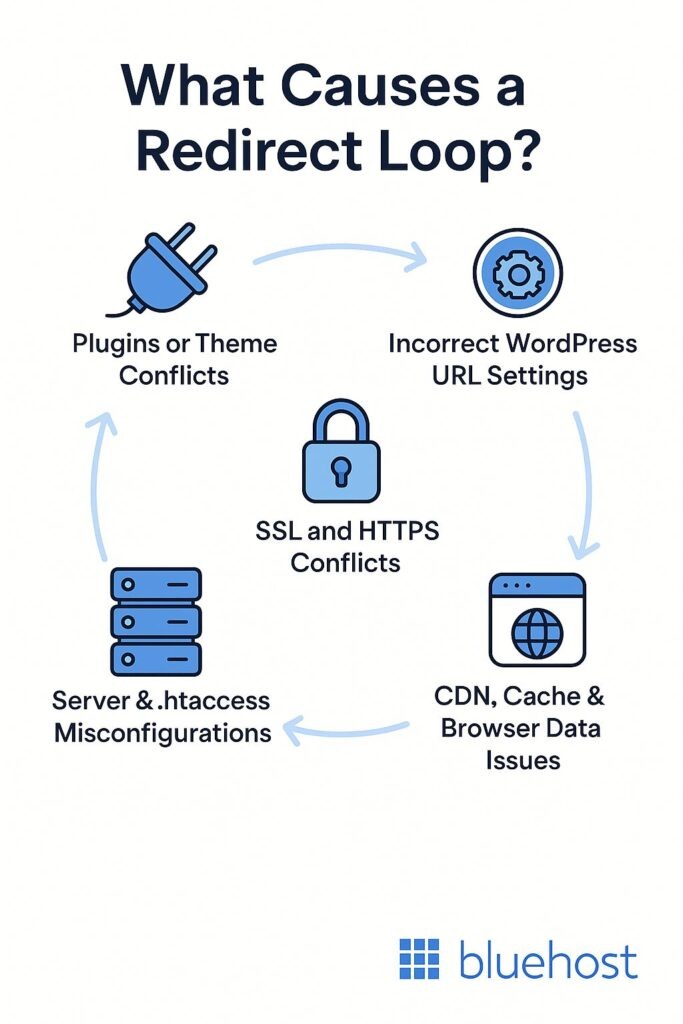
Compare the homepage's response chain with a request to the login page or /wp-admin/, using curl output and server logs. If the public redirect completes but an application route keeps redirecting, check WordPress URL settings, sessions and plugins.
Make WordPress recognize the visitor's HTTPS connection

WordPress can fall into an HTTPS redirect loop when TLS terminates upstream and the application sees an HTTP connection from that proxy.
Browser -- HTTPS --> Cloudflare edge
                            |
                            | Tunnel or proxy
                            | HTTP to local service
                            v
                         WordPress
In this arrangement a trusted proxy handles public TLS and the internal application receives HTTP. The application still needs the browser's original scheme.
The WordPress HTTPS administration guide covers problems behind SSL-terminating reverse proxies, including forwarded protocol information when WordPress cannot otherwise recognize an HTTPS visitor connection.
Public WordPress URLs, including values set by WP_HOME and WP_SITEURL, should match the canonical visitor-facing site. The local upstream address should never appear in generated URLs.
A blanket $_SERVER['HTTPS'] = 'on' assignment with no proxy trust condition erases the difference between trusted HTTPS visitors and other requests.
Prove the redirect works beyond its first response
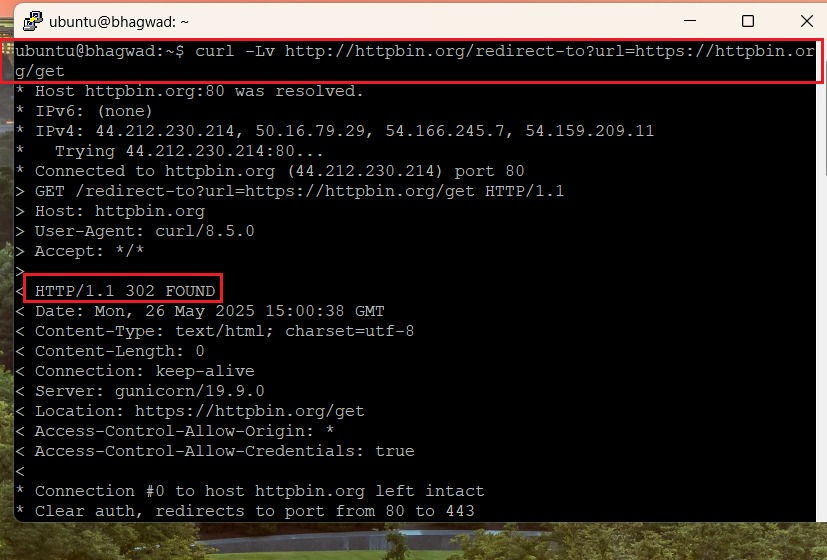
A complete test records the first redirect, every intermediate destination and the final HTTPS response. Checking the HTTP exchange with curl also avoids browser state, since browsers can remember permanent redirects and HSTS policy.
Start with the first response. This command sends a HEAD request:
curl -I --max-redirs 0 \
  'http://example.com/docs?lang=en'
Some applications treat HEAD differently from GET. If the two disagree, rely on the GET-based test below.
Follow redirects while printing response headers and discarding response bodies:
curl -sS -L -D - -o /dev/null --max-redirs 5 \
  'http://example.com/docs?lang=en'
Here, -L follows redirects, -D - prints each response's headers and -o /dev/null suppresses the body.
For a short summary, curl can report the final status, the effective URL and the redirect count:
curl -sS -o /dev/null \
  -w '%{http_code} %{url_effective} %{num_redirects}\n' \
  -L --max-redirs 5 \
  'http://example.com/docs?lang=en'
Test more than the homepage
| Request | Expected redirect | Final check |
|---|---|---|
http://example.com/ | Canonical HTTPS host | Homepage response |
http://www.example.com/ | Chosen hostname policy | Canonical host reached |
http://example.com/docs?lang=en | Path and query retained | Correct HTTPS route response |
| Authorized API or non-GET route | Chosen status and method behavior | Expected endpoint behavior preserved |
| Every request above | No URL repeats in the chain | TLS succeeds with certificate validation on |
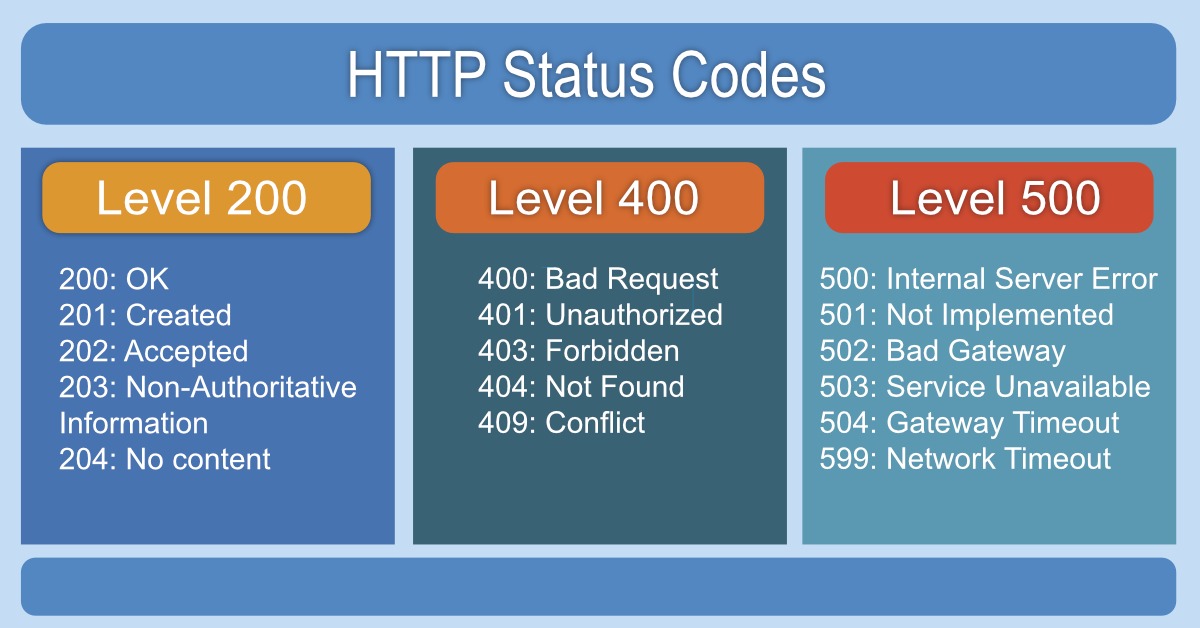
A successful result ends on the right HTTPS host with the route intact. The endpoint sets the final status: a protected route can return 401 or 403, and an intentionally missing one returns 404.
For an API that writes data, use a safe test built for that endpoint, since a blind production POST can trigger an unintended operation. The curl command-line manual documents the redirect and output options used above.
Apply the change safely and keep a way back
A redirect change affects every HTTP request that matches the rule, so work in this order:
- Preserve: Save the current web-server configuration or record the previous CDN/proxy settings.
- Validate: Run the syntax test on the staged configuration.
- Apply: Reload the service gracefully or update the managed edge rule.
- Measure: Run the curl checks above.
- Recover: Restore the saved setting if traffic breaks, then confirm the old behavior returns.
For Nginx, check the syntax with:
sudo nginx -t
For Apache, on installations that include it:
sudo apachectl configtest
HSTS adds persistent browser behavior
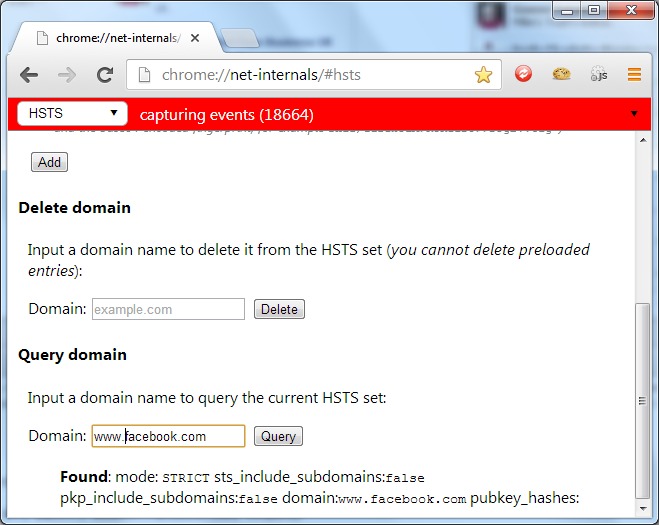
HTTP Strict Transport Security is a browser policy delivered in an HTTPS response. A browser that has learned it keeps using HTTPS on later visits, even after you change a redirect rule.
Long max-age values, includeSubDomains and preload affect more than one hostname. Add them only when every HTTPS endpoint they cover is ready.
Let's Encrypt HTTP-01 still starts on port 80
Let's Encrypt's HTTP-01 challenge begins on port 80. Its documented validator can follow up to 10 redirects, using HTTP or HTTPS destinations on ports 80 or 443.
An ordinary HTTP-to-HTTPS redirect therefore needs no challenge-path exemption, as long as the validation route still returns the expected challenge token through an eligible path.
Port 80 can stay open to redirect visitors to HTTPS. Closing it does not replace a working redirect, especially when certificate validation needs HTTP access.
