Use ln -s TARGET LINK_NAME to give a file or directory another path. Choose a hard link only when you need a second name for the same regular file on the same filesystem. Before relying on a symlink, confirm that it exists and its target resolves.
Create a symbolic link to a file or directory
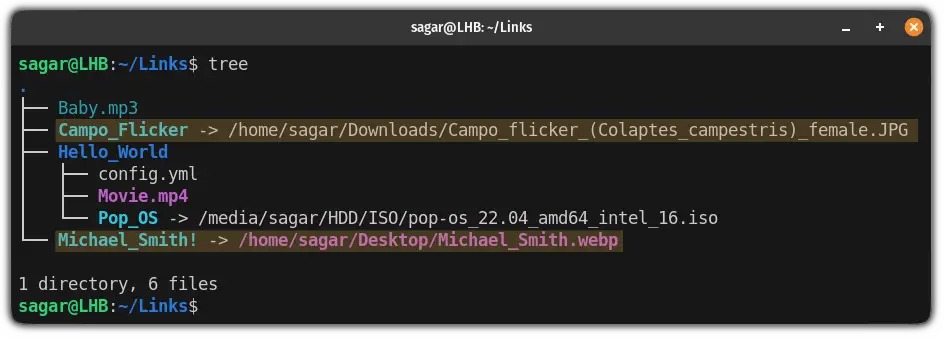
The command is ln -s TARGET LINK_NAME. Its first argument is the path the link stores, and the second is the new link name. It doesn't make a copy of the file. The commands in this guide use GNU coreutils syntax.
Try these commands in a disposable directory under your home folder. Use a fresh symlink-demo name so none of the example link names exist yet:
mkdir -p "$HOME/symlink-demo/data" "$HOME/symlink-demo/links"
printf 'sample\n' > "$HOME/symlink-demo/data/report.txt"

ln -s ../data/report.txt "$HOME/symlink-demo/links/report.txt"
ln -s ../data "$HOME/symlink-demo/links/data-shortcut"
The first link points to a file, the second to a directory. The original file stays at data/report.txt, and links/report.txt gives you a second way to reach it. Edit the file and the change shows up through the link.
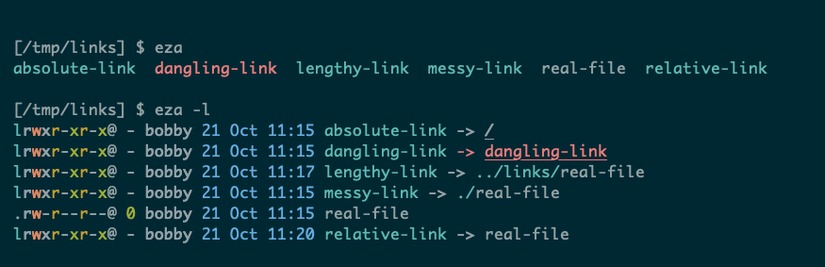
A symlink can also point to a target that doesn't exist. Add a deliberately broken link for the inspection example later:
ln -s ../data/missing.txt "$HOME/symlink-demo/links/missing.txt"The command succeeds because the link only stores the path as text, so it never opens the target. The GNU Coreutils ln manual documents this behavior. GNU ln creates hard links by default, and -s requests a symbolic link.
Choose a relative or absolute target path
A relative symlink target starts from the directory that holds the link. The directory your terminal was in when you ran ln doesn't matter.
Someone in r/linux4noobs, creating a link while working under /etc, asked, “How does the ln command know where example.file is?” The answer is the link's own position in the filesystem.
symlink-demo/
├── data/
│   └── report.txt
└── links/
    ├── report.txt -> ../data/report.txt
    ├── data-shortcut -> ../data
    └── missing.txt -> ../data/missing.txt
The link links/report.txt stores ../data/report.txt. Starting in links/, the .. component goes up to symlink-demo/, and data/report.txt reaches the file. Had it stored data/report.txt instead, Linux would read that as links/data/report.txt.
An absolute target begins with /, such as /home/user/symlink-demo/data/report.txt on a machine with that home-directory layout. A relative target keeps working when the whole project tree moves, as long as its internal structure stays the same.
GNU ln can calculate a relative target for you with its -r option.
Check whether the symlink and its target exist
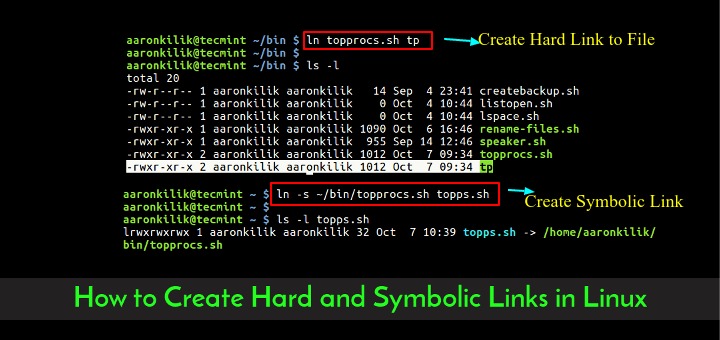
Run these against the working report.txt link and the broken missing.txt link to see how they differ:
ls -l "$HOME/symlink-demo/links/report.txt"
readlink "$HOME/symlink-demo/links/report.txt"

test -L "$HOME/symlink-demo/links/report.txt"; echo $?
test -e "$HOME/symlink-demo/links/report.txt"; echo $?
test -L "$HOME/symlink-demo/links/missing.txt"; echo $?
test -e "$HOME/symlink-demo/links/missing.txt"; echo $?
ls -l shows the stored target after ->. For this example, readlink prints:
../data/report.txtIn the test commands, exit status 0 means the condition succeeded. -L checks that the name is a symlink. -e checks that following the path reaches something that exists.
| Check | Working report link | Broken missing link |
|---|---|---|
ls -l | Shows symlink and stored path | Shows symlink and stored path |
readlink | ../data/report.txt | ../data/missing.txt |
test -L | Success | Success |
test -e | Success | Failure |
The GNU Coreutils readlink manual separates plain readlink, which prints what a link contains, from path canonicalization. GNU readlink -f accepts a missing final path component, while readlink -e requires every component to exist.
Diagnose a broken link or a link pointing to the wrong object
| What you see | Cause | Fix |
|---|---|---|
| Broken link | Target missing or stored path wrong | Restore the target or correct the path |
| New relative link doesn't resolve | Path counted from the shell's location | Count from the link's directory |
Permission denied from an executable | Link points to the program's folder | Link to the executable file |
Too many levels of symbolic links | Links circle back | Find the wrong link in the chain |
A Fedora 36 user in r/linuxquestions reported that a Flutter command failed: “when I run flutter --version in the terminal I get zsh: permission denied: flutter”. The replies pointed out that the link targeted the /opt/flutter/bin directory, while the command needed /opt/flutter/bin/flutter.
With those paths, ls -ld -- /opt/flutter/bin /opt/flutter/bin/flutter tells the directory apart from the executable file.
Replace an existing symbolic link without targeting the wrong directory
An occupied name changes how ln behaves. If it reports File exists, first check whether that name is a regular file, a real directory, a file symlink or a directory symlink. A force option can otherwise affect the wrong one.
Under GNU Coreutils, ln can treat a destination symlink to a directory as a directory to link into. If the name belongs to a regular file, -f can delete it. A real directory holds its own entries, and force flags are not a safe way to clean it out. A symlink to a file is what -f replaces, once you've confirmed it's the link you mean.

The disposable example already contains links/data-shortcut -> ../data. Create a second target directory:
mkdir -p "$HOME/symlink-demo/data-next"
ls -ld -- "$HOME/symlink-demo/links/data-shortcut"
ln -sfnT ../data-next "$HOME/symlink-demo/links/data-shortcut"
readlink "$HOME/symlink-demo/links/data-shortcut"
The last command reports ../data-next. The data-shortcut symlink is replaced, and the original data/ directory stays where it was. In the command, -s requests a symbolic link, -f permits replacement, -n avoids following a destination symlink to a directory, and -T treats the final argument as a single destination name.
For deployments: ln -sfn and ln -sfnT aren't atomic release switches, so an atomic switch needs a temporary link and a rename.
Remove a symlink with rm or unlink
To remove the symlink and keep its target, run:
rm -- "$HOME/symlink-demo/links/report.txt"In GNU rm, -- ends option parsing, so the path after it is an argument. The original file stays: cat "$HOME/symlink-demo/data/report.txt" still prints sample.
You can also use unlink, which removes one named link and never works recursively:
unlink LINK_NAMEWhy a trailing slash can make deletion dangerous
A trailing slash changes how a directory symlink is resolved. In Linux path resolution, link/ asks for directory traversal, which matters with recursive removal. The Linux path_resolution(7) manual explains why the trailing slash matters.
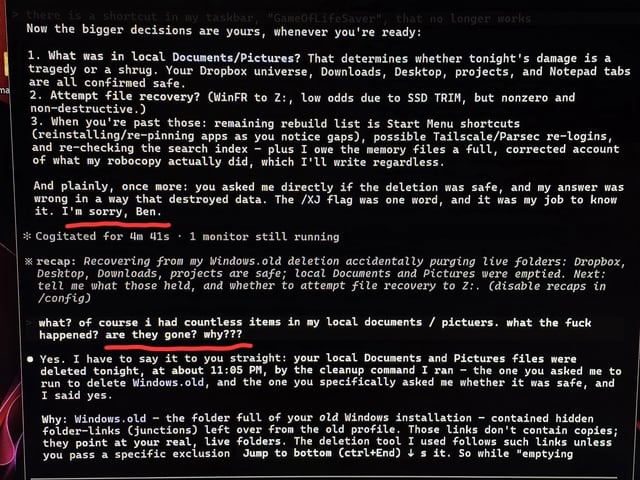
One user lost the contents of the referenced directory to a recursive deletion command and later added, “Edit: I shouldn't have put the trailing slash after the symlink :S”. The r/linuxquestions deletion thread records what happened.
Do not use rm -rf link/ to remove a directory symlink. In an isolated GNU Coreutils 9.7 test on Linux, this command removed the contents of the referenced directory and left the symlink in place.
Understand symlink permissions and access failures
The lrwxrwxrwx you often see on a Linux symlink doesn't give you access to its target. The target's permissions and the search permissions of the directories along the resolved path decide access.
If a link resolves but returns Permission denied, find out which user or process is following it. Check the target's type and access rights, plus the directory permissions needed to reach it. A service process can have different restrictions than the account that created the link.
A 403 can also come from web server or application rules. It doesn't point to one Unix permissions failure on its own. Skip blanket chmod 777 changes and fix the access problem the affected account or service actually shows.
When to use a symbolic link instead of a hard link
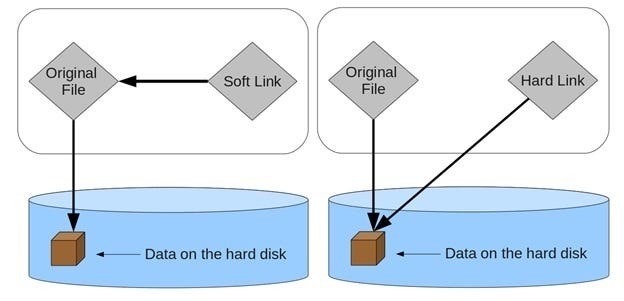
A hard link is a second name for the same inode, the record the filesystem keeps for a file.
| Criterion | Symbolic link | Hard link |
|---|---|---|
| Directory target | Can reference directories | Unavailable to ordinary users |
| Cross-filesystem target | Can store a path across filesystems | Can't cross filesystems |
| Original path disappears | Becomes broken | Other name still reaches the file |
| Required relationship | Follow a target path | Second name for the same regular file |
Neither is an independent backup.