Run tar -czf project.tar.gz project/ from the folder's parent directory. The source path you give decides the layout inside the archive. Check the result with tar -tzf project.tar.gz, which lists its entries.
Create a tar.gz archive from files or a folder
To archive a whole folder, open a terminal in its parent directory and run:
tar -czf project.tar.gz project/This writes project.tar.gz beside project/. Tar collects the directory's entries and metadata, and gzip compresses that tar stream into one file. The .tgz extension names the same format.
-c: Create a new tar archive.-z: Compress it with gzip.-f: Use the following argument as the archive filename.
To package individual files, list their names after the output filename:
tar -czf documents.tar.gz readme.txt notes.txtThe source files must be readable, and the output directory must be writable. Tar prints nothing when it succeeds. Add -v to see each file name as it goes in.
Files that are already compressed, such as JPEG photos or MP4 videos, barely shrink when gzip runs over them.
Can I append another file to a compressed tar archive?GNU tar cannot append to or update a gzip-compressed archive in place with
-ror-u. Recreate it with the full set of files you want.
Choose which paths go inside the archive
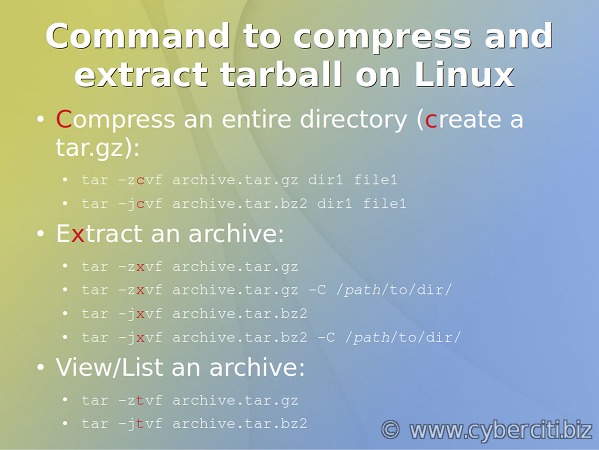
The source argument decides whether the enclosing folder name goes into the archive. You see the difference when you unpack it somewhere else.
Suppose project/ contains readme.txt, .env, docs/guide.txt, latest.txt (a symbolic link to readme.txt) and cache/trace.log, with a writable output/ directory beside it. To keep the enclosing directory, use:
tar -czf output/with-parent.tar.gz projectTo store only the contents, move into the folder with -C and select .:
tar -czf output/contents-only.tar.gz -C project .| Source selection | Example entries in the archive | Where files land on extraction |
|---|---|---|
project | project/project/.envproject/docs/guide.txt | Inside a project/ folder |
-C project . | ././.env./docs/guide.txt | Directly in the destination directory |
-C /var/www website (not from the sample folder) | website/website/... | Inside a website/ folder |
In the third row, -C /var/www only changes the starting directory. website still names an enclosing folder, so it stays in the path.

Give tar an absolute path such as /var/www/website and GNU tar strips the leading slash from each stored name. You will see a message about removing /. The stored path still starts with var/www/website/.
Tar stores a symbolic link as a link. In the GNU tar 1.35 example, latest.txt pointed to readme.txt. Add -h to follow the link and archive the file content instead.
Include hidden files
Archiving the directory itself includes its hidden entries. The GNU tar 1.35 example included project/.env. A user on Unix & Linux Stack Exchange worried about exactly this: “I need to make sure hidden files are included too (such as those beginning with .).”
Bash expands project/* without top-level dotfiles, so those are skipped. Tar still picks up hidden files inside the directories that match. Pass project/ or use -C project . to get everything.
Check whether the hidden .env holds credentials before sharing the archive.
Exclude files and directories
To leave out the sample project's .log files (here, cache/trace.log) and keep everything else, run:
tar -czf output/excluded.tar.gz --exclude='*.log' -C project .Quote the pattern so Bash does not expand *.log before GNU tar sees it. In the sample archive, ./cache/trace.log is gone but the ./cache/ directory entry stays.
Exclude the folder or just its contents
In the GNU tar 1.35 test, these two commands gave different listings:
tar -czf output/no-cache.tar.gz --exclude='cache' -C project .
tar -czf output/empty-cache.tar.gz --exclude='cache/*' -C project .--exclude='cache': Omitted./cache/along with thetrace.loginside it.--exclude='cache/*': Kept./cache/and omitted./cache/trace.log.
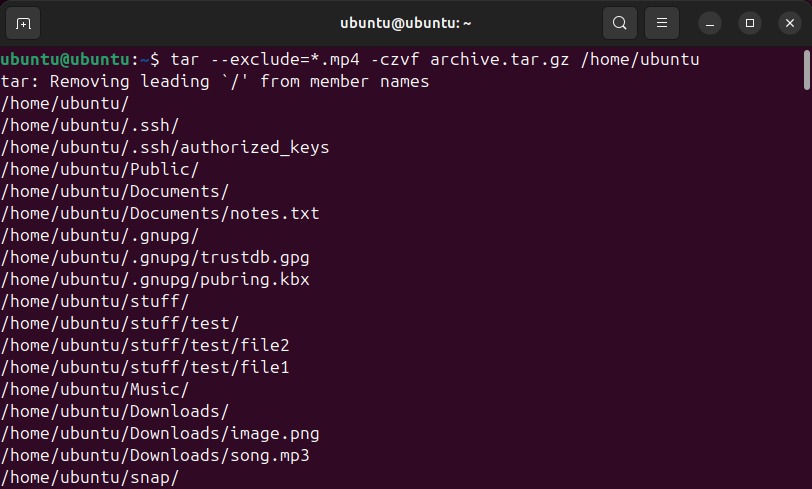
A Bash 4 user on Super User had trouble excluding www/cache and www/wp-cache: “while tons of answers about this simple case exist, nothing works in my case.” A bare directory name such as cache matches in any location in the tree.
For several patterns, repeat --exclude. To read patterns from a file, use -X or --exclude-from.
Verify the archive before using it
| Command | What it tells you |
|---|---|
ls -lh output/excluded.tar.gz | Confirms the file exists at the expected location and shows its size. |
tar -tzf output/excluded.tar.gz | Reads the archive through gzip and lists its entries. The expected paths should appear. |
gzip -t output/excluded.tar.gz | Tests the gzip stream. It passes when the command exits successfully. |
For the sample archive with logs excluded, tar -tzf listed these entries, with no ./cache/trace.log among them:
./
./.env
./cache/
./docs/
./docs/guide.txt
./latest.txt
./readme.txt
The order can differ.
gzip -t only checks the compression. In a test, a gzip stream containing non-tar data passed gzip -t but failed tar -tzf. Then compare the listing with the files and folder structure you meant to capture. A readable listing doesn't prove the intended files are recoverable.
Fix common creation errors and warnings
| Message or symptom | Likely cause | Correction |
|---|---|---|
Cannot stat: No such file or directory | The input path is missing or resolved wrongly | Check the source path and the -C directory |
Cannot open: Permission denied | You can't write to the output directory | Write to a directory you can write to, or fix the permissions |
file changed as we read it | A file or directory was modified during archiving | Stop changes to the source if you need a consistent copy |
archive cannot contain itself; not dumped | The output file sits inside the directory being archived | Keep the archive outside the source directory, or exclude it as shown below |
GNU tar's exit status tells you how a create operation went:
0: Successful termination.1: Some files changed while the archive was being created.2: Fatal error.
If a subprocess such as the compressor fails, tar returns that subprocess's nonzero status. The GNU tar General Synopsis documents these codes. They apply to GNU tar create operations.
A website operator on Super User asked, “Is there an easy way that I can get it to ignore the file I am archiving to?” Their setup did not allow writing to the parent directory. When the archive has to stay inside the source tree, exclude it by its path:
tar -czf backup.tar.gz --exclude='backup.tar.gz' .Suppressing warnings or adding root privileges blindly does not stabilize a busy website or service and can hide a problem with the input or destination.
Know when a tar.gz archive is not enough
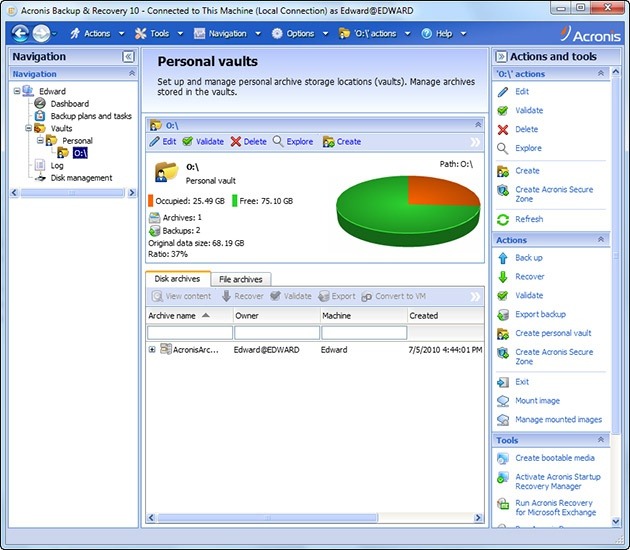
A gzip-compressed tarball works for bundling a directory for transfer or taking a simple snapshot of files. A backup you can recover from needs consistent data and usable versions. Archiving a website's files alone does not capture an active database stored elsewhere.
GNU tar supports incremental backups through --listed-incremental, which tracks changes with a snapshot file. Repeated tar -czf commands do not produce incremental or deduplicated backups on their own.
For a changing live service or repeated large datasets, use a dedicated backup workflow, and test the restore.
