Use while in Bash when a condition keeps succeeding and until when you need to repeat an operation until its check succeeds. For an existing collection of items, for is clearer. Define the input, the success test and the stop condition, then test one success case and one failure case.
How while and until decide whether to run

Both loops check the exit status of a command. 0 means success. Anything else means failure. A while loop runs its body when the condition succeeds. An until loop runs its body while the condition fails.
The GNU Bash manual defines both loops by the exit status of their condition.
The two loops have the same shape:
while condition_command; do
    commands
done
until condition_command; do
commands
doneBoth loops test first:
while false; do
    printf 'unexpected\n'
done

until true; do
    printf 'unexpected\n'
done
Neither loop prints anything. The while condition fails at once, and the until condition succeeds at once.
The exit status of a finished loop comes from the last command in the body, or is 0 if the body never ran. A failing condition that ends the loop doesn't make it fail.
A counter-driven loop
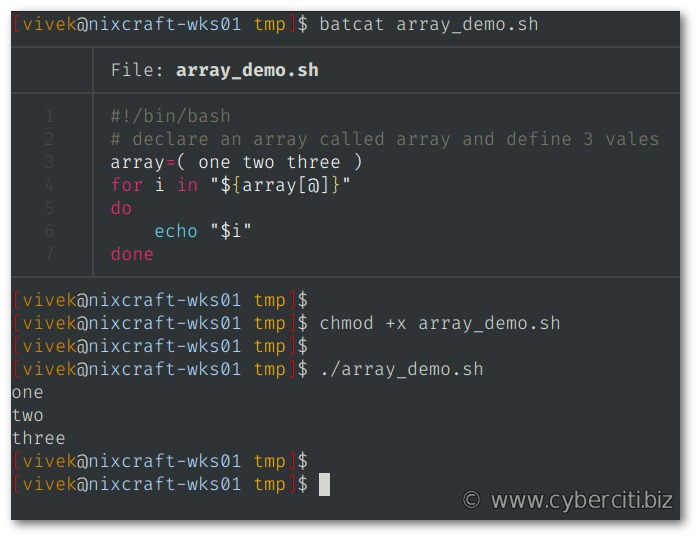
A counter makes this easy to see:
i=0

while (( i < 3 )); do
    printf '%s\n' "$i"
    i=$((i + 1))
done

printf 'Final i: %s\n' "$i"
Output:
0
1
2
Final i: 3
When i reaches 3, the comparison is false, its command returns a nonzero status, and the loop ends.
until gives the same result:
i=0

until (( i >= 3 )); do
    printf '%s\n' "$i"
    i=$((i + 1))
done

printf 'Final i: %s\n' "$i"
It prints 0, 1, and 2, then Final i: 3.
In a June 2020 r/bash discussion, a poster asked, “I can't see any reason for using an until instead of a while.. they fill the same purpose or am I wrong ??” The two can express equivalent conditions. Pick the one that makes the stop condition easier to read.
When to use while, until, or for
| Task | Loop | What controls repetition |
|---|---|---|
| Visit each element of an existing array | for | Items in the collection |
| Keep working while a test passes | while | Condition succeeds |
| Retry an operation until it succeeds | until | Condition fails |
| Read incoming text records | while with read | Next input record is available |
Use for for an existing array:
files=("first report.txt" "second report.txt")

for file in "${files[@]}"; do
    printf '%s\n' "$file"
done
Each element stays one item, including the filename with a space.
Command output is a different problem. In for item in $(command), word splitting and pathname expansion can split or reinterpret the output.
Does until add something to while !?
These two patterns behave the same:
until check_command; do
    handle_failed_check
done
while ! check_command; do
handle_failed_check
doneBoth bodies run when check_command fails. If it succeeds at once, neither runs.
until reads naturally for retries, but it's no safer or faster than while !.
Read every line without trimming or dropping data
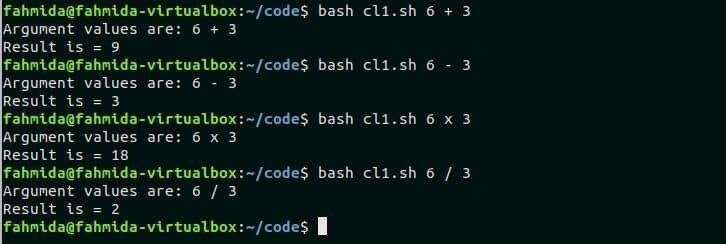
For line-based input, start with while IFS= read -r line:
while IFS= read -r line; do
    printf '[%s]\n' "$line"
done < "$file"
The redirection feeds the file to the loop. Quote "$file" and "$line" so their values stay intact.
The Bash-specific guard processes a nonempty final record:
while IFS= read -r line || [[ -n $line ]]; do
    printf '[%s]\n' "$line"
done < "$file"
A file without a final newline
This test file has two records. The second has no trailing newline:
file=$(mktemp)

printf '  first\\path\nlast\\path' > "$file"

simple_count=0
while IFS= read -r line; do
    ((simple_count += 1))
done < "$file"
printf 'Simple count: %d\n' "$simple_count"

guarded_count=0
while IFS= read -r line || [[ -n $line ]]; do
    printf '[%s]\n' "$line"
    ((guarded_count += 1))
done < "$file"
printf 'Guarded count: %d\n' "$guarded_count"

rm -- "$file"
Output:
Simple count: 1
[  first\path]
[last\path]
Guarded count: 2| Input characteristic | Problem | Protection |
|---|---|---|
| Leading or trailing whitespace | Default IFS handling trims it | IFS= |
| Literal backslashes | Plain read interprets them | read -r |
| Final record without newline | Final read returns failure, so the loop skips the record | || [[ -n $line ]] |
The guarded loop counts both records. These examples assume newline-separated text. For NUL-delimited filenames or arbitrary binary data, use an input format designed for those records.
Keep variable changes when a loop reads command output
A piped while loop runs in a subshell, so variables you change inside it don't reach the calling shell.
count=0

printf 'one\ntwo\n' |
while IFS= read -r line; do
    ((count += 1))
done

printf 'Count after pipe: %d\n' "$count"
Output (GNU Bash 5.2.37):
Count after pipe: 0A December 2024 poster on r/bash asked, “Is there a functional difference between these two while loops:”
Keep the counter with process substitution
Process substitution feeds command output to the loop through a redirection:
count=0

while IFS= read -r line; do
    ((count += 1))
done < <(printf 'one\ntwo\n')

printf 'Count after loop: %d\n' "$count"
Output:
Count after loop: 2The producer prints the same two lines, but now the loop runs in the calling shell, so the counter survives.
Bash's lastpipe option is one exception: when it's enabled and job control is off, the last command of a pipeline runs in the current shell.
When commands inside a loop consume the loop's input

A while read loop skips records when a command in its body reads the same standard input.
Suppose records.txt contains:
red
blue
green
Now add a second read inside the body:
while IFS= read -r line; do
    printf 'Outer: %s\n' "$line"
    IFS= read -r reply
done < records.txt
Output:
Outer: red
Outer: green
The outer read takes red, the inner one consumes blue, and the next outer iteration gets green. The last inner read hits EOF, so the loop finishes with status 1.
This also happens when a loop reads filenames and a pager, a text-processing command or an interactive prompt also wants input. Each reader needs its own stream.
If a tool only needs the current record, give it that value directly:
cut -d: -f1 <<< "$line"This Bash here-string gives cut the value of line and leaves the file stream alone for later records. Interactive input can come from a separate terminal stream such as /dev/tty, if a terminal exists.
Retry until a command succeeds and stop if it never does
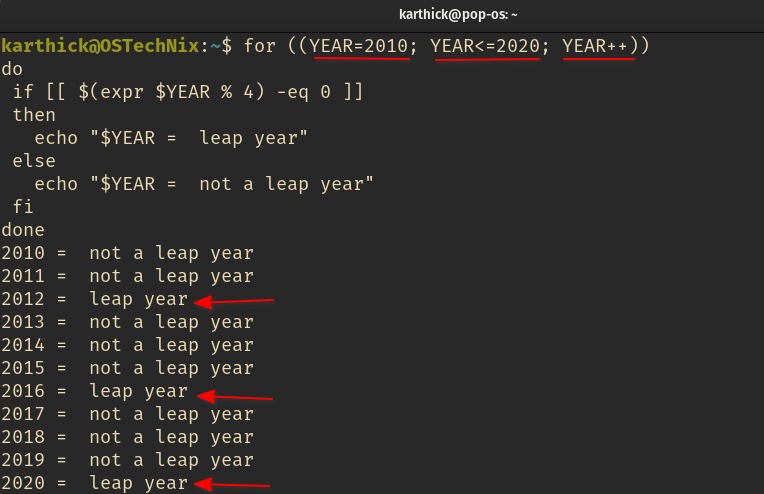
until suits retries because its body runs after a failed check. For a service health probe, define what counts as success, cap the attempts, and return failure if the check never passes. A delay alone does not make repeated calls safe.
A request can finish with a server response that doesn't mean the application is ready. Plain curl -s doesn't fail on an HTTP 4xx or 5xx status. The curl command-line manual documents --fail for treating HTTP error responses as failures, with exceptions for some authentication responses.
In the example below, success means curl completes and the HTTP status is 200. If the health endpoint must return a particular body, you need a different check.
A bounded HTTP health check
This script targets a test service at http://127.0.0.1:8080/health. It allows five total requests, waits two seconds after unsuccessful attempts that will be retried, and gives each curl request a three-second timeout.
#!/usr/bin/env bash

attempt=0
max_attempts=5

health_check() {
    local status
    status=$(curl --fail --silent --show-error --max-time 3 \
        --output /dev/null --write-out '%{http_code}' \
        http://127.0.0.1:8080/health) || return 1
    [[ $status == 200 ]]
}

until health_check; do
    ((attempt += 1))

    if (( attempt >= max_attempts )); then
        printf 'Health check failed after %d attempts\n' \
            "$attempt" >&2
        exit 1
    fi

    sleep 2
done

printf 'Health check passed\n'
health_check first requires curl to finish successfully, then compares the returned status with 200. The first request goes out before any sleep. attempt counts failures, and on the fifth one the script exits without sleeping or sending a sixth request.
| Endpoint result | Check outcome | Script behavior |
|---|---|---|
| HTTP 200, completed request | Success | Print Health check passed |
| HTTP 302 redirect | Fails the 200 test (curl itself succeeds) | Retry until limit |
| HTTP 500 error | Curl reports failure | Retry until limit |
| No service listening | Curl connection failure | Retry until limit |
When all attempts fail, the script prints this final message to standard error and exits with status 1:
Health check failed after 5 attemptsWith --show-error enabled, curl also prints its own diagnostics for failed checks. The custom line comes after them.
Diagnose early exits, infinite loops, and arithmetic surprises

A loop with the right condition can still stop early when a command in its body returns a failing status. Arithmetic commands make this easy to miss.
(( expression )) returns status 0 when the expression is nonzero and 1 when it evaluates to zero. A postincrement evaluates to the previous value:
i=0
((i++))
i becomes 1, but i++ evaluated to 0, so the command returns status 1.
Compare two arithmetic forms
With set -e, the first example exits before it prints the marker:
bash -c 'set -e; i=0; ((i++)); printf "after increment\n"'
printf 'Exit status: %s\n' "$?"
Output:
Exit status: 1In the second example, the arithmetic expansion is part of an assignment:
bash -c 'set -e; i=0; i=$((i + 1)); printf "after increment\n"'
printf 'Exit status: %s\n' "$?"
Output:
after increment
Exit status: 0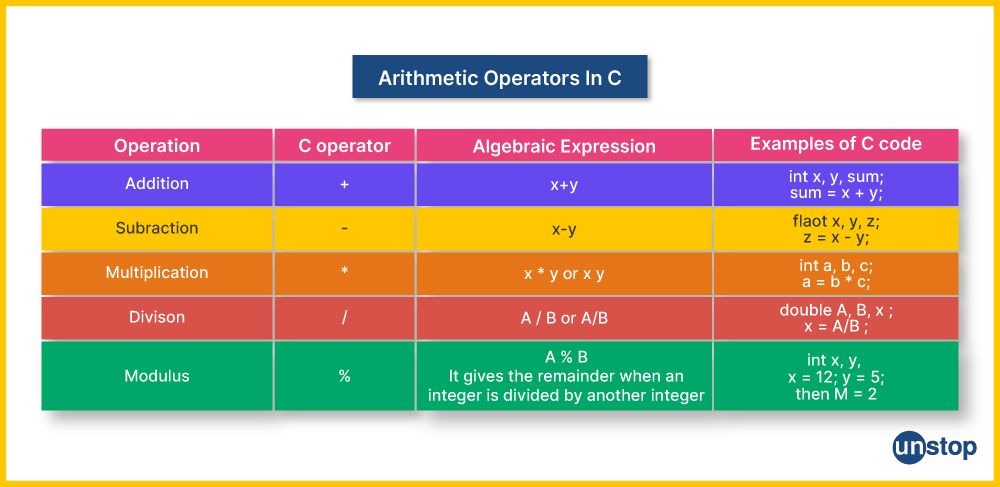
Two commands control a loop from inside the body:
break: leave the loop when a stop condition in the body is met.continue: skip the rest of the current pass and go to the next condition check.
while true never stops on its own. Only a break, another exit path or an outside interrupt ends it.
Check syntax and lint before running
Run bash -n script.sh to check the syntax without executing the script. ShellCheck, if you have it, flags input handling (SC2162) and subshell assignments (SC2030).
