Use Bash functions for reusable commands: pass quoted arguments, print result data to stdout, and use the exit status to signal success or failure. To change an outer variable, call the function directly, because the $(...) form runs in a subshell and its variable changes never reach the caller. A combined local declaration and assignment hides a failed command, so test one normal call and one failure case before reusing a function.
A Bash function can be as simple as:
greet() {
  printf 'Hello, %s\n' "$1"
}

greet 'two words'
Output:
Hello, two words
The sample outputs in this guide come from GNU Bash 5.2.37(1) on x86_64 GNU/Linux.
How to define and call a Bash function
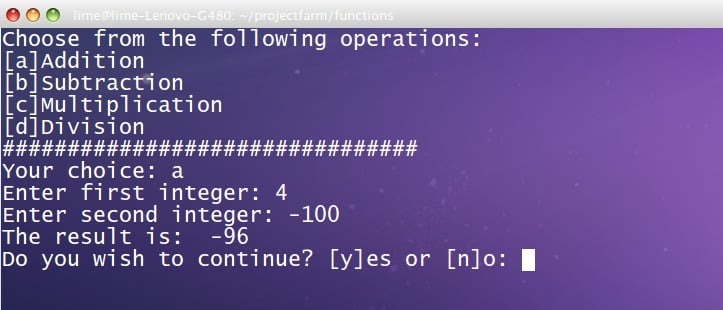
A function stores commands under a name. The body runs when you call that name, and the call has to come after the definition has run. On one line, greet() { printf 'Hello, %s\n' "$1"; } needs the semicolon before the closing brace, while the multiline form above uses line breaks instead. Bash also accepts function greet { ...; }, a Bash-specific spelling that POSIX shells don't all support.
How to pass arguments to Bash functions
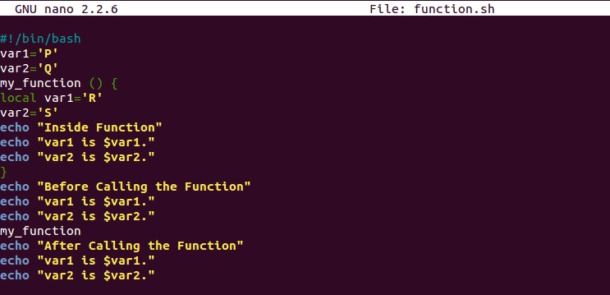
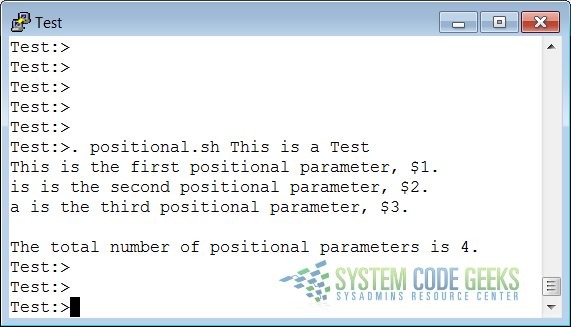
A function receives its arguments as positional parameters: $1 is the first, $2 the second, and $# reports how many were supplied.
A function gets its own positional parameter list. Arguments your script received reach the function only if you pass them along.
This function prints its argument count and each supplied argument:
show_args() {
  printf 'count=%s\n' "$#"
  if (( $# > 0 )); then
    printf '[%s]\n' "$@"
  fi
}

show_args 'two words' '*.txt'
Output:
count=2
[two words]
[*.txt]
The space inside two words survives, *.txt stays literal, and with zero arguments the guard prints only count=0.
Quote "$@". Inside double quotes it keeps each argument intact. Unquoted, $@ goes through word splitting and pathname expansion, which changes what the function receives.
To pass your script's arguments along, call:
show_args "$@"
ShellCheck covers this in SC2086, which explains how unquoted expansions lead to word splitting and glob expansion.
For arguments beyond the ninth, use braces. ${10} refers to argument ten, while $10 is parsed as $1 followed by a literal zero.

When positional arguments become awkward
Two or three stable inputs read fine:
copy_report "$source" "$destination"
Trouble starts when a function collects optional settings and callers have to pass empty placeholders to reach a later parameter.
On r/bash, a programmer building an AWS SSM helper put the difficulty plainly: “Now obviously it kinda sucks that I am passing an empty string to indicate that we dont have an AWS vault user and I have to also memorize the position of the arguments”
Named options such as --user or --region make a call easier to read. They also need an option parser, validation, and documentation, which is a lot of work for a small helper.
Bash return vs. function output
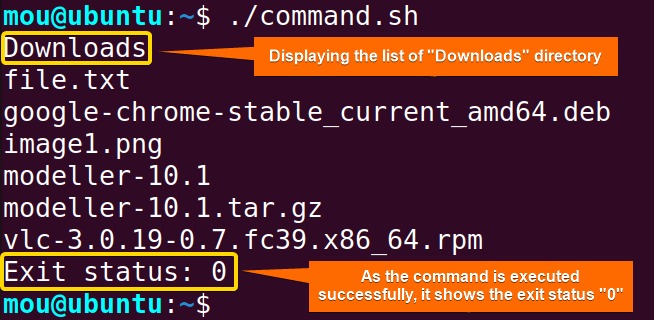
A function talks to its caller in two ways: it prints data, and it finishes with an exit status. Using both channels interchangeably makes error handling unreliable.
The return builtin sets that status. By convention, zero means success and a nonzero value means failure or another condition the function defines. Without an explicit return, the function inherits the status of its last executed command.
One learner working through a Bash course put it this way: “As far as I know there is no way to return non-integer values from a function and return only sets $?.”
get_data() {
  printf 'data\n'
  return 7
}

result=$(get_data)
status=$?

printf 'value=%s status=%s\n' "$result" "$status"
Output:
value=data status=7
Bash stores the last command's exit status in $?, and the next command overwrites it, so the example saves it right after the command substitution. A function that executes return 34 has status 34 and no result text to capture.
Bash keeps only the low eight bits of a numeric return status:
| Function statement | Exit status |
|---|---|
return 0 | 0 |
return 7 | 7 |
return 256 | 0 |
return 300 | 44 |
Large values get reduced (256 becomes 0, 300 becomes 44), so arbitrary numeric results belong in an output channel.
How to send results and diagnostics back to the caller
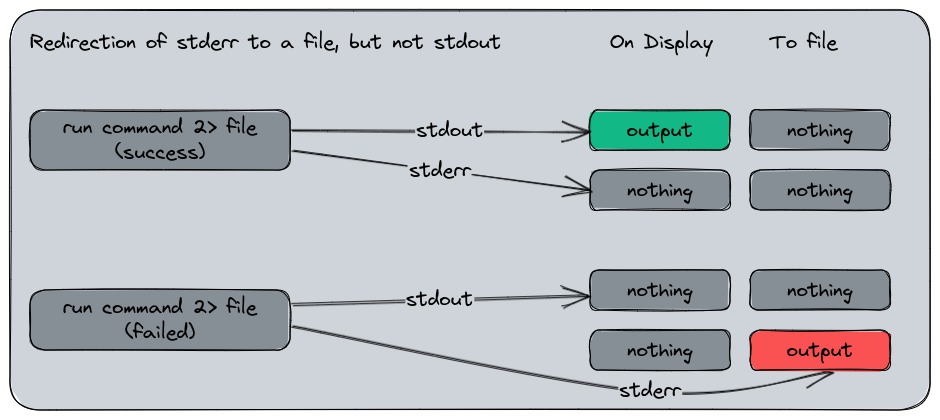
$(function) captures standard output, while standard error stays separate unless the caller redirects it.
This function emits one data value and one diagnostic message:
report() {
  printf '42\n'
  printf 'notice\n' >&2
}

result=$(report)

printf 'captured=%s\n' "$result"
The variable holds 42, and notice appears on its own.
This separation matters when you use the result as a filename, a number, or other text. A progress message inserted into stdout becomes part of the captured data. The $(...) form also removes trailing newline characters from captured stdout, so if those newlines matter, the captured text differs from what the function printed.
| Channel | Mechanism | Caller receives | Use |
|---|---|---|---|
| Standard output | printf '%s\n' "$value" | Captured text or piped data | Function result |
| Exit status | return n | $? or conditional result | Success and failure |
| Standard error | printf 'error\n' >&2 | Diagnostic stream | Errors and notices |
| Caller-visible variable | Direct assignment during a function call | Updated surrounding state | Deliberate state changes |
Assign to an outer variable directly only when updating shared state is the function's purpose.
You can discard stderr with 2>/dev/null, but then a real failure message disappears and troubleshooting gets harder.
Local variables, dynamic scope, and command substitution
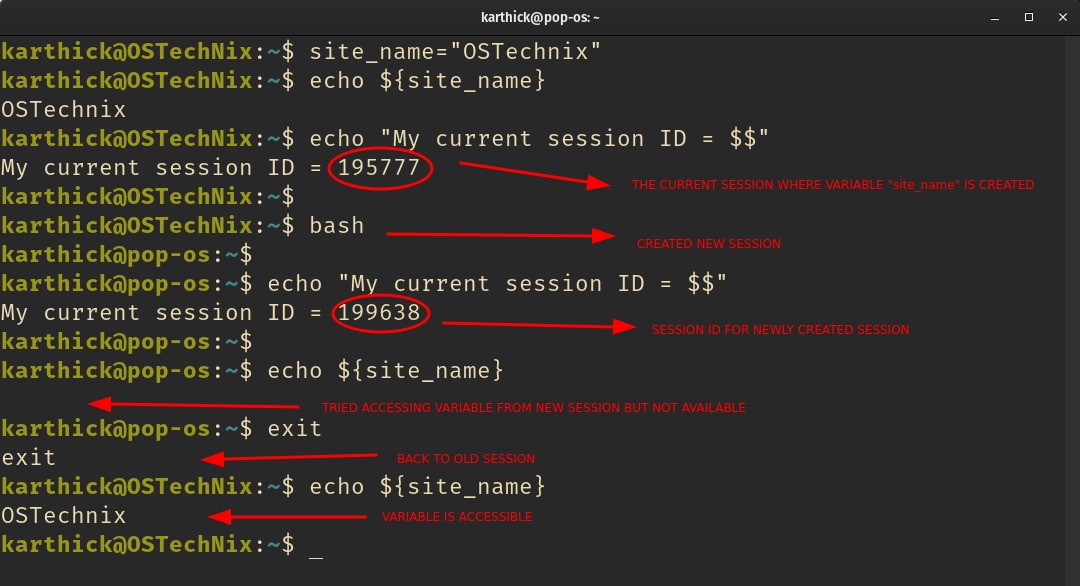
A function you call directly runs in the calling shell's environment, so it can change variables the caller sees.
The $(function) form runs it in a subshell, so its assignments never reach the parent shell. Bash 5.3 also documents a different substitution form that runs in the current shell.
A script author ran into the same behavior: “If you run this code you'll notice VALUE remains 0, even though VALUE was not assigned using the local keyword.”
VALUE=0

change() {
  VALUE=1
  printf 'value=%s\n' "$VALUE"
}

result=$(change)

printf 'captured=%s parent=%s\n' "$result" "$VALUE"

change >/dev/null

printf 'direct_parent=%s\n' "$VALUE"
Output:
captured=value=1 parent=0
direct_parent=1
Called inside command substitution, change leaves the caller's VALUE at 0. The direct call updates it to 1, and its stdout goes to /dev/null just to keep the output short.
The GNU Bash function documentation describes this behavior and Bash's variable-scope rules.
What local changes
Inside a function, local name='Jane' creates a variable in that function's dynamic scope. That limits accidental changes to surrounding variables, but it doesn't make the variable private: any function called from inside can read it, so a nested function sees name as Jane. Once the defining function returns, the variable is gone. This is dynamic scoping, which differs from the lexical scoping of some other languages.
Why local value=$(command) can hide a failure
Consider this expression inside a function:
local value=$(false)
false exits with a nonzero status, but the status you see afterward is the status of the local declaration, which succeeded.
Compare the two forms:
masked() {
  local value=$(false)
  printf 'masked_status=%s\n' "$?"
}

fixed() {
  local value
  value=$(false)
  printf 'captured_status=%s\n' "$?"
}

masked
fixed
Output:
masked_status=0
captured_status=1
The first function reports 0 because the declaration succeeds and hides the failure inside it. The second reports 1: with the declaration on its own line, the assignment's status is that of the failed command substitution.
ShellCheck flags this as SC2155.
ShellCheck documents the same status-masking problem for combined assignments with export and readonly.
Whenever the result matters, declare first and assign on the next line so you get a status you can check.
Why set -e does not catch every function failure
set -e, also called errexit, terminates a shell after certain failed commands, but its behavior changes with context, including whether the command is evaluated as part of an if condition.
The exception shows up when a function contains a failing command followed by a successful one:
check() {
  false
  printf 'still running\n'
}

(
  set -e

  if check; then
    printf 'function_success\n'
  fi
)
Output:
still running
function_success
false failed, yet the function carried on to printf. Since the last command succeeded, the if treated the function as successful.
The parentheses run the example in a subshell, so it leaves your main shell's settings alone. The GNU Bash documentation for set describes the contexts where errexit is ignored.
When a failure needs a specific response, use an explicit conditional:
operation() { return 1; }

if result=$(operation); then
  printf 'result=%s\n' "$result"
else
  printf 'operation failed\n' >&2
fi
Output on stderr:
operation failed
How to check and troubleshoot a Bash function
A function is ready to reuse when it does what its callers expect.
| Symptom | Cause | What to inspect |
|---|---|---|
Function name reports command not found | Definition has not executed | Definition and invocation order |
| One argument becomes several | Word splitting or glob expansion | Quoting around forwarded arguments |
return 34 produces no captured text | Status is being interpreted as output | Stdout and exit status |
| Parent variable remains unchanged | Invocation through command substitution | Direct-call versus captured-call context |
| Failed command appears successful | Masked status or conditional errexit behavior | Assignment structure and invocation context |
Check syntax first
For a script saved as script.sh, Bash has a syntax-only check:
bash -n script.sh
This parses the script without executing its commands. A clean result means Bash found no syntax errors. It says nothing about whether the script does what you intend.
When ShellCheck is installed, run:
shellcheck script.sh
ShellCheck runs static analysis and flags suspicious patterns. These rules apply to the behaviors in this guide:
- SC2086: Unquoted expansions.
- SC2120: A function references positional arguments without receiving the expected parameters.
- SC2155: Declaration combined with command substitution.
Neither bash -n nor ShellCheck runs your function.
Run a small behavioral test
A smoke test should cover what the function promises, including one case that is supposed to fail.
- Normal input: Supply a representative argument and compare the result with what you expect.
- Argument boundaries: Include a value with spaces and a literal wildcard, then check the arguments the function received.
- Missing input: If the function allows an omitted or empty argument, test that case.
- Failure handling: Trigger a deliberately failing operation and check the status the caller gets.
- State changes: If changing an outer variable is part of the function's job, check that variable after the call.
Check stdout, stderr, the exit status, and any intended state changes separately. A script can pass its syntax check and still receive the wrong number of arguments or report a failed operation as successful.
