Use an indexed array for ordered lists of values, filenames, or command arguments, and expand it as "${array[@]}" so each element stays separate. Pick an associative array when you need to look values up by string key and order doesn't matter. Check which Bash version runs your script, and inspect the array before passing it to a real command.
Indexed or associative: which to choose
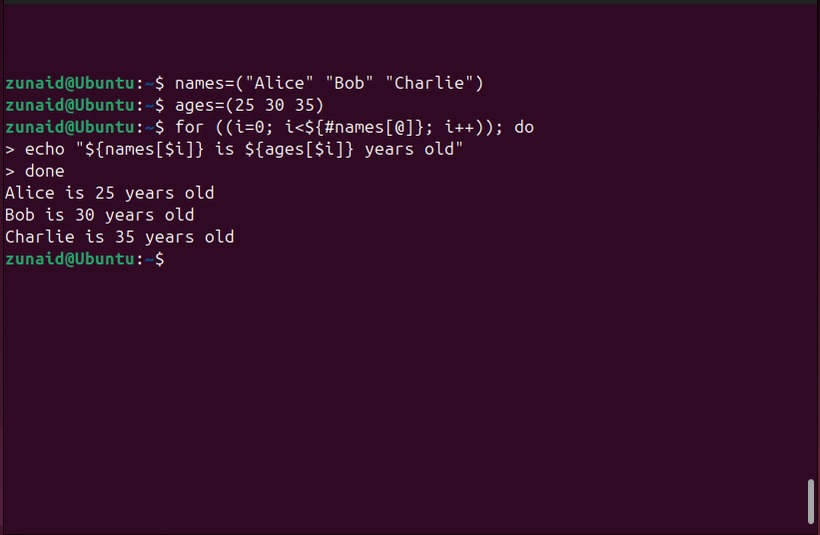
Bash has two array types. An indexed array stores values at numeric positions. An associative array pairs each value with a string key.
A list of filenames has a sequence:
files=('report one.txt' 'report two.txt')Each filename is one element, spaces included. Compound assignment creates an indexed array here, and declare -a declares the type explicitly.
Settings you look up by name belong in an associative array:
declare -A ports=([web]=443 [ssh]=22)

printf '%s\n' "${ports[web]}"
# 443| What you need to store | Suitable type |
|---|---|
| Filenames in a set order | Indexed |
| Command options in a set order | Indexed |
| Settings looked up by name | Associative |
Associative arrays need declare -A before assigning anything, and their iteration order isn't guaranteed to follow insertion order. If named settings also have to appear in a set order, keep a separate indexed list of keys.
The GNU Bash array documentation covers both types and their expansion rules.
Creating, reading, updating, and removing elements
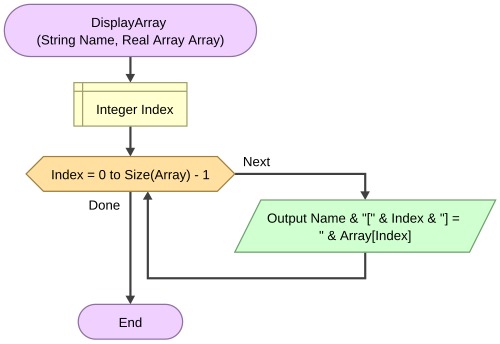
Start with a compound assignment. Then reach single elements by subscript, or append new ones with +=.
colors=('red' 'blue')

colors[1]='navy'
colors+=('green')

printf '%s\n' "${colors[1]}"
# navy
printf '%s\n' "${#colors[@]}"
# 3
${colors[1]} reads one element, and ${#colors[@]} counts the assigned ones. A bare $colors gives you element zero, the same as ${colors[0]}.
Associative elements use string keys:
declare -A config=([host]='localhost' [mode]='safe')
printf '%s\n' "${config[host]}"
# localhost
Assigning to an existing subscript replaces its value. To remove one element, quote the argument you pass to unset:
unset 'colors[1]'The remaining elements keep their indexes, 0 and 2 here. unset colors removes the whole variable.
After the deletion above, "${colors[@]:1:2}" expands to green, the remaining element at index 2. A slice takes an offset and a length. On indexed arrays the offset is an array index, and unassigned indexes are skipped while Bash collects up to the requested number of elements.
Quoted [@] versus [*]
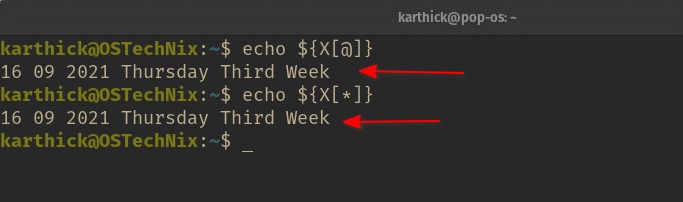
Take three elements: two strings with spaces and one literal asterisk:
arr=('Red Hat' 'Ubuntu 24.04' '*')- Quoted
"${arr[@]}": expands to each element as a separate shell word. - Quoted
"${arr[*]}": joins the elements into one word, with the first character ofIFSbetween them. - Unquoted expansion: allows word splitting and pathname expansion, which can change the arguments you pass on.
echo hides the difference, because both versions print on one line. Count the arguments instead. Outputs below come from Bash 5.2.37:
count_args() {
    printf '%s\n' "$#"
}

count_args "${arr[@]}"
# 3

count_args "${arr[*]}"
# 1
To print values with spaces or shell metacharacters exactly as stored, use Bash's escaped output format:
printf '<%q>\n' "${arr[@]}"The literal * stays a single element.
A poster using jq described the problem in an r/bash thread about AWS budget names: “It doesn't treat the quoted groups as items and treats every space as a delimiter.” Try the example once with an empty value and once with a filename containing spaces.
The quote characters in jq output are plain data. They don't become Bash syntax when budgets=($budgets) expands them, so a name such as Market Accounts has to stay one element when you build the array. Running captured text through eval opens you to shell-code execution.
Looping over values, keys, and sparse indexes
To loop over values, expand the array in quotes:
systems=('Debian' 'Red Hat' 'Ubuntu')

for system in "${systems[@]}"; do
    printf '%s\n' "$system"
done
Indexed arrays can have gaps, so the length doesn't tell you the highest index:
sparse=()
sparse[2]=alpha
sparse[9]=omega

printf 'count=%s\n' "${#sparse[@]}"
printf '<%s>\n' "${!sparse[@]}"
The output:
count=2
<2>
<9>
When the position matters, loop over the indexes with "${!sparse[@]}":
for index in "${!sparse[@]}"; do
    printf 'index=%s value=%s\n' \
        "$index" "${sparse[$index]}"
done
For associative arrays, "${!config[@]}" gives you the string keys and "${config[$key]}" returns each value.
Arrays from filenames, lines, and command output
The input format decides how you build the array.
| Input | Approach |
|---|---|
| Literal values | a=('first' 'second') |
| Matching filenames | files=(./*.txt) |
| Lines of a file | mapfile -t lines < input.txt |
| Delimited fields | IFS=',' read -ra fields <<< "$record" |
| Any Unix filename | Globbing or a NUL-delimited stream |
An unmatched ./*.txt stays a literal string by default. With nullglob enabled, it adds no element.
The poster behind an r/bash thread about directory files stated the goal: “I wrote code to get all of the files in a directory and then put each file into an array.”
The script captured ls -a output and fed it to IFS=' ' read -ra. Listing text split at spaces can't preserve filenames that contain spaces. Globbing skips that reconstruction for a directory pattern.
For lines, mapfile loads them straight into an array:
mapfile -t lines < input.txt-t strips the trailing newline from each line. If you need Bash 3.2 compatibility, a read loop collects lines too, including a nonempty last line that has no terminating newline:
lines=()

while IFS= read -r line || [[ -n $line ]]; do
    lines+=("$line")
done < input.txt
IFS= keeps leading and trailing spaces, and -r treats backslashes as data.
Unix filenames can contain newlines. When the command that prints paths separates them with NUL, a loop keeps every filename as one element:
files=()

while IFS= read -r -d '' file; do
    files+=("$file")
done < <(find . -type f -print0)
Unix filenames can't contain NUL, so the delimiter marks each pathname unambiguously.
Command arguments in the right order
Flag order came up in an r/bash thread about pg_restore flags, where a poster asked, “Is this going to be a problem say if I started wrapping commands like this inside a function that accepts an associative array with required flags?”
The poster is asking whether an associative array keeps required flags in order. It doesn't guarantee that, so use an indexed array:
args=(--disable-triggers --exit-on-error '--dbname=sample db')

printf '<%s>\n' "${args[@]}"
some_command "${args[@]}"
args holds three elements in order. The printf line shows each one without running a database operation, and some_command "${args[@]}" passes them on unchanged.
When an array vanishes or won't change
An array filled inside a pipeline can look empty afterward. The receiving command runs in a subshell by default, so its variable changes never reach the calling Bash process.
This command leaves piped empty in the caller:
printf '%s\n' one two | mapfile -t pipedFeeding mapfile through process substitution keeps the values in your shell:
mapfile -t kept < <(printf '%s\n' one two)

declare -p kept
The declaration:
declare -a kept=([0]="one" [1]="two")Bash's lastpipe option, available from Bash 4.2 under certain conditions, job control being off among them, changes how the last pipeline component behaves.
Deleting elements has a separate problem: with nullglob on, pathname expansion can remove an unquoted subscript before unset sees it:
(
    shopt -s nullglob
    abc=('x')

    unset abc[0]
    printf 'after unquoted: %s\n' "${#abc[@]}"

    unset 'abc[0]'
    printf 'after quoted: %s\n' "${#abc[@]}"
)
The first count is 1, the second 0. The parentheses confine the nullglob change to a subshell, and the quoted argument reaches unset intact.
Bash version and final array checks
Array features depend on the interpreter that runs your script. Print its version from inside the script:
printf '%s\n' "$BASH_VERSION"Running bash --version separately describes whichever executable your terminal selects. That can differ from the script's Bash, for example the one named in its shebang.
| Feature | Compatibility boundary |
|---|---|
| Indexed arrays | Available in Bash 3.2 |
Associative arrays with declare -A | Bash 4.0+ |
mapfile / readarray | Bash 4+. Absent in Bash 3.2 |
Namerefs with local -n | Bash 4.3+ |
A GitHub issue opened May 20, 2026 for the asn tool reported declare: -A: invalid option on macOS with Bash 3.2.57.
Array syntax is Bash-specific. It won't run unchanged in a POSIX sh script.
After you fill an array, declare -p prints its contents as a shell declaration:
declare -p colors
printf 'members=%s\n' "${#colors[@]}"
printf 'index=<%s>\n' "${!colors[@]}"
Don't execute declarations copied from untrusted input.
