Pick redirections by where stdout and stderr should go, then decide whose exit status matters in a pipeline. Use >file 2>&1 to put both streams in one file, and turn on pipefail or read PIPESTATUS right after the pipeline when an upstream failure must count. Test the output and the status on harmless commands before relying on either in a script.
Choose the right Bash output and status operation
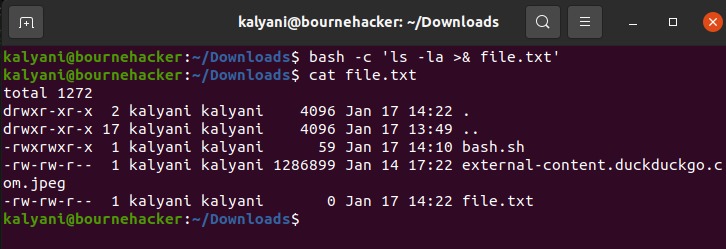
The exit status is a separate question, and it matters most when commands are joined by a pipe.
| What you need | Bash pattern |
|---|---|
| Write normal output to a file | cmd >out.log |
| Append normal output | cmd >>out.log |
| Save errors separately | cmd 2>err.log |
| Capture output and errors together | cmd >all.log 2>&1 |
| Send both streams to a filter | cmd 2>&1 | filter |
| Display and record normal output | cmd | tee -a out.log |
| Discard normal output | cmd >/dev/null |
With tee -a, only stdout goes into the log.
What stdin, stdout and stderr do
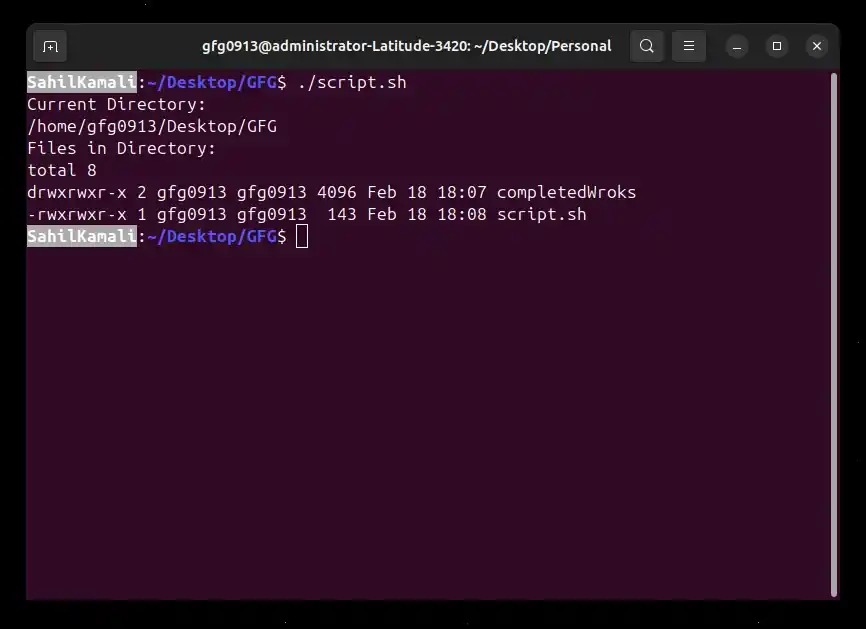
Shell commands use three standard streams. Bash can point their file descriptors at files, other processes, or devices. It can also close a descriptor.
| Descriptor | Name | Function |
|---|---|---|
0 | stdin | Receives input |
1 | stdout | Carries ordinary output |
2 | stderr | Carries diagnostic output |
In an interactive terminal, stdout and stderr show up in the same window, but they're still separate streams. Redirecting FD 1 alone leaves FD 2 visible.
Define a small function in Bash:
demo() {
  printf 'OUT\n'
  printf 'ERR\n' >&2
}
The first printf writes to stdout. The second sends its text to stderr. Run the function in a disposable directory, with a separate file for each stream:
demo >out.log 2>err.logout.log ends up with OUT and err.log with ERR.
Input works the same way. With an existing data.txt, cat reads the file through stdin:
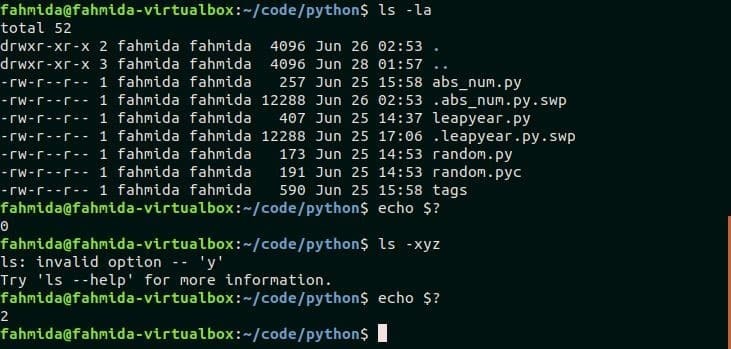
cat <data.txtText on stderr doesn't mean the command failed. The exit status is reported separately.
echo "Cron import complete." >>"$logfile" 2>>"$logfile"The line opens the same pathname twice, once for stdout and once for stderr, and the 2 marks the stderr one.
Why 2>&1 changes meaning when you change its position

Bash reads redirections from left to right. 2>&1 points stderr at wherever stdout points at that moment.
Compare these two commands with the demo function. Both streams start out pointing at your terminal:
demo >combined.log 2>&1demo 2>&1 >only-out.log| Command | File receives | Terminal receives |
|---|---|---|
demo >combined.log 2>&1 | OUT and ERR | Neither stream |
demo 2>&1 >only-out.log | OUT | ERR |
demo &>combined.log | OUT and ERR | Neither stream |
In the first command, stdout goes to the file and stderr follows it there. In the second, stderr copies stdout while it still points at the terminal, and only then does stdout move to the file. 2>&1 refers to a descriptor, not a filename.
A poster in an r/bash discussion was trying to capture logrotate debug output. They wrote, “Creates an empty file while text flies pas the screen. Why?”
Their command put 2>&1 in front of a bare pathname. Without >, Bash treats that pathname as an argument. To send output to a file, you need the operator:
demo >log.txt 2>&1Bash also accepts demo &>log.txt for combined output, as the GNU Bash redirection manual specifies.
Pipe output and write logs without mixing up streams
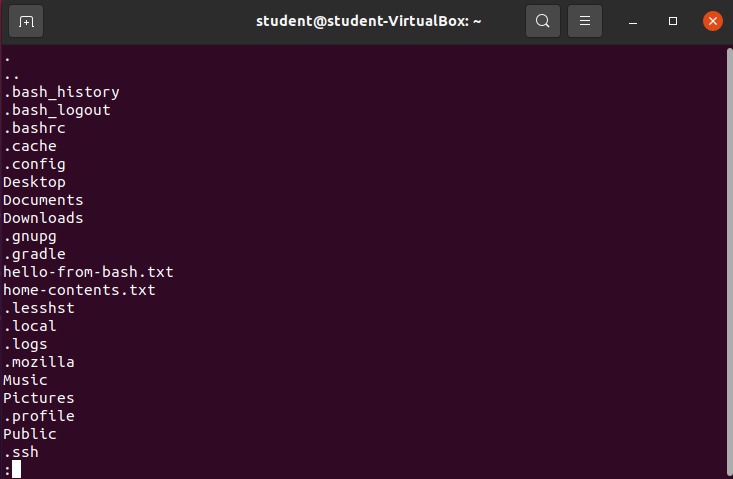
The pipe operator | passes stdout from one command to the stdin of the next. The producer's stderr keeps going where it was going unless you redirect it.
demo | tee out.logtee shows the stdout it receives and writes a copy to out.log. ERR stays on the producer's stderr, so it prints on the terminal and never reaches the file.
To send errors through tee as well:
demo 2>&1 | tee -a combined.logBash has a shorthand for the same thing:
demo |& tee -a combined.logThe -a option makes tee append to the log and still show the text.
Programs can buffer stdout and stderr differently, so a merged stream can show messages in a different order than they were written.
Why a failing pipeline can return success
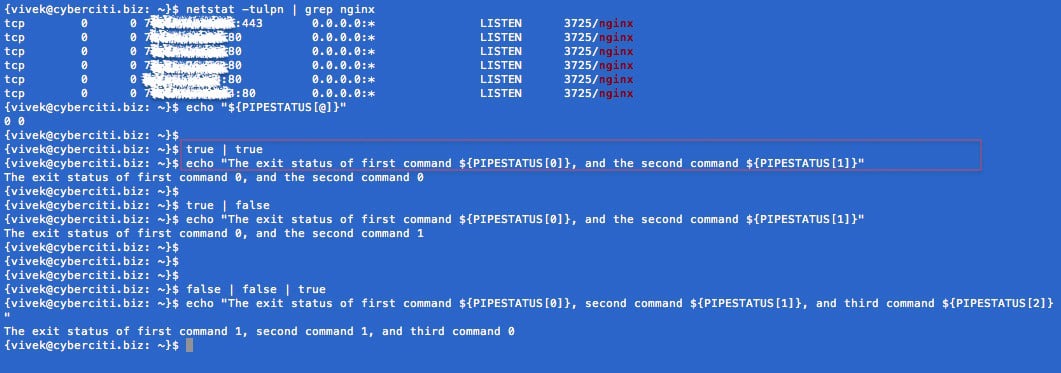
By default, a pipeline's exit status is the status of its last command. If an earlier command fails and the last one succeeds, the pipeline returns zero. To diagnose a pipeline, check which stage failed before changing redirections.
The parameter $? holds the status of the last command or pipeline that finished. Zero means success. Each utility defines what its nonzero statuses mean.
First, run this in a subshell with pipefail explicitly off:
(
  set +e
  set +o pipefail
  false | true
  printf '%s\n' "$?"
)
Output: 0. Now turn the option on, again in a subshell:
(
  set +e
  set -o pipefail
  false | true
  printf '%s\n' "$?"
)
Output: 1. With pipefail, Bash returns the rightmost nonzero status in the pipeline, or zero if every stage succeeds.
| Pipeline | pipefail | Aggregate status |
|---|---|---|
false | true | Off | 0 |
false | true | On | 1 |
false | tee /dev/null | Off, tee succeeds | 0 |
The first two rows are output from GNU Bash 5.2.37.
A poster in r/bash checked a Wi-Fi SSID with an iwlist | grep | tee pipeline and wrote, “Unfortunately, this always seems to be true, which makes attempting if useless.”
The shell's if sees only the pipeline's status. With tee at the end, the pipeline returns zero even when the filter before it found nothing, so the condition always passes.
Keep the default when the last stage's status is the one you need. Turn on pipefail when an earlier failure has to count. Some nonzero statuses are normal, though: grep, for example, returns a nonzero status when it finds no match.
Find the failing stage with PIPESTATUS
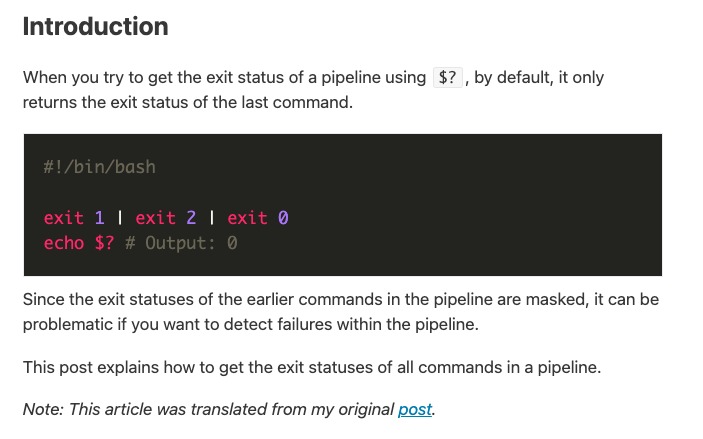
Bash's PIPESTATUS array holds the exit status of every stage in the most recent foreground pipeline, in left-to-right order.
In this example, a small Bash producer writes to both streams and exits with status 1. tee shows the lines and appends them to combined.log:
(
  set +e
  bash -c 'printf "OUT\n"; printf "ERR\n" >&2; exit 1' \
    2>&1 | tee -a combined.log
  statuses=("${PIPESTATUS[@]}")
  printf 'source=%s tee=%s\n' "${statuses[0]}" "${statuses[1]}"
)
Output on GNU Bash 5.2.37:
OUT
ERR
source=1 tee=0
The log held OUT and ERR. Index 0 is the producer (1). Index 1 is tee (0).
Copy PIPESTATUS on the very next command after the pipeline. Any command in between, even an echo or printf, makes the array describe that command instead. Print $? first and you lose the per-stage statuses.
Protect files and avoid set -e surprises
A plain > opens its destination for writing and truncates any existing contents. >> appends. Decide between the two before pointing a command at a log or data file you care about.
printf 'first\n' >scratch.log
printf 'second\n' >>scratch.log
scratch.log now has two lines:
first
second
To append both stdout and stderr to one file, use either form:
demo >>all.log 2>&1
demo &>>all.log
Pick one. The first form spells out the duplication of the destination.
The noclobber setting, enabled with set -C, restricts > redirection to existing regular files. It guards against accidental overwrites. ShellCheck flags suspicious standalone redirections as SC2188, since they can truncate a file even when the intended command is missing.
Why set -e can continue
set -e, also called errexit, has exceptions. A failed non-final command in an && list doesn't stop the shell.
(
  set -e
  false && echo skipped
  echo still-running
)
The result is still-running. The parentheses keep the option inside a subshell. false stops echo skipped from running, and the script moves on to the next echo.
For an explicit failure branch, check the status that matters for the command:
if ! some_command; then
  printf 'Command failed\n' >&2
fi
A standalone script that must fail needs a nonzero exit in that branch. In a function or sourced script, use return instead.
Know which shell supports the syntax

Redirections such as >, >>, 2>, 2>&1, and the ordinary | are widely supported shell constructs. &>, &>>, |&, and PIPESTATUS are Bash forms in these examples. POSIX.1-2024 includes pipefail, but your shell's version and implementation determine whether it has it. Check which interpreter runs your script before using extensions.
