On a public Linux site you manage, use a maintained ACME client such as Certbot with the validation method your infrastructure supports. Then confirm four things: visitors receive a valid certificate, renewal is scheduled, renewed certificates reach the service, and an independent alert watches expiry. If a hosting provider, CDN, load balancer or reverse proxy already manages public TLS, follow its certificate workflow, and start by identifying the component that serves HTTPS.
Choose who manages the certificate and which ACME challenge fits
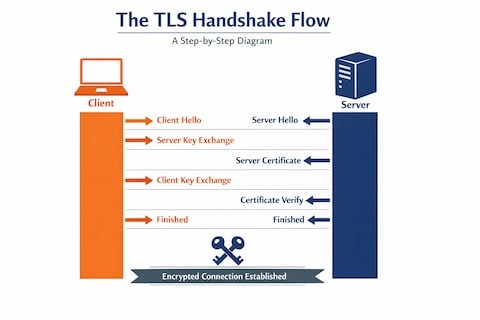
Before installing Certbot, find the component that presents the TLS certificate to visitors. On a typical Ubuntu VPS, that is Nginx or Apache. On another site, HTTPS can end at a CDN, load balancer, managed hosting platform or reverse proxy.
A certificate installed on the origin server changes nothing if another component terminates the visitor's HTTPS connection. Manage the certificate where that public endpoint lives.
On a self-managed web server, you next choose an ACME challenge. ACME lets a client such as Certbot prove to a certificate authority such as Let's Encrypt that you control a hostname.
| Infrastructure | Validation method | Certificate route |
|---|---|---|
| Public Nginx site with reachable port 80 | HTTP-01 | Certbot Nginx installer |
| Public Apache site with reachable port 80 | HTTP-01 | Certbot Apache installer |
| Public site with manually controlled server configuration | HTTP-01 | Webroot or another suitable certonly authenticator |
| Wildcard domain or no usable inbound HTTP route | DNS-01 | DNS-provider-compatible ACME automation |
| Managed hosting, CDN, or external TLS proxy | Owner-dependent | Existing certificate-management workflow |
| Specialized ACME client with port 443 validation | TLS-ALPN-01 | Client-specific configuration |
HTTP-01 proves control through a challenge under /.well-known/acme-challenge/ on public port 80. It cannot issue wildcard certificates. DNS-01 uses a TXT record at _acme-challenge and supports wildcard names such as *.example.com without inbound HTTP access.
DNS-01 needs a reliable way to update the DNS record at renewal time. A manual TXT record completes one authorization, but unattended renewal requires compatible automation. Give any API credentials that can change DNS records tightly restricted access.
The Let's Encrypt challenge documentation also describes TLS-ALPN-01, which uses port 443 and has more limited client support.
r/homelab, on several Docker services each running an ACME container “All the acme dockers are becoming annoying to say the least.”
A central reverse proxy can consolidate frontend certificate management, though traffic between the proxy and its backends needs separate TLS configuration if you want those connections encrypted.
Let's Encrypt also offers publicly trusted IP-address certificates, generally available since January 2026 through a short-lived profile with a 160-hour validity period.
Check DNS and public reachability before requesting a certificate
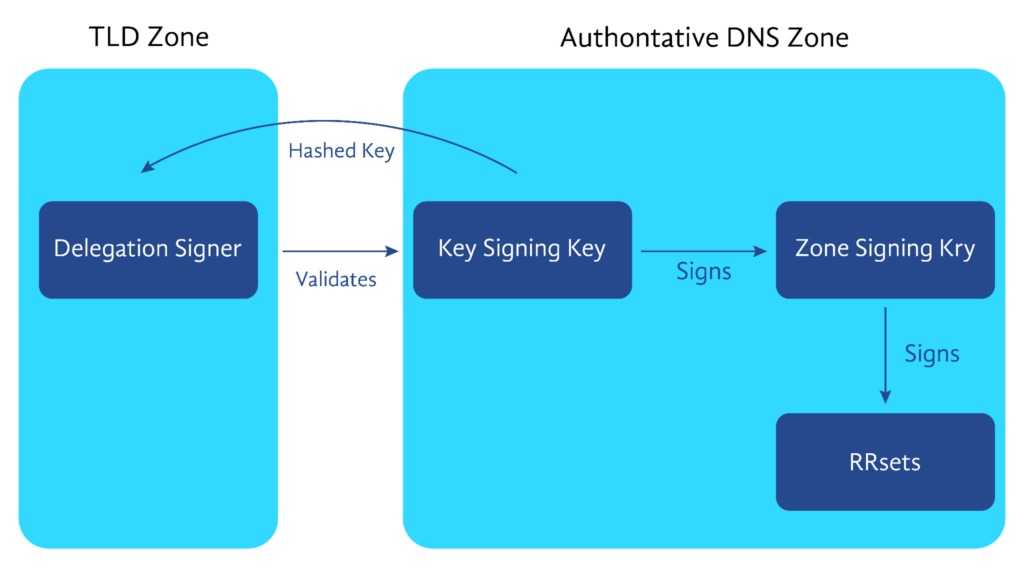
An HTTP-01 request needs public DNS and a route to the correct challenge handler on port 80. Your server answering on your own network proves nothing about what Let's Encrypt will receive.
Check the public hostname's address records:
dig +short A example.com
dig +short AAAA example.com
You need dig installed. Compare the IPv4 and IPv6 addresses with where you expect traffic to go. Treat an unexpected AAAA record as a problem even if the site works over IPv4.
Take a site that loads fine over IPv4 but has an AAAA record pointing at a broken endpoint. Let's Encrypt prefers IPv6 for its initial validation connection when an AAAA record exists. Its IPv4 fallback covers only connection timeouts on the initial HTTP-01 request, and if that request redirects to another URL, the redirect-following request gets no fallback.
Next, trace where HTTP requests for the hostname go:
- Virtual host: The Nginx
server_nameor Apache VirtualHost must cover each requested certificate name, includingwwwwhen specified. - Public HTTP listener: Port 80 must reach the HTTP-01 handler. Check the server firewall and any cloud-provider security group.
- Intermediate routing: A NAT device, load balancer, CDN or reverse proxy can send validation traffic to another machine.
- Configuration changes: For Nginx, run
sudo nginx -tbefore applying a modified configuration.
Test the hostname's HTTP reachability from a public network. Look at the response and where it ends up, especially with a reverse proxy or redirect in the path.
HTTP-to-HTTPS redirects work with HTTP-01. Let's Encrypt follows up to 10 redirects, as long as they go to HTTP or HTTPS destinations on ports 80 or 443. The challenge handler must still return the expected authorization content at the end of the route.
A request you forward internally to another application port stays part of the same validation path. Public HTTP-01 validation begins on port 80.
Install Certbot and enable HTTPS on Nginx

On an Ubuntu server with an Nginx site, Certbot's Nginx integration requests a trusted certificate and configures the matching server block to use it.
Before choosing an install method, check what is already on the server:
command -v certbot
command -v snap
The first command shows a Certbot executable if one is installed. The second checks whether snap is available. If it isn't, install snapd first by following the Ubuntu instructions.
If another Certbot package or ACME client already renews live certificates, find out who owns that configuration first. Installing a second distribution, or removing the original package without checking its lineages, can break the arrangement.
The Ubuntu snap install command is:
sudo snap install --classic certbotIf the snap executable isn't already on your command path, the official instructions add a symlink:
sudo ln -s /snap/bin/certbot /usr/local/bin/certbotCreate it only if the destination is free and your Certbot install needs it.
After installing, check the client version and the available plugins:
certbot --version
certbot plugins
For a configured Nginx site serving example.com, request and install the certificate:
sudo certbot --nginx -d example.comIf the site serves both the apex hostname and www, request both names:
sudo certbot --nginx -d example.com -d www.example.comEvery name you pass with -d must be able to complete authorization through the configured route.
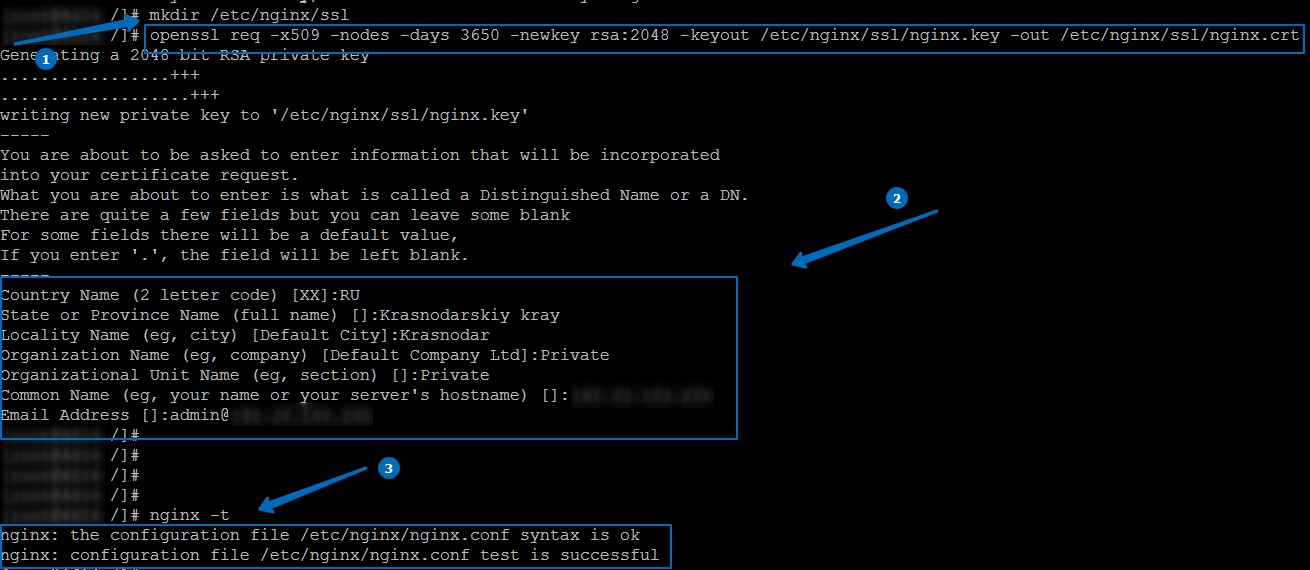
The Nginx installer edits your server configuration, so copy the working version first. Afterward, review the certificate paths and the server block Certbot configured. A missing or wrong server_name can stop the installer from picking the right site.
Certbot stores issued material in certificate lineages under /etc/letsencrypt/live/<certname>/. A standard Nginx configuration points to the lineage's fullchain.pem and privkey.pem.
The Ubuntu Server TLS certificate guide documents the integrated Nginx and Apache routes and the alternatives covered next.
Use Apache, webroot or DNS validation when the default path does not fit
- Apache: With a matching VirtualHost, run
sudo certbot --apache -d example.com. Add another-dname only for hostnames configured on that site. - Webroot: If you maintain the web-server configuration yourself,
sudo certbot certonly --webroot -w /var/www/html -d example.comobtains a certificate through the document root that serves the challenge. The path must match your site's real root, andcertonlyleaves installation to you. - Standalone:
sudo certbot certonly --standalone -d example.comworks when Certbot can safely bind port 80. An existing production listener makes it unsuitable unless you plan a change. - DNS-01: For a wildcard or an unreachable HTTP challenge, use DNS-01 with your DNS provider's automation.
Confirm the public HTTPS endpoint serves the right certificate
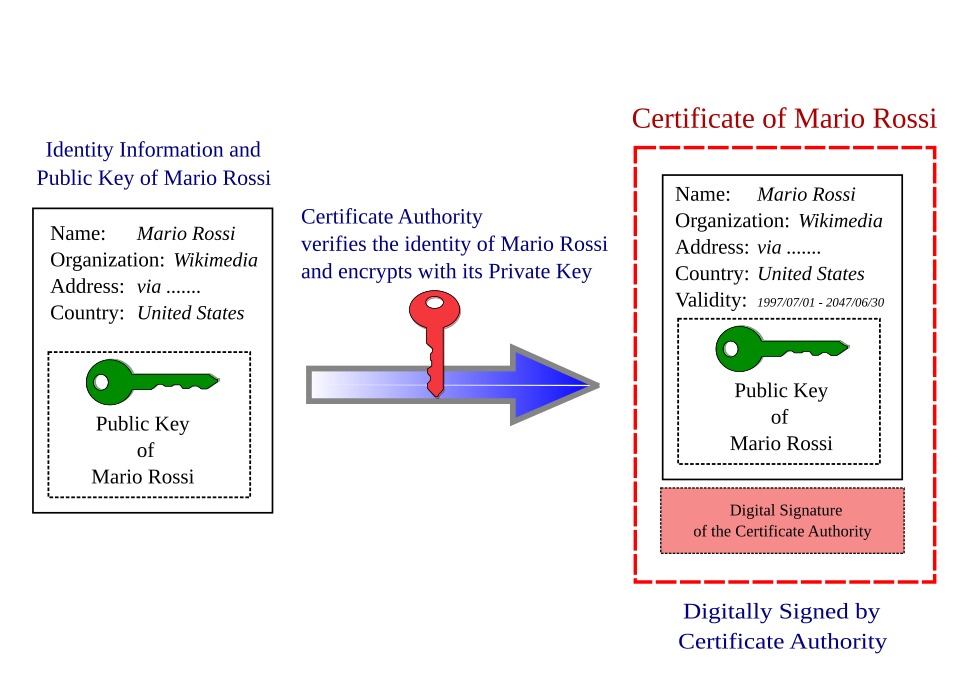
Check the public HTTPS endpoint to see which certificate visitors get.
First, see what the endpoint presents for the hostname:
openssl s_client \
  -connect example.com:443 \
  -servername example.com \
  -showcerts </dev/null
-servername sends Server Name Indication (SNI), which lets the endpoint pick the certificate for that hostname. -showcerts prints every certificate the server sends.
On a compatible OpenSSL, make hostname and certificate-path verification explicit:
openssl s_client \
  -connect example.com:443 \
  -servername example.com \
  -verify_hostname example.com \
  -verify_return_error </dev/null
This check uses your OpenSSL installation's configured trust material. -verify_hostname validates the given hostname, and -verify_return_error stops the handshake on any verification error. Read the verification result and the command's exit status.
To see whether the site answers over HTTPS, request headers from the same hostname:
curl -I https://example.comThis sends a HEAD request with certificate verification on. A redirect or non-200 status is not automatically a certificate failure, and some applications treat HEAD differently from GET.
To read the leaf certificate the endpoint sends, pull out its dates, issuer and Subject Alternative Name entries:
openssl s_client \
  -connect example.com:443 \
  -servername example.com </dev/null 2>/dev/null |
openssl x509 -noout -dates -issuer -ext subjectAltName
The SAN entries should cover the requested hostname, and notAfter is the expiration date. -showcerts alone does not confirm a trusted chain or a correct hostname. The verification command does that.
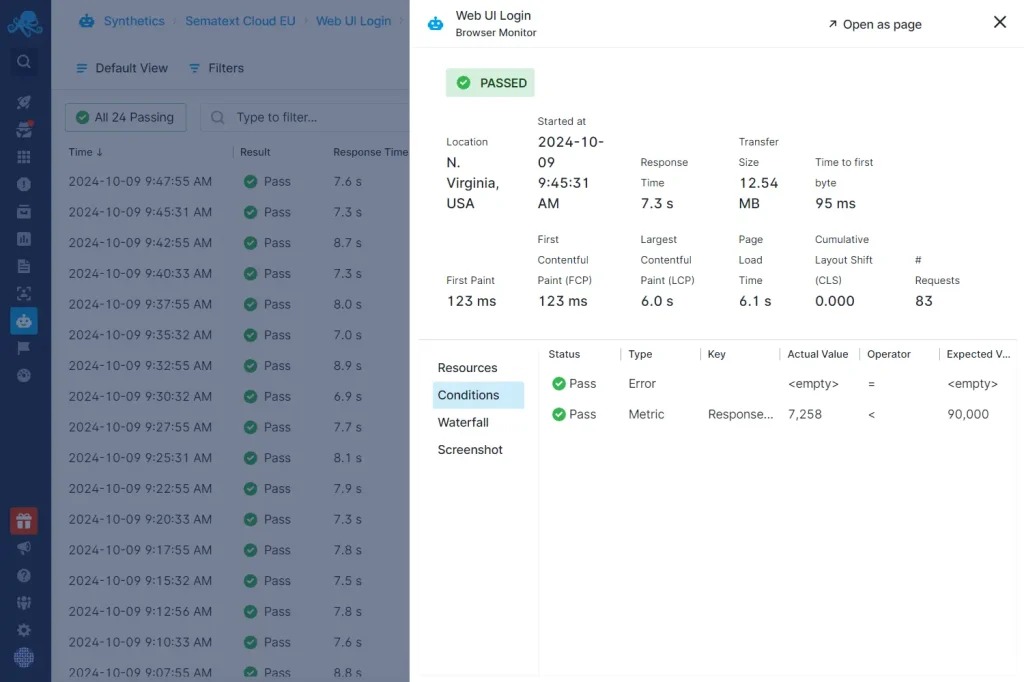
A Certbot lineage contains these files:
cert.pem: The issued leaf certificate.chain.pem: The intermediate certificates.fullchain.pem: The leaf certificate and intermediate chain.privkey.pem: The private key. Keep it protected.
You can inspect the local leaf certificate without touching the private key:
openssl x509 \
  -in /etc/letsencrypt/live/example.com/cert.pem \
  -noout -dates -subject -issuer -ext subjectAltName
Adjust the lineage name to your installation. If the public certificate differs from the local one you meant to install, look at the TLS terminator, its configuration or the deployment.
r/nginx, on an expired purchased wildcard certificate “The last SSL has expired and ....... its been a while so I forgot how to renew.”
Confirm renewal is scheduled and simulate it safely
Find the existing Certbot renewal schedule before adding another timer or cron job.
On systemd, list matching timers:
systemctl list-timers --all | grep -i certbotFor the Certbot snap on Ubuntu, check its renewal timer:
sudo systemctl status snap.certbot.renew.timerIf the snap timer is missing, check for another systemd unit or a cron entry. Other install methods use those.
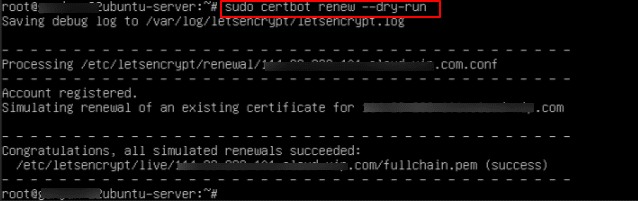
Once you know which Certbot install is in charge, simulate renewal:
sudo certbot renew --dry-runCertbot uses the staging environment for this test. A passing dry run means Certbot can complete the validation at renewal time.
Deploy hooks do not run during a dry run unless you add --run-deploy-hooks. With that flag, eligible hooks perform real actions using the currently active certificate, so check their side effects before testing against a production service.
A plain certbot renew returns exit code 0 even when no certificate was due, so read the renewal log along with the exit status.
The Certbot user guide covers renewal commands, hooks and when they run.
Make sure renewed certificates reach the services that serve them
After Certbot renews a certificate, every service that uses it has to pick up the new files. The integrated Nginx and Apache workflows reload on their own. A manually installed certificate or a separate service needs an explicit deployment action.
Find out which service reads the lineage and whether its integration already reloads it. A second hook on top of an integration that already reloads can cause redundant or conflicting actions.
Take a self-managed Nginx server with a certificate obtained through certonly --webroot, where Nginx reads the renewed Certbot lineage. If nothing reloads Nginx after a successful renewal, an executable deploy hook can run the configuration check and the reload.
This script is an example for that Nginx setup:
#!/bin/sh
set -e
[ "$RENEWED_LINEAGE" = "/etc/letsencrypt/live/example.com" ] || exit 0
nginx -t
systemctl reload nginx
Save it at a deploy-hook path such as:
/etc/letsencrypt/renewal-hooks/deploy/reload-nginx.shApply executable permissions:
sudo chmod 700 /etc/letsencrypt/renewal-hooks/deploy/reload-nginx.shInstall it with appropriate ownership, and make sure the commands resolve to the intended Nginx service. The configuration test runs before the reload, and set -e stops the script if the test fails.
Deploy hooks run only after a successful renewal. Directory deploy hooks also run for other renewed lineages, so the script checks RENEWED_LINEAGE before reloading Nginx. Replace /etc/letsencrypt/live/example.com with your lineage path. A failed deploy hook is reported as an error but does not necessarily make certbot renew exit unsuccessfully, so check the hook result separately from issuance.
If another machine serves the certificate, you have to transfer the renewed certificate and private key to it before its service can reload. Use controlled credentials and permissions for that transfer. Copying private keys widely increases exposure, and multiple serving nodes need coordinated deployment.
Test the deployment mechanism for any service outside the local Nginx integration in its own environment.
Troubleshoot validation failures and stale certificates by symptom
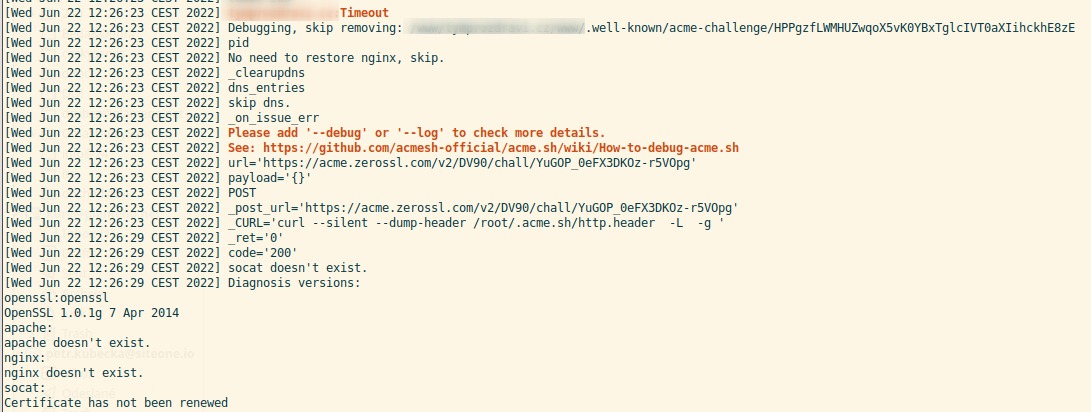
Start with the exact error and the authenticator involved.
Certbot logs are in /var/log/letsencrypt/. Web-server logs and authoritative DNS lookups help you find the failing layer.
| Observed symptom | First check |
|---|---|
| HTTP-01 connection timeout | Public port 80, A/AAAA destinations, firewall, NAT and proxy routing |
| HTTP challenge returns 404 or wrong content | Matching virtual host, webroot and challenge-path handler |
| IPv4 responds but authorization fails | Whether IPv6 reaches an unexpected or incorrectly configured endpoint |
| DNS-01 TXT record cannot be found | Authoritative _acme-challenge record, provider updates and propagation |
| Standalone authenticator reports an occupied address | Which process already listens on port 80 |
| Nginx installer cannot select the site | The configured server_name and requested certificate names |
| CA reports an issuance rate limit | Previous attempts and the unresolved authorization failure |
| Certificate was issued but an old one remains public | Actual TLS terminator, certificate path, SNI selection and deployment state |
| Issuance is blocked by an authorization restriction | Whether CAA records restrict the requested certificate authority |
For an HTTP challenge failure involving redirects, compare the response against Let's Encrypt's redirect conditions. If a DNS TXT record can't be found, query the authoritative DNS and allow for propagation time.
r/selfhosted, on Nextcloud behind Docker-hosted Nginx Proxy Manager “I'm trying to renew my let's encrypt certificate and I've gotten internal error in the dashboard of npm.”
A dashboard error alone does not say whether the cause is challenge routing, DNS or deployment. The ACME and proxy logs do.
If issuance succeeded but the public certificate is stale, look at the serving or deployment stage covered above.
Repeated production issuance attempts without a fix for the underlying problem trigger certificate-authority rate limits. Fix the failing condition before you retry, and use staging or another controlled test while you work on it.
Don't delete certificate directories, expose private keys or disable the firewall broadly while diagnosing. Each adds risk and none isolates the original fault.
Monitor certificate expiry and prepare for shorter lifetimes
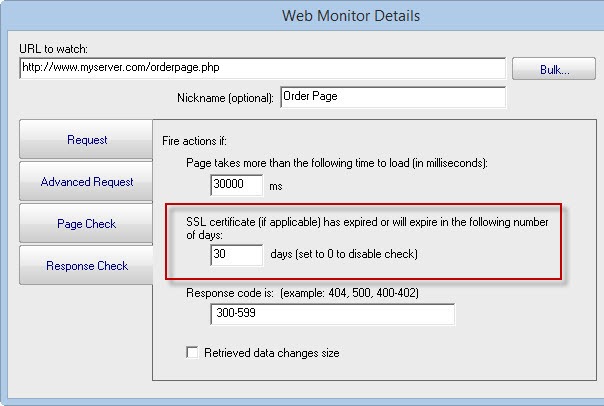
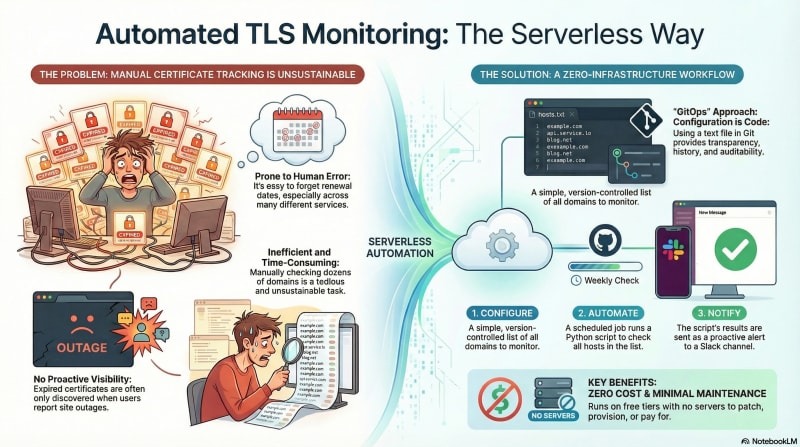
Independent monitoring should connect to the public hostname over HTTPS with SNI, watch the certificate's expiration and availability, and alert someone who can act before it expires. A successful local renewal job doesn't mean every public endpoint has the new certificate.
Let's Encrypt stopped sending certificate-expiration warning emails on June 4, 2025, so expiry alerts now have to come from a monitor you run or another service that notifies the right person.
r/devops, June 2026 “How are you monitoring renewal dates? I know blackbox exporter does a good job out of the box.”
Blackbox exporter is one option. Any TLS-capable monitoring system works if it checks the public endpoint and sends alerts.
Let's Encrypt has also announced a staged reduction in default certificate lifetimes:
| Policy milestone | Default certificate lifetime |
|---|---|
| Before the announced transition | 90 days |
| Issuance beginning February 10, 2027 | 64 days |
| Planned issuance beginning February 16, 2028 | 45 days |
The changes apply only to certificates issued after each transition.
The Let's Encrypt certificate-lifetime announcement covers ACME Renewal Info (ARI), which lets a compatible client get recommended renewal timing. Support differs by client and version.
Review any custom script with a fixed 60-, 80- or 83-day schedule, since it will need maintenance. For a custom lifetime-based calculation, the announcement describes renewing at about two-thirds of the certificate lifetime. Maintained ACME clients should keep using their own renewal behavior.
Let's Encrypt's staging environment began issuing 64-day certificates on October 14, 2026, ahead of the announced production transition. That gives you a shorter-lifetime case for testing your client.
Set the alert threshold so the person responsible has enough time to fix DNS, validation or deployment failures.
Finish with a certificate-lifecycle acceptance checklist
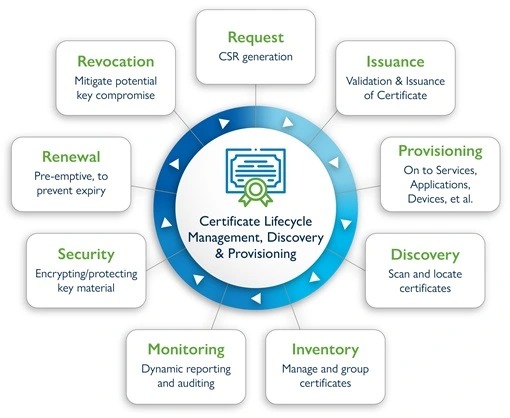
Keep one record showing who manages the certificate and what evidence exists for each stage.
| Gate | Evidence to keep | Who owns it |
|---|---|---|
| 1. Issuance | Hostname, ACME challenge, CA/client and issuance record | Whoever runs Certbot |
| 2. Installation | Lineage, installed certificate path and service configuration | Whoever runs the web server or proxy |
| 3. Public serving | Observed hostname match, expiration, issuer and verification outcome | Whoever runs the public HTTPS endpoint |
| 4. Scheduled renewal | Existing timer/cron mechanism, dry-run result and whether deploy hooks ran in the test | Whoever runs the renewal job |
| 5. Deployment | Certificate consumer, reload/distribution trigger and observed outcome | Whoever runs the service that uses the certificate |
| 6. Monitoring | Public endpoint monitor, expiration alert, recipient and escalation path | Whoever runs monitoring |
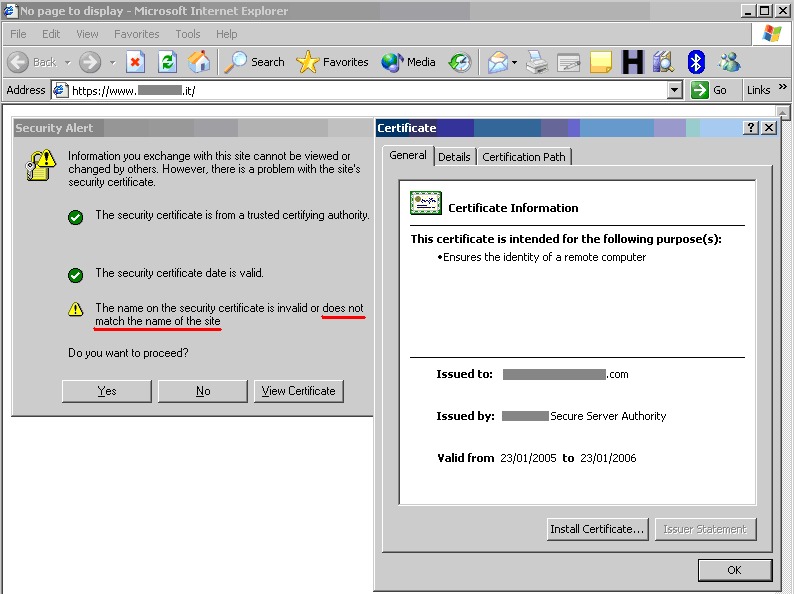
For a hypothetical example.com installation, the record would list Nginx as the TLS terminator, Certbot as the ACME client, HTTP-01 as the challenge method and example.com as the lineage name. Leave an unrun renewal simulation or an unconfigured external monitor marked open.
Add the person responsible for recovery and the location of the previous working configuration.
Your next action is to identify who owns public TLS and inspect the certificate visitors receive.
