Check the signals your live WordPress URL sends, then change only the tool behind a mismatch. Use robots.txt for crawling, noindex for index exclusion, sitemaps for discovery, and canonical tags for the preferred duplicate URL. If the signals agree but Google hasn't indexed the page, stop editing these directives and compare Search Console's indexed and live data.
Your WordPress post appears in an XML sitemap. Its canonical tag points to the URL you want indexed. Yet Google Search Console says the post isn't in the index.
Diagnose before touching any WordPress SEO setting. The sitemap, crawler permissions, indexing directives, and canonical tag each answer a different question. Start with what the server sends for one affected URL.
Which WordPress SEO signal solves the problem?
| Desired outcome | Tool | What to look for | Common mistake |
|---|---|---|---|
| Control crawler access | robots.txt | The User-agent, Allow, and Disallow rules that apply | Expecting crawl restrictions to remove a URL from search |
| Request exclusion from the index | Robots noindex meta tag or X-Robots-Tag | Directive served on the resource | Blocking the crawler before it can read noindex |
| Help Google discover intended URLs | XML sitemap | XML response and the relevant <loc> entry | Assuming submission forces indexing |
| Identify a preferred duplicate URL | rel="canonical" | Declared canonical target | Expecting the tag to move visitors |
| Move an address permanently | HTTP redirect | Redirect status and destination | Relying on a canonical tag as the move |
A robots rule tells compliant crawlers which paths they can fetch. To request index exclusion, Google must be able to fetch and read noindex, as Google's robots.txt documentation explains.
An XML sitemap supplies discovery information and can reinforce a preferred URL. A permanent redirect sends requests elsewhere and adds a separate, strong canonicalization signal.
Find what generates each file and tag
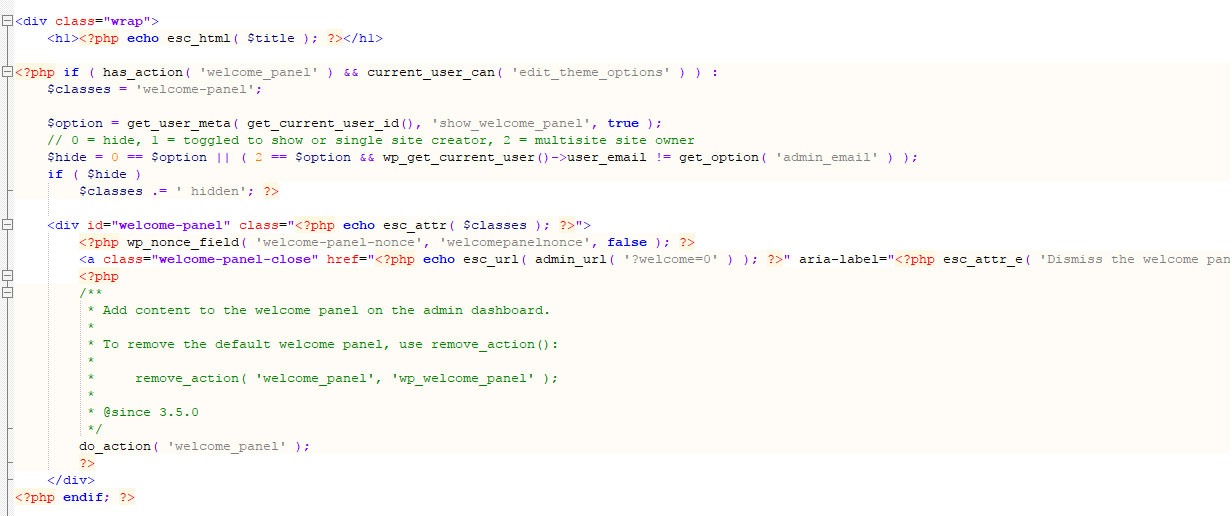
A WordPress setting tells you the intended behavior. The live HTTP, XML, or HTML response tells you what the site serves.
| Item | WordPress core behavior | Can also come from | Public output |
|---|---|---|---|
| Robots rules | do_robots() can return a virtual robots response | Physical file, plugin, web server | Root /robots.txt |
| Sitemap | WP_Sitemaps provides native sitemap routes | SEO plugin and rewrite rules | /wp-sitemap.xml or plugin-specific index |
| Canonical | rel_canonical() covers singular queries | Plugin, theme, custom code | Link tag in page HTML |
| Indexing exclusion | Search-engine visibility setting in Reading | Page SEO setting or HTTP layer | Robots meta or X-Robots-Tag |
The native WordPress sitemap starts at /wp-sitemap.xml, while a Yoast-managed site serves /sitemap_index.xml. Your installed plugin, permalink handling, cache, and server rules decide which one is live.
WordPress introduced built-in XML sitemaps in version 5.5, released August 11, 2020.
WordPress core's canonical function covers singular queries, meaning requests for a single item such as a post or page. Yoast has its own documented sitemap exclusion logic for certain non-indexable and non-canonical URLs.
Identify the active SEO plugin, then match each served resource to what generates it. Also check the sitewide visibility option under Settings > Reading. For robots rules, sitemap, canonical, and noindex, record the source as core, a named plugin, theme, server/CDN, or unknown.
If you can't tell, mark the source unknown until the live output shows where it comes from. The WordPress WP_Sitemaps reference documents the native component.
Check robots.txt without hiding a noindex directive
The relevant robots file is the one at the affected host's root. For https://example.com/guides/wordpress-seo/ (a made-up URL, like every example in this guide), start with https://example.com/robots.txt. Then find the group that applies to Googlebot and the rule that affects /guides/wordpress-seo/.
User-agent: *
Disallow: /private/
Allow: /
Read the user-agent group and the matching path rules together. Here, Disallow: /private/ blocks everything under /private/ because it's more specific than Allow: /, and your article at /guides/wordpress-seo/ stays allowed. If the file has a separate Googlebot group, read that group instead.
A Disallow line somewhere in the file doesn't prove Googlebot can't reach your article. If the matching rule permits the path, note crawl allowed. If it blocks the public article you want indexed, note the exact rule and what generates it.

Keep intentional access restrictions on a staging site in place, and use authentication or equivalent access control for sensitive content. Robots instructions aren't a security boundary.
Check the actual XML sitemap and its URL entries
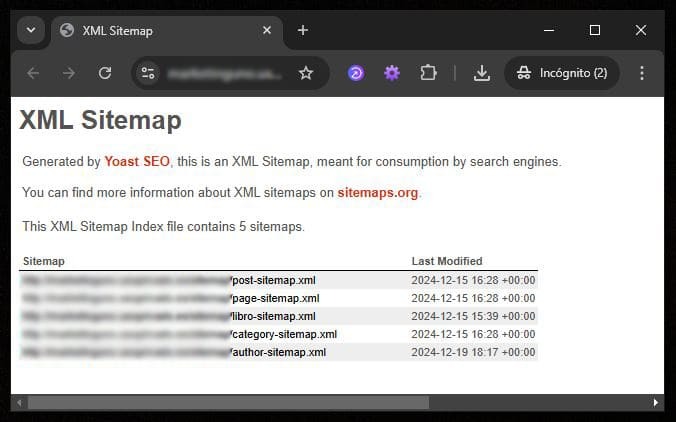
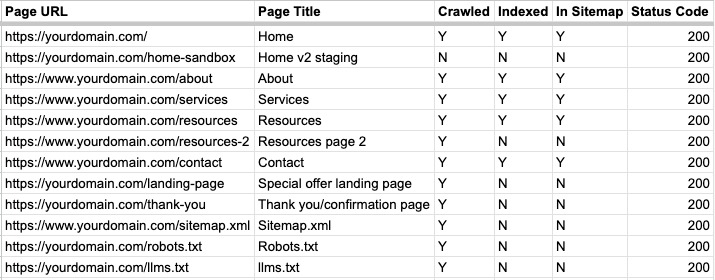
Request the sitemap URL from the generator you identified earlier, and note the final response URL, HTTP status, and content type. If the entry point is a sitemap index, test it and the relevant child sitemap separately, then find your preferred URL in a <loc> element.
<url>
  <loc>https://example.com/guides/wordpress-seo/</loc>
</url>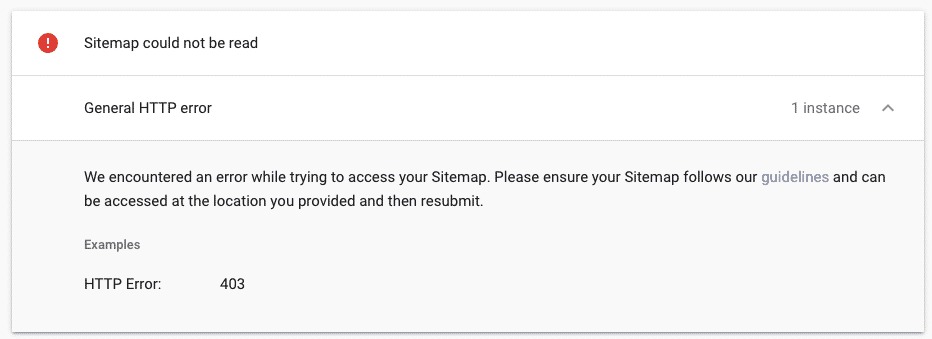
In r/SEO, an owner comparing two domains on the same server described trouble with a recently purchased expired domain: “Its sitemap has been showing "Couldn't fetch" in GSC for the past five days.” Check whether the domain returns valid XML when you request the sitemap yourself. Then check whether Search Console's status reflects what Google did with that file.
- 404 or unexpected destination: Check the sitemap route and the permalink, rewrite, or server rules behind it.
- Blank response or malformed XML: Open the sitemap generator and look for extra output mixed into the XML.
- HTML instead of XML: Check whether a login page, an error page, or an unrelated route is what's responding.
- Unexpected entries or missing pages: Review the active generator's inclusion rules and its preferred-URL policy.
- Access blocked: Separate restrictions on the sitemap file from directives on the pages it lists.
Rank Math documents sitemap failures involving XML errors, caching, rewrites, and server configuration, including Nginx and Apache. Follow Rank Math's steps only if Rank Math generates your sitemap.
Compare the URL's canonical tag, noindex, and redirects
Start at the address you requested and follow every redirect to the final response. Note each redirect's status and destination. Then check the final HTML for a canonical tag and robots meta directive, and the response headers for any X-Robots-Tag. Compare the served canonical, robots rules, sitemap entry, and redirect destination for the same exact URL.
Compare the protocol (http or https), hostname (www or non-www), path, and canonical target with the preferred URL from the sitemap. In a browser, you'll find the HTML tag in page source, and developer tools or an HTTP response viewer show status and response headers. A self-referencing canonical in the final document looks like this:
<link rel="canonical" href="https://example.com/guides/wordpress-seo/">A canonical target that redirects, doesn't load, or points to different content needs investigation. Google's selected canonical can differ from the site's declaration.
Here's a sample record in which every check agrees.
| Check | Result |
|---|---|
| Requested URL | https://example.com/guides/wordpress-seo/, the intended article |
| Final response | 200, same URL, no redirect |
| Crawl access | Allowed for the path |
| Index directive | No noindex in HTML |
| HTTP indexing header | No noindex in X-Robots-Tag |
| Canonical | Same HTTPS URL |
Sitemap <loc> | Same HTTPS URL |
In r/bigseo, a developer rebuilding a client's four-page site reported setting a 301 redirect during a www-to-non-www migration: “However, Google is still not indexing the non-www version, and the www version's 4 pages are still indexed.” Check three things separately before changing a migration that looks correct: the old URL's current redirect, the new URL's declared canonical, and Google's earlier indexed choice.
What Google Search Console has recorded

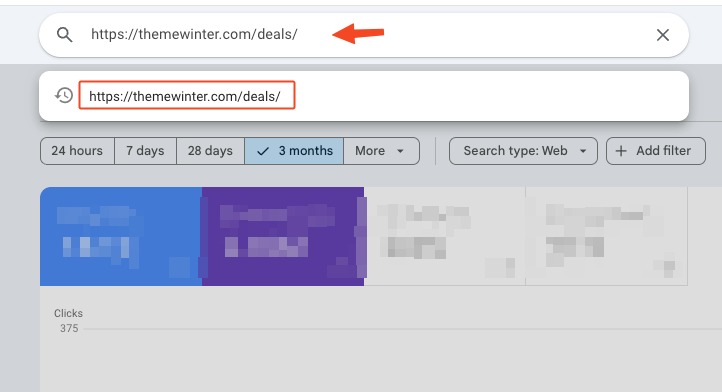
Search Console's indexed report and its live test answer different questions. Google's URL Inspection documentation describes the two views. Open URL Inspection in the correct property and enter the complete affected URL.
In the indexed data, read the reported state, the last crawl when provided, the user-declared canonical (yours), and the Google-selected canonical. Then run Test Live URL to check current access and indexability separately.
The Google-selected canonical appears in the indexed data, and the live test can't predict Google's eventual canonical choice. The live test also follows redirects without showing the full chain or the final tested URL. For those, use the HTTP response check from the previous section.
Discovered - currently not indexed and Crawled - currently not indexed describe different stages. Alternate page with proper canonical tag covers canonical treatment. A stored record can reflect an earlier crawl after a site migration or tag change.
In r/SEO, an owner whose sitemap loaded in a browser wrote: “Submitted my sitemap in Search Console and it's stuck on "Couldn't fetch", 0 pages, 0 videos, no last read date.” A blank last-read field leaves you no successful retrieval date to compare with the current XML response.
Diagnose conflicts before choosing a fix
Two URLs with the same Search Console exclusion can need different fixes because their live results differ.
| Observed condition | Where it comes from | What to do |
|---|---|---|
| Public page intended for Googlebot is disallowed | Robots configuration | Correct the unintended crawl rule that applies to the page |
Crawlable public page emits unintended noindex | Reading setting, plugin, theme, HTTP layer | Fix the source of the exclusion |
| Sitemap returns 404, HTML, blank output, or invalid XML | Generator, rewrites, cache, server | Repair the failing resource |
| Sitemap lists URL A, redirect/canonical prefers URL B | Sitemap and preferred-URL policy | Make the sitemap list the preferred URL |
| Old www URL redirects correctly, but indexed canonical remains www | Google's indexed record versus the live setup | Compare crawl history before altering a working move. If the live redirect or canonical points somewhere unintended, fix that |
| Query-parameter variants return 200 with a home canonical | How the URLs are discovered and generated | Trace where those URLs are exposed. Once links or logs name a specific origin, work from that origin |
| Accessible, indexable, self-canonical page is listed in sitemap yet not indexed | No conflict among these checks | Investigate the remaining indexing causes |
A page like the sample record above, with indexable content, meets Google's minimum technical eligibility requirements. Eligibility doesn't compel Google to index it.
If Search Console says Crawled - currently not indexed, there's no reason to change these consistent directives.
Now say the sitemap lists http://www.example.com/guides/wordpress-seo/, while the redirect and canonical both prefer https://example.com/guides/wordpress-seo/. Only the sitemap disagrees, so correct that URL. Redirect setup is a separate migration task.
In the r/Wordpress discussion, a WooCommerce site owner using Rank Math and LiteSpeed described unexpected parameterized homepage URLs returning HTTP 200 with a homepage canonical: “I'm trying to identify the root cause rather than just block the URLs.” Trace where the parameter URLs enter your site, whether through its links, logs, or generated output.
Verify one change at a time

Apply the single correction your diagnosis supports. Log the affected URL, previous output, intended output, responsible component, date, and rollback path. For production-wide changes, take a backup and use change control.
Then reload the changed public resource, including any cached or CDN-served response, and log what the testing client returns.
