For a simple recurring task, use a five-field crontab entry such as */5 * * * * /path/to/command, which runs at every five-minute mark of the hour. Then confirm the command produced the result you wanted. If you need missed runs to catch up, service integration, or a desktop session, use a systemd timer or a session-aware scheduler instead.
Crontab quick reference: run a job every 5, 10, or 15 minutes
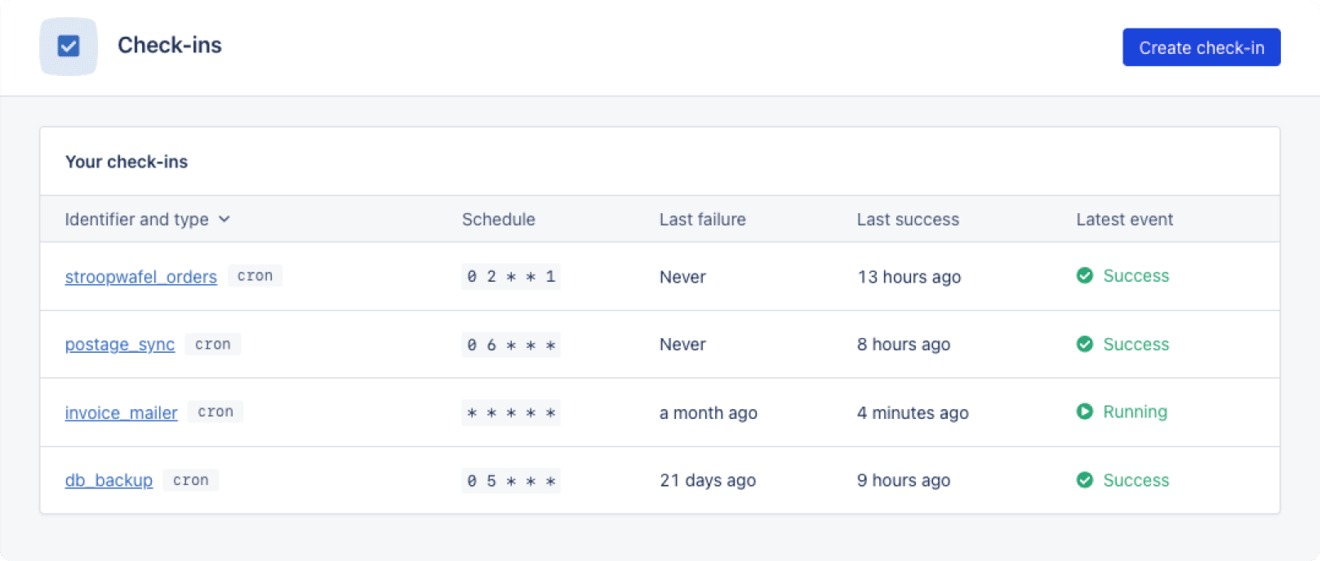
To run a command every five minutes, put this line in your user crontab:
*/5 * * * * /path/to/commandReplace /path/to/command with your executable or script.
These examples use the standard five-field Linux crontab format and follow Debian cron:
| Schedule | Cron expression | When it matches |
|---|---|---|
| Every minute | * * * * * | Each minute |
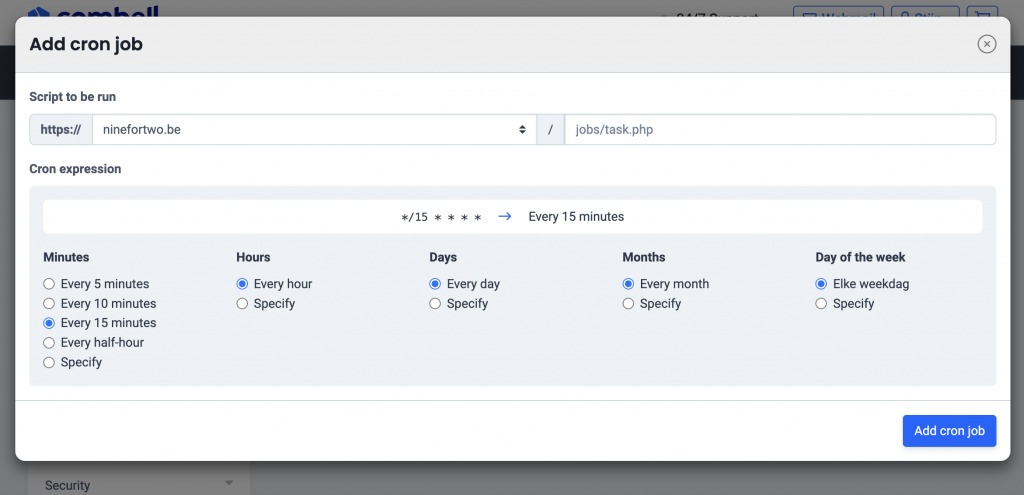
| Every 5 minutes | */5 * * * * | :00, :05, :10, …, :55 |
| Every 10 minutes | */10 * * * * | :00, :10, :20, :30, :40, :50 |
| Every 15 minutes | */15 * * * * | :00, :15, :30, :45 |
| Every 30 minutes | */30 * * * * | :00 and :30 |
| Every hour | 0 * * * * | At the start of each hour |
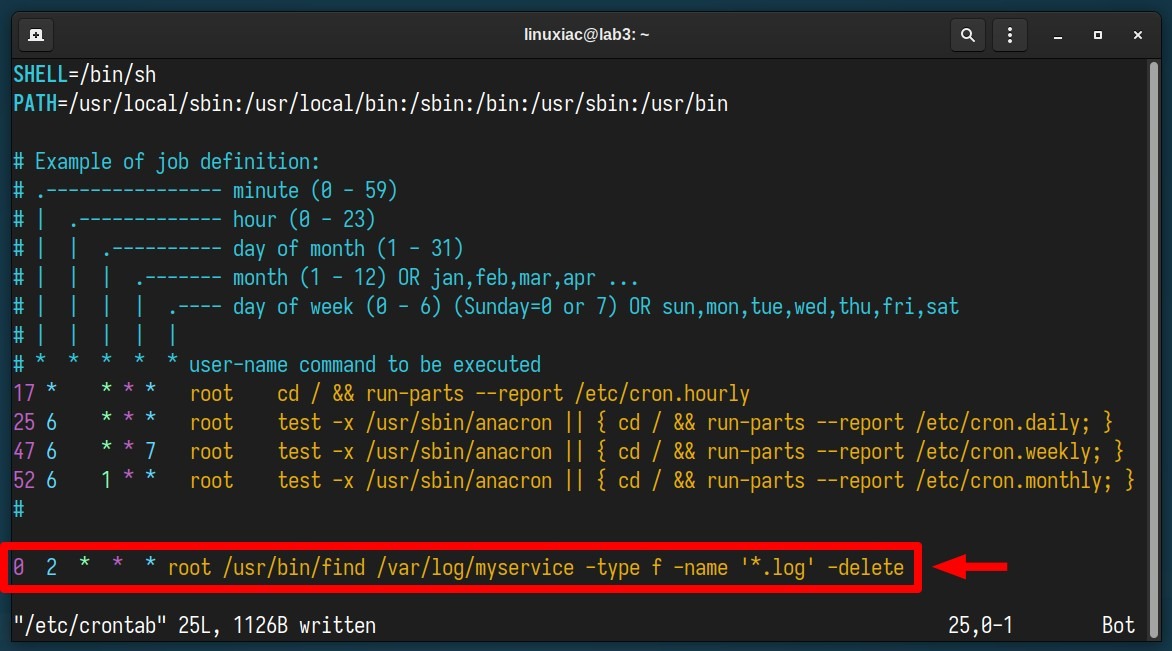
| Daily at 2 AM | 0 2 * * * | 02:00 each day |
| Daily at 9 AM | 0 9 * * * | 09:00 each day |
| Weekdays at 9 AM | 0 9 * * 1-5 | 09:00 Monday through Friday |
| Daily at 5:30 PM | 30 17 * * * | 17:30 each day |
| First day of each month | 0 0 1 * * | Midnight on day 1 |
| Every 5 minutes on weekday working hours | */5 9-17 * * 1-5 | 09:00 to 17:55, Monday through Friday |
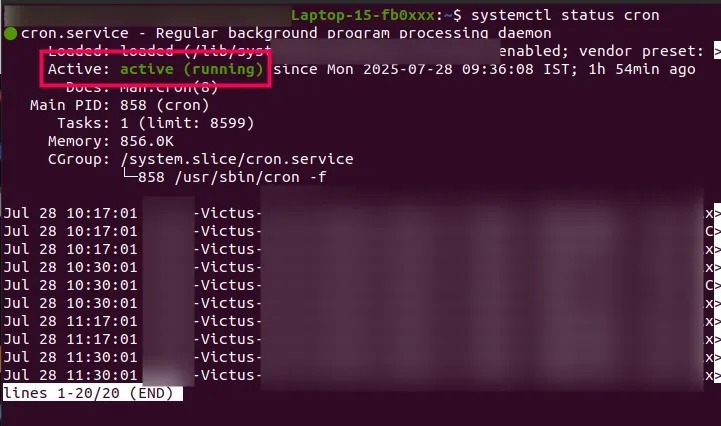
Can a standard crontab run every 30 seconds?No. Crontab works at one-minute resolution, so sub-minute tasks need another approach.
How the five cron fields and operators work
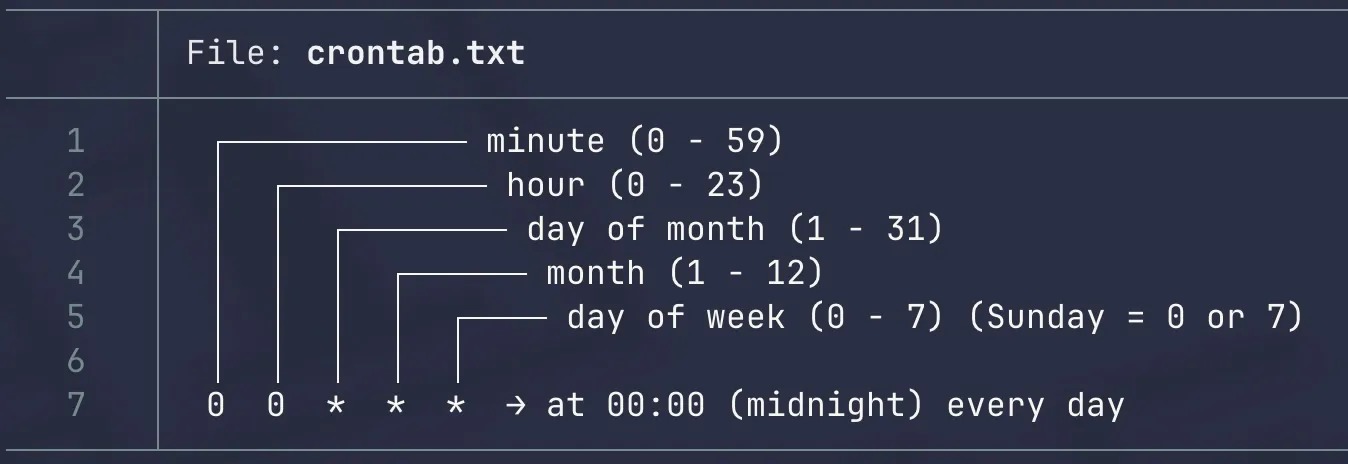
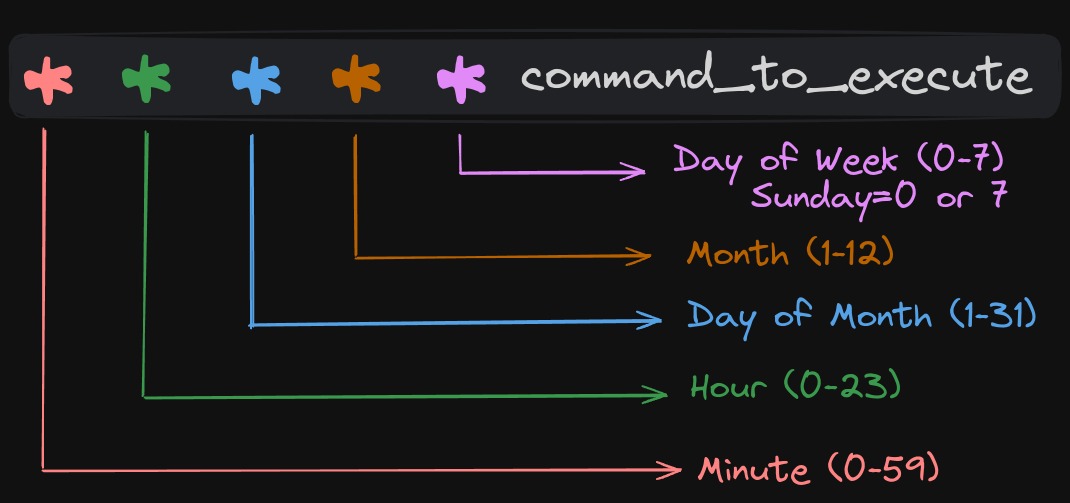
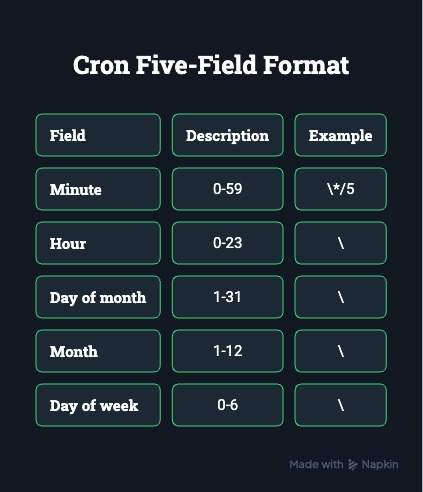
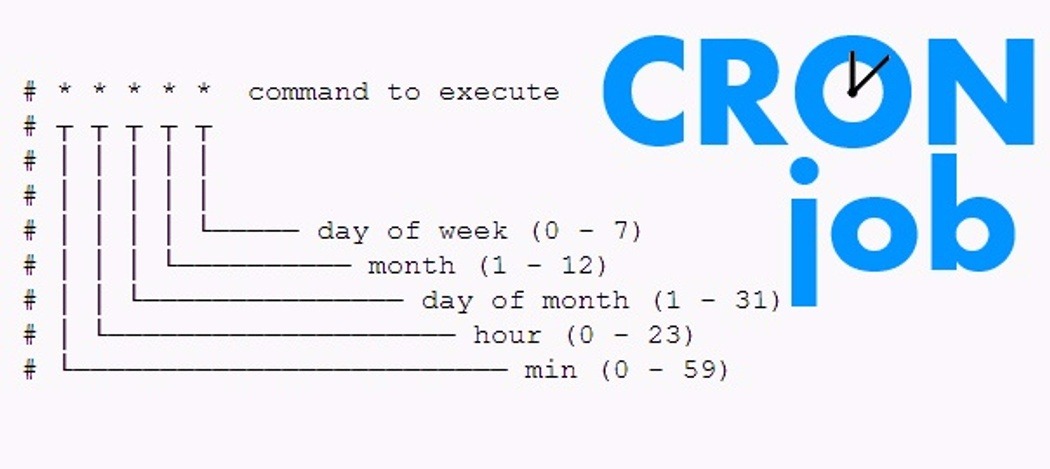
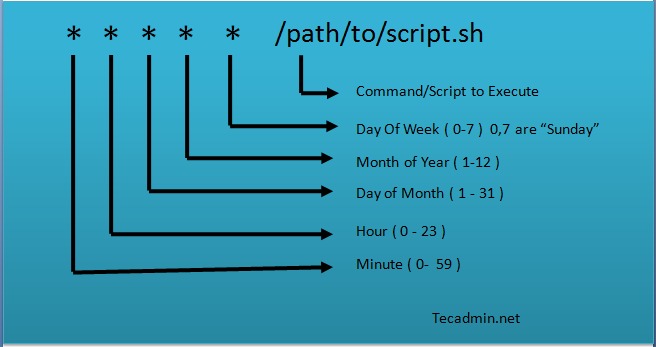
A user crontab line has five time fields, then the command:
minute  hour  day-of-month  month  day-of-week  command
* * * * * COMMAND| Field | Allowed values | Example |
|---|---|---|
| Minute | 0 to 59 | 0 is the start of the hour |
| Hour | 0 to 23 | 17 is 5 PM |
| Day of month | 1 to 31 | 1,15 is the first and fifteenth |
| Month | 1 to 12 | 6 is June |
| Day of week | 0 to 7 | 1-5 is Monday through Friday; Sunday is 0 or 7 |
An asterisk matches every allowed value. A comma lists values (1,3,5), a hyphen sets an inclusive range (9-17), and a slash sets a step (*/5).
*/5 9-17 * * 1-5 COMMANDCron runs this every fifth minute during hours 9 through 17, Monday to Friday. Hour 17 is included, so the last run is at 17:55.
When both day fields have restrictions
When you restrict both day of month and day of week, Debian-style traditional cron matches either one. The Debian crontab manual shows this with:
30 4 1,15 * 5 COMMANDThat runs at 04:30 on the first and fifteenth of the month and on every Friday.
Percent signs inside commands
In a Debian-style command field, an unescaped % splits the command, and the text after it goes to the command as standard input. Escape it in date formats (date +\%F) or move the formatting into a script.
Put comments on their own lines. A # after a command gets passed to the shell with the command.
Where to put a cron job: user versus system crontab
A user crontab belongs to one Linux account, and its commands run with that account's permissions. List and edit it with:
crontab -l
crontab -e
sudo crontab -l shows root's crontab, which holds its own set of jobs.
The username field changes with the file type
A user crontab entry is five time fields and a command:
*/5 * * * * /path/to/script.shSystem files such as /etc/crontab and the entries in /etc/cron.d/ add a username field:
*/5 * * * * serviceuser /path/to/script.shserviceuser is an existing account the job runs as. Put that field in a user crontab and cron treats it as part of the command.
On Debian, user crontabs live in /var/spool/cron/crontabs/. Manage them with the crontab utility, and use /etc/cron.d/ for system cron files.
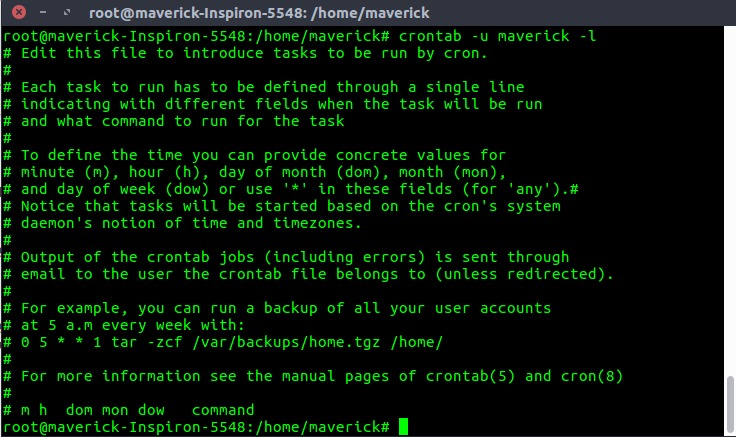
Save a copy of the existing entries before editing an important schedule. crontab -r deletes the whole crontab of the current user. To remove one job, delete its line in crontab -e, and don't edit the spool files by hand.
Debian cron picks up edits made through crontab without a daemon restart.
Can I test a crontab file before installing it?Cronie's
crontab -Tchecks syntax without installing the file. Not every implementation has this option, so check yours first.
Install a harmless test job and confirm its first scheduled run
Appending a timestamp to a file is a safe way to check that a scheduled command runs under the account you intended. Use a regular account that can write to its home directory.
First find the path of date:
command -v dateIf that returns /usr/bin/date, add the following temporary line through crontab -e. Use the path your system reports if it differs:
* * * * * /usr/bin/date >> "$HOME/cron-smoke-test.log" 2>&1Every minute, the job appends the date and time to cron-smoke-test.log in that user's home directory. >> appends standard output, and 2>&1 sends standard error to the same file.
Save the entry, wait a minute, then check the end of the file:
tail -n 3 "$HOME/cron-smoke-test.log"A fresh timestamp means the job ran as that user.
Once you've seen it work, delete only the test line in crontab -e.
Why a command works in the terminal but fails in cron
Cron runs commands in a noninteractive environment with its own PATH and shell, a different working directory, and no access to your login session. Capture the actual scheduled run's output.
In an August 2022 r/linuxadmin discussion, an admin generating a Bash report wrote, “The job is executed, but the file is empty.”
| Symptom | Cause | What to look at |
|---|---|---|
| Command runs only in a terminal | Executable is outside cron's PATH | Which executable cron can't find |
| Bash script behaves differently | Cron uses a different shell | The interpreter line and any Bash-only syntax |
| Output file is empty or missing | Relative path or working-directory assumption | Where the script reads and writes |
| Permission denied | Scheduled account lacks access | ls -l on the script and its directories |
| Audio or GUI task fails | No interactive session resources | Whether the task needs a logged-in user session |
Cron sets only a few variables, such as HOME, LOGNAME, and SHELL. Aliases, login-shell startup files, and a customized terminal PATH don't carry over. For PATH problems, add a PATH= line at the top of the crontab or call the command by its full path.

A Bash script can behave differently under another shell. The &> redirection, for example, is Bash-specific, so run such scripts with Bash.
Relative paths cause the same trouble. Run by hand from the project directory, a script finds its input file. Run by cron, it starts somewhere else. Use absolute paths, or begin the script with cd /path/to/project.
For permission errors, give the job's account access to the paths it needs. Don't make unrelated files world-writable.
Check cron logs, then verify what the job produced
Check a failed cron job in three stages: did cron launch it, did the command run correctly, and is the result usable?
| Stage | Evidence |
|---|---|
| Schedule and launch | Cron service state and scheduler logs |
| Command execution | Standard output, standard error, exit status |
| Expected result | Report contents, a valid export, or another result specific to the task |
Find the scheduler's record
On systems where the service is called cron, start with:
systemctl status cron
journalctl -u cron --since today
Where it's called crond, use:
systemctl status crond
journalctl -u crond --since today
Daemon names and log destinations differ by implementation and configuration. If the journal has nothing useful and your Debian/Ubuntu system writes cron events to /var/log/syslog, try:
grep CRON /var/log/syslogSystems that log only to the journal can lack that file. Find where your system sends cron logs before deciding the job never ran.
Capture the command's result
Redirect stdout and stderr to a file you can write to. To keep the exit status, read $? right after the command, because any other command overwrites it. This script, run by cron, does both:
#!/bin/sh
/path/to/report.sh >> "$HOME/report.log" 2>&1
status=$?
printf '%s\n' "$status" >> "$HOME/report-status.log"
exit "$status"
Cron can email a job's output if a mail transport and recipient are configured.
A job can launch without writing to the log file you expect. A user in a March 2025 r/linux4noobs discussion about renaming images with ExifTool reported: “… also the cronjob won't log errors to the specified file.”
Define a good result for each job. A report needs meaningful records. An export must be present, fresh, and valid. A backup needs validation, and restoring it takes its own test.
Watch for overlapping runs, DST, and missed work
A correct expression can still schedule badly. Before you rely on an unattended job, think about runtime, clock changes, and host downtime.
When one execution lasts longer than its interval
If a job runs every five minutes but takes eight to finish, a new run starts before the old one exits. Where flock is available, a nonblocking lock prevents overlap:
*/5 * * * * /path/to/flock -n /path/to/job.lock /path/to/script.shSet the flock and lock-file paths for your system and account. With -n, a run that can't get the lock skips the command instead of waiting, and skipped runs aren't queued.
Timezones and daylight saving time
Debian cron handles clock shifts of less than three hours specially. After some forward shifts, a job scheduled for a skipped fixed time runs soon after the change. After some backward shifts, fixed-time jobs don't run twice.
Wildcard schedules follow the changed clock. In Cronie, CRON_TZ sets a crontab's scheduling timezone. In Debian cron, setting TZ inside a crontab changes the command's environment but not necessarily the timezone the daemon schedules in. The Cronie crontab manual has the details.
For a 02:00 task in a region with daylight saving time, find out which cron implementation runs the schedule and which timezone it uses.
When the host is offline
Ordinary cron can't run a job while the host is powered off. To recover missed work, you need a separate mechanism, an application-level policy, or a scheduler built for it.
Will@rebootwait for every service to be ready?No. In Debian cron,
@rebootis tied to daemon startup. A job that relies on another service needs its own readiness check or dependency handling.
When cron is the wrong fit: systemd timers and session-dependent jobs
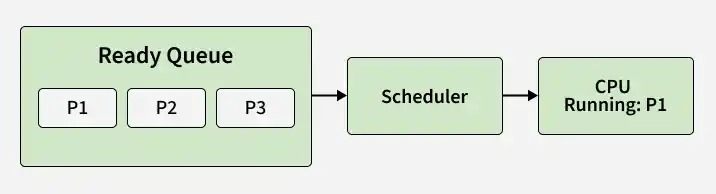
A systemd calendar timer with OnCalendar= and Persistent=true triggers one catch-up activation when it becomes active again. If the target service is already running, systemd leaves it alone, as the systemd timer documentation describes.
A Raspberry Pi owner whose audio cron task failed wrote on r/linux4noobs, “When I type the command directly into the terminal, the audio file works perfectly.”
Audio and graphical programs need a logged-in user session, and cron doesn't provide one.
